Supabase & Next.js: Multi-Tenant Authentication Guide
Learn how to set up a robust multi-tenant authentication system using Supabase and Next.js. This guide covers subdomain routing, tenant isolation, and session management for scalable SaaS applications.

Zakariae
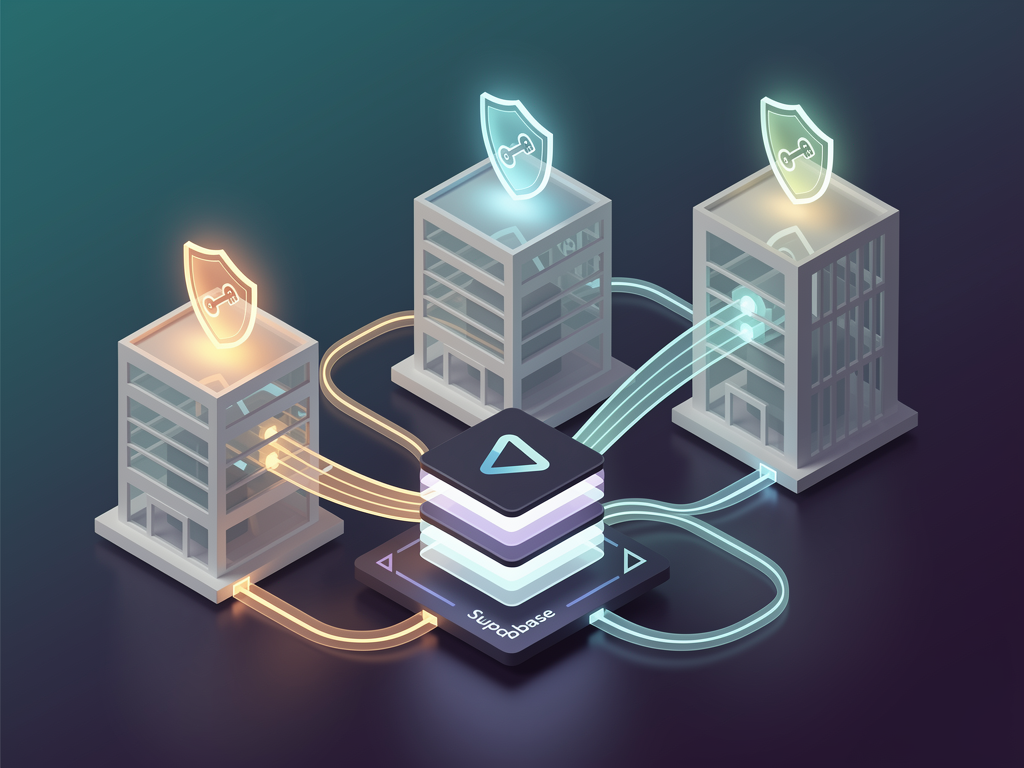
Building a multi-tenant SaaS platform requires a robust authentication system that can handle complex scenarios like subdomain-based routing, tenant isolation, and seamless user experiences across different organizational contexts. When you combine Supabase's powerful authentication capabilities with Next.js's server-side rendering and middleware features, you create a foundation capable of supporting enterprise-grade applications. This comprehensive guide walks you through implementing supabase auth helpers nextjs for multi-tenant authentication, covering everything from initial setup to production-ready configurations that scale with your business.
Key Takeaways
- Supabase Auth Helpers simplify session management across Next.js server components, client components, and middleware, eliminating common authentication pitfalls.
- Multi-tenant architecture requires careful planning of subdomain routing, database isolation through Row Level Security (RLS), and tenant-aware authentication flows.
- The @supabase/ssr package replaces older auth-helpers libraries, providing better integration with Next.js App Router and server-side rendering patterns.
- Middleware configuration is critical for extracting tenant information from subdomains and protecting routes before they render.
- Cookie-based session management ensures authentication state persists correctly across server and client boundaries in Next.js applications.
- Row Level Security policies provide database-level tenant isolation, ensuring users can only access data belonging to their organization.
Understanding Multi-Tenant Authentication Architecture
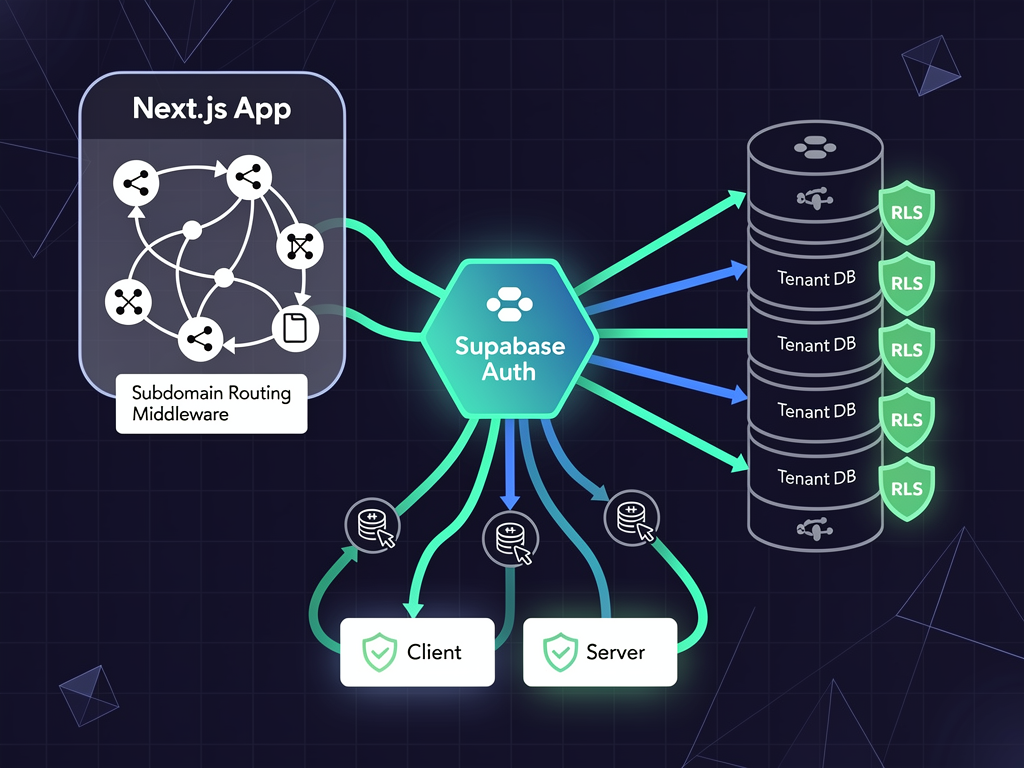
Multi-tenant applications serve multiple customers (tenants) from a single codebase while keeping their data completely isolated. Think of platforms like Slack, Notion, or Shopify, where each organization gets its own workspace, often with a custom subdomain like acme.yourplatform.com. Implementing this pattern requires authentication that understands tenant context at every layer of your application.
The fundamental challenge lies in maintaining user sessions while simultaneously tracking which tenant the user is accessing. A user might belong to multiple organizations, and your authentication system must handle context switching gracefully. Supabase provides the building blocks for this through its authentication service, PostgreSQL Row Level Security, and real-time capabilities.
When architecting multi-tenant authentication, you have several isolation strategies to consider. The first approach uses a single database with tenant identifiers on each row, relying on RLS policies to enforce access control. The second approach provisions separate schemas per tenant within the same database. The third, most isolated approach, creates entirely separate databases for each tenant. For most SaaS applications, the first approach offers the best balance of simplicity and security.
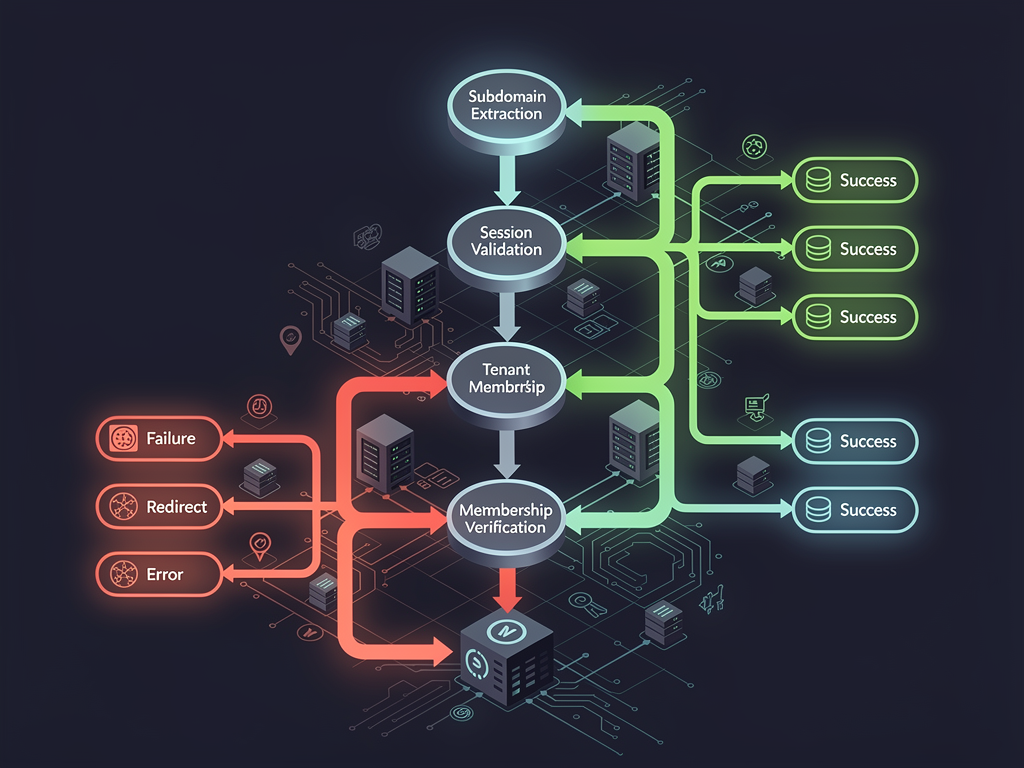
Your authentication flow in a multi-tenant context typically follows this pattern: a user visits a tenant-specific subdomain, your middleware extracts the tenant identifier, the authentication check verifies both user identity and tenant membership, and finally, all database queries automatically scope to that tenant through RLS policies. This creates a seamless experience where users never see data from other organizations.
Setting Up Supabase for Multi-Tenant Applications
Before diving into Next.js integration, you need to configure your Supabase project with the proper database schema and security policies. Start by creating a new project in the Supabase Dashboard and note your project URL and anon key, which you will need for environment configuration.
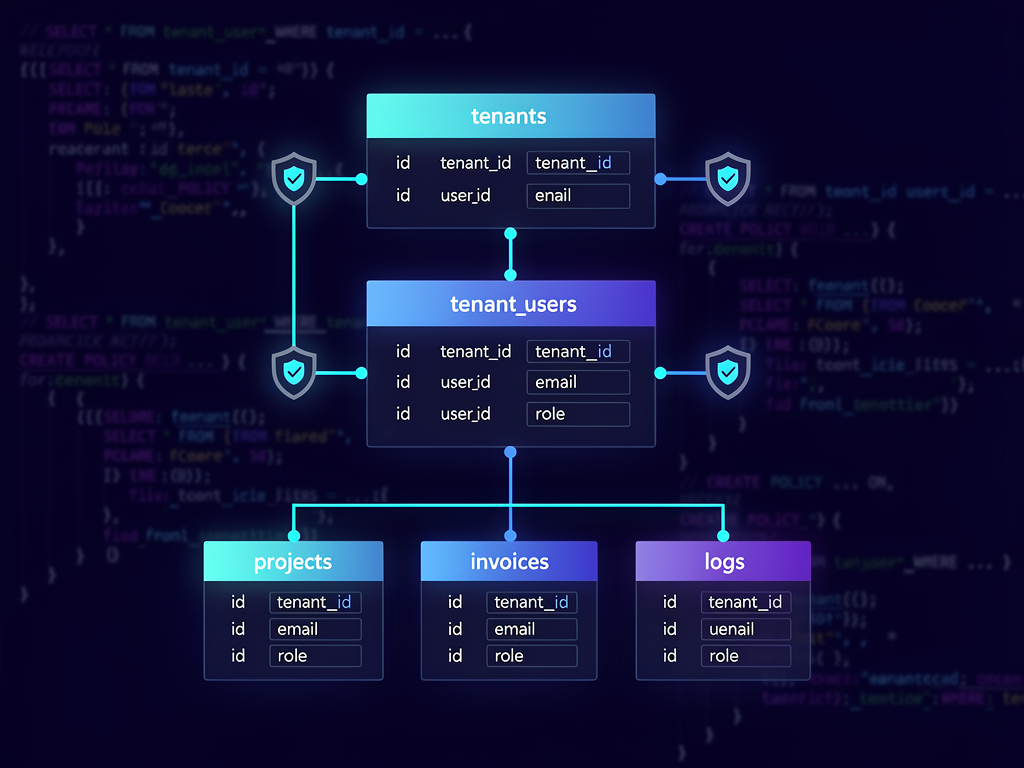
Your database schema should include a tenants table that stores organization information, a tenant_users junction table that maps users to tenants with their roles, and your application-specific tables that include a tenant_id foreign key. This structure allows users to belong to multiple tenants while maintaining clear data boundaries.
Here is a foundational schema structure for multi-tenant applications:
Pro Tip: Always create your RLS policies before inserting any data. Supabase enables RLS by default on new tables, but without policies, all queries will return empty results. Test your policies thoroughly in the SQL editor before deploying.
The tenants table should include fields for the unique identifier, a slug for subdomain routing, display name, subscription tier, and timestamps. The tenant_users table creates the many-to-many relationship between Supabase Auth users and tenants, including a role field for permission management. Every other table in your application should reference tenant_id to enable proper data isolation.
Row Level Security policies form the backbone of your tenant isolation strategy. Create policies that check the current user's tenant membership before allowing any read, insert, update, or delete operations. Supabase provides the auth.uid() function to access the current user's ID within policy definitions, which you can join against your tenant_users table to verify access rights.
Installing and Configuring the Supabase SSR Package
The modern approach to Supabase authentication in Next.js uses the @supabase/ssr package, which supersedes the older auth-helpers libraries. This package provides utilities specifically designed for server-side rendering frameworks, handling the complexities of cookie management and session synchronization automatically.
Begin by installing the required dependencies in your Next.js project. You need both the core Supabase JavaScript client and the SSR package:
Create your environment variables file with your Supabase credentials. These values are safe to expose in the browser because Supabase's RLS policies protect your data at the database level. Store your NEXT_PUBLIC_SUPABASE_URL and NEXT_PUBLIC_SUPABASE_ANON_KEY in a .env.local file at your project root.
The SSR package requires you to create utility functions for instantiating Supabase clients in different contexts. You need separate client creation functions for browser components, server components, server actions, route handlers, and middleware. Each context has different requirements for cookie access and session management.
For client components that run in the browser, create a utility that uses createBrowserClient from the SSR package. This client handles authentication state on the client side and automatically synchronizes with cookies set by the server. Place this utility in a lib/supabase/client.ts file for easy importing throughout your application.
Server components require a different approach because they cannot directly access browser cookies. Create a server.ts utility that uses createServerClient with Next.js cookie functions. This client reads authentication state from the request cookies and can be used in Server Components, Server Actions, and Route Handlers. The official Supabase documentation provides detailed examples of these patterns.
Implementing Middleware for Subdomain Routing
Middleware in Next.js runs before every request, making it the perfect place to extract tenant information from subdomains and verify authentication status. Your middleware must parse the hostname, identify the tenant, refresh authentication sessions, and redirect unauthenticated users to login pages.
Create a middleware.ts file in your project root (or src folder if using that structure). The middleware should first extract the subdomain from the request hostname. In local development, you might use a pattern like tenant.localhost:3000, while production uses tenant.yourplatform.com. Handle both cases to ensure smooth development workflows.
The subdomain extraction logic should account for various hostname formats. Split the hostname by dots and determine if the first segment represents a tenant or is part of your root domain (like "www" or "app"). Store the extracted tenant slug in a request header or cookie that your application can access in server components.
Session refresh is critical in middleware to prevent authentication timeouts. The Supabase SSR package provides methods to refresh sessions using the refresh token stored in cookies. Always call the session refresh early in your middleware to ensure downstream components have access to valid authentication state. Without this refresh, users might experience unexpected logouts, especially after periods of inactivity.
Combine your tenant extraction with route protection logic. Define which routes require authentication and which are public. For authenticated routes, verify that the user has a valid session and belongs to the tenant indicated by the subdomain. If either check fails, redirect to the appropriate login page, potentially including the intended destination as a redirect parameter.
Creating Tenant-Aware Authentication Flows
Standard authentication flows need modification for multi-tenant contexts. When a user signs up or logs in, you must associate them with the correct tenant and handle scenarios where they might already have accounts with other tenants on your platform.
For new user registration, capture the tenant context from the subdomain and create the appropriate tenant_users record after Supabase Auth creates the user account. Use Supabase's onAuthStateChange listener or database triggers to automatically provision tenant memberships. Consider whether new users should be able to create accounts on any tenant or only through invitation links.
Invitation-based registration provides better control over tenant membership. Generate secure invitation tokens, store them with the target tenant and role information, and validate them during the signup process. This pattern is common in B2B SaaS applications where administrators control who can access their organization's workspace.
Login flows should verify tenant membership before granting access. A user might have valid Supabase Auth credentials but not belong to the tenant they are trying to access. After successful authentication, query your tenant_users table to confirm membership. If the user does not belong to the tenant, display an appropriate error message or offer to request access from the tenant administrator.
Magic link and OAuth authentication require special consideration in multi-tenant setups. The redirect URL after authentication must include tenant context, typically by using the tenant's subdomain in the callback URL. Configure your Supabase project's redirect allowlist to include wildcard subdomains if your platform supports dynamic tenant creation.
Building Server Components with Tenant Context
Next.js Server Components provide excellent performance by rendering on the server, but they require careful handling of authentication and tenant state. Since Server Components cannot use React hooks or browser APIs, you must pass tenant context through different mechanisms.
Access the current user and tenant in Server Components by creating your Supabase server client and calling getUser(). This method validates the session and returns the authenticated user's information. Combine this with a query to your tenant_users table to retrieve the user's role and permissions within the current tenant context.
Create a reusable utility function that returns both user and tenant information. This function should accept the tenant slug (extracted from the URL or headers) and return an object containing the user profile, their tenant membership record, and the tenant's configuration. Use this utility at the top of your page components to establish context for all child components.
Pass tenant context to child Server Components through props rather than trying to use global state. Server Components render independently and cannot share state in the traditional React sense. If you need the same tenant information in multiple components, either pass it as props or call your utility function in each component that needs it.
For data fetching in Server Components, always include tenant filtering in your queries. Even with RLS policies protecting your data, explicit tenant filtering in your application code provides defense in depth and makes your queries more predictable. Use the tenant_id from your context utility to scope all database queries appropriately.

Managing Client Component Authentication State
Client Components handle interactive features and need real-time access to authentication state. The Supabase client library provides hooks and listeners that keep your UI synchronized with the user's session status, enabling features like automatic logout on session expiration.
Create an authentication context provider that wraps your application and provides user and tenant state to all Client Components. This provider should initialize the Supabase browser client, set up the onAuthStateChange listener, and expose the current user through React context. Update the context whenever authentication events occur.
The onAuthStateChange listener fires for various authentication events including sign in, sign out, token refresh, and password recovery. Handle each event type appropriately in your provider. For sign out events, clear any cached tenant data and redirect to the login page. For token refresh events, you might need to re-fetch tenant membership information if your tokens include custom claims.
Implement loading states while authentication status is being determined. On initial page load, the client does not immediately know if the user is authenticated. Display a loading indicator until the auth state listener fires its initial event. This prevents flash of unauthenticated content and provides a smoother user experience.
Handle tenant context in Client Components by reading from the URL or a context provider. If your application uses subdomain routing, extract the tenant from window.location.hostname on the client side. Alternatively, pass the tenant information from Server Components to Client Components through props or serialize it in the initial page HTML.
Implementing Role-Based Access Control
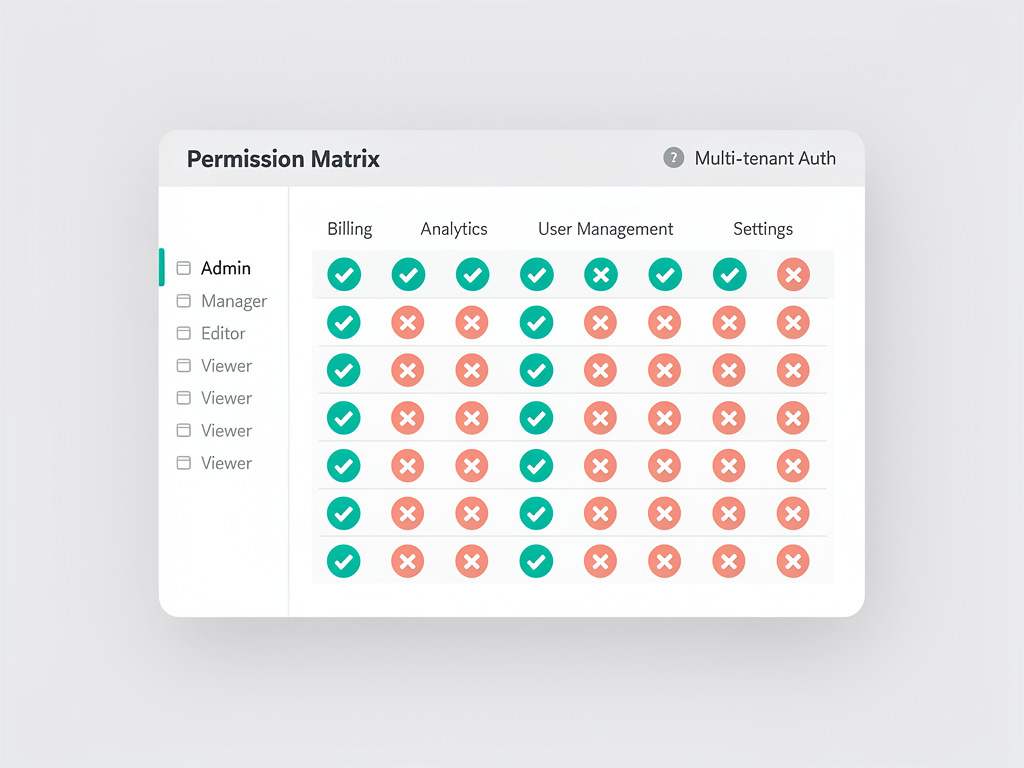
Multi-tenant applications typically require granular permissions beyond simple authentication. Users within a tenant might have different roles such as owner, admin, member, or viewer, each with different capabilities. Implement role-based access control (RBAC) to manage these permissions effectively.
Store role information in your tenant_users junction table. Common role structures include a simple enum (owner, admin, member, viewer) or a more flexible permission system with specific capabilities. For most SaaS applications, a role-based approach provides sufficient granularity without excessive complexity.
Create utility functions that check permissions based on the user's role within the current tenant. These functions should accept the required permission or minimum role and return a boolean indicating whether access should be granted. Use these utilities in both Server Components (for conditional rendering) and API routes (for request validation).
| Role | View Data | Edit Data | Manage Members | Billing Access | Delete Tenant |
|---|---|---|---|---|---|
| Viewer | Yes | No | No | No | No |
| Member | Yes | Yes | No | No | No |
| Admin | Yes | Yes | Yes | Yes | No |
| Owner | Yes | Yes | Yes | Yes | Yes |
Enforce permissions at multiple layers for defense in depth. Check permissions in your UI to hide unauthorized actions, in your API routes to reject unauthorized requests, and in your RLS policies to prevent unauthorized database access. This layered approach ensures security even if one layer is bypassed.
Consider implementing permission inheritance and delegation. Tenant owners might be able to grant admin privileges to other users, but admins should not be able to escalate their own permissions. Design your permission model carefully to prevent privilege escalation attacks.
Handling Custom Domains and SSL Certificates
Enterprise customers often want custom domains for their tenant workspaces, such as app.customerbrand.com instead of customer.yourplatform.com. Supporting custom domains adds complexity to your authentication flow but significantly increases the perceived value of your platform.
Custom domain support requires DNS configuration by your customers and SSL certificate provisioning by your platform. Services like Vercel, Cloudflare, or dedicated solutions like SaaSCore's enterprise boilerplate provide APIs for programmatic domain and certificate management. Store the mapping between custom domains and tenants in your database.
Modify your middleware to handle both subdomain-based and custom domain-based tenant identification. First, check if the incoming hostname matches any custom domain in your database. If not, fall back to subdomain extraction. Cache domain-to-tenant mappings aggressively to avoid database queries on every request.
Authentication callbacks become more complex with custom domains. When a user authenticates via OAuth or magic link, the callback URL must match the domain they started from. Store the originating domain in the authentication state parameter and use it to construct the correct callback URL. Update your Supabase redirect allowlist to include customer custom domains or use a wildcard pattern if your hosting provider supports it.
Cookie handling requires attention with custom domains. By default, cookies are scoped to the domain that set them. If you want authentication to work across both your platform subdomain and a customer's custom domain, you need to handle session transfer carefully. One approach is to redirect through your main domain during authentication to set cookies, then redirect back to the custom domain with a short-lived token.
Optimizing Performance in Multi-Tenant Authentication
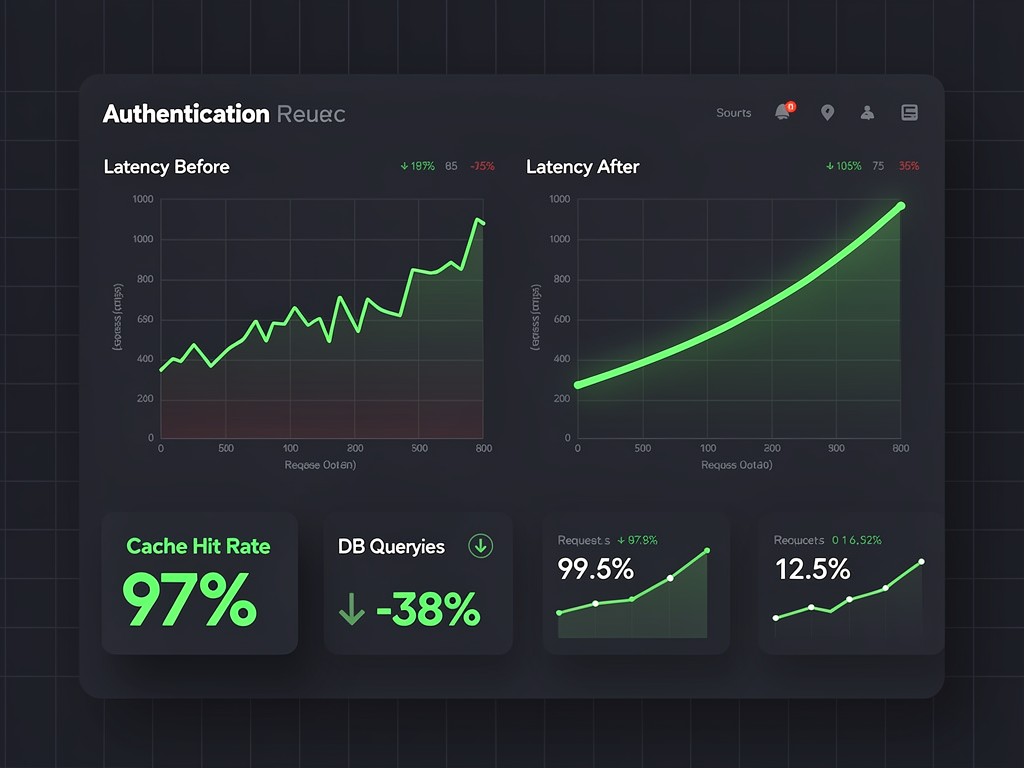
Authentication checks occur on nearly every request in a multi-tenant application, making performance optimization critical. Slow authentication can significantly impact user experience and server costs. Implement caching, connection pooling, and efficient query patterns to maintain responsive performance.
Cache tenant information aggressively since it changes infrequently. Use Next.js's built-in caching mechanisms or an external cache like Redis to store tenant configurations, domain mappings, and even user-tenant membership records. Invalidate caches when relevant data changes through database triggers or application-level events.
Supabase provides connection pooling through Supavisor, which manages database connections efficiently. Configure your application to use the pooled connection string for most queries, reserving direct connections for scenarios that require them (like listening to real-time changes). Proper connection pooling prevents database connection exhaustion under load.
Minimize the data fetched during authentication checks. Instead of loading full user profiles and tenant configurations on every request, fetch only the minimum required for authorization decisions. Load additional data lazily when actually needed by specific features. This reduces both database load and network transfer times.
Consider implementing JWT claims for frequently-needed authorization data. Supabase allows custom claims in access tokens through database functions. Include the user's tenant memberships and roles directly in the JWT, eliminating database queries for basic authorization checks. Remember that JWTs are valid until expiration, so changes to permissions will not take effect until token refresh.
Testing Multi-Tenant Authentication Thoroughly
Multi-tenant authentication introduces numerous edge cases that require comprehensive testing. A bug in tenant isolation could expose customer data, making thorough testing essential for both security and business reasons. Develop a testing strategy that covers authentication flows, authorization checks, and tenant isolation.
Create test tenants and users for each role level in your system. Your test suite should verify that users can access resources within their tenant, cannot access resources in other tenants, and have appropriate permissions based on their role. Automate these tests to run on every deployment.
Test subdomain routing with various hostname formats. Include tests for your production domain pattern, localhost development patterns, and edge cases like IP addresses or missing subdomains. Verify that your middleware correctly extracts tenant information and handles invalid or unknown tenants gracefully.
Authentication flow testing should cover the complete user journey. Test registration with and without invitations, login with various methods (email/password, magic link, OAuth), password reset, and session expiration. For each flow, verify that tenant context is maintained correctly throughout the process.
Security testing deserves special attention in multi-tenant applications. Attempt to access other tenants' data through direct API calls, manipulated JWTs, and SQL injection. Verify that your RLS policies correctly deny unauthorized access. Consider engaging security professionals for penetration testing before launching to production.
Testing Checklist: Cross-tenant data access attempts, role escalation attempts, session fixation attacks, subdomain spoofing, custom domain validation bypass, and JWT manipulation. Document your security testing procedures and run them regularly.
Deploying to Production with Confidence
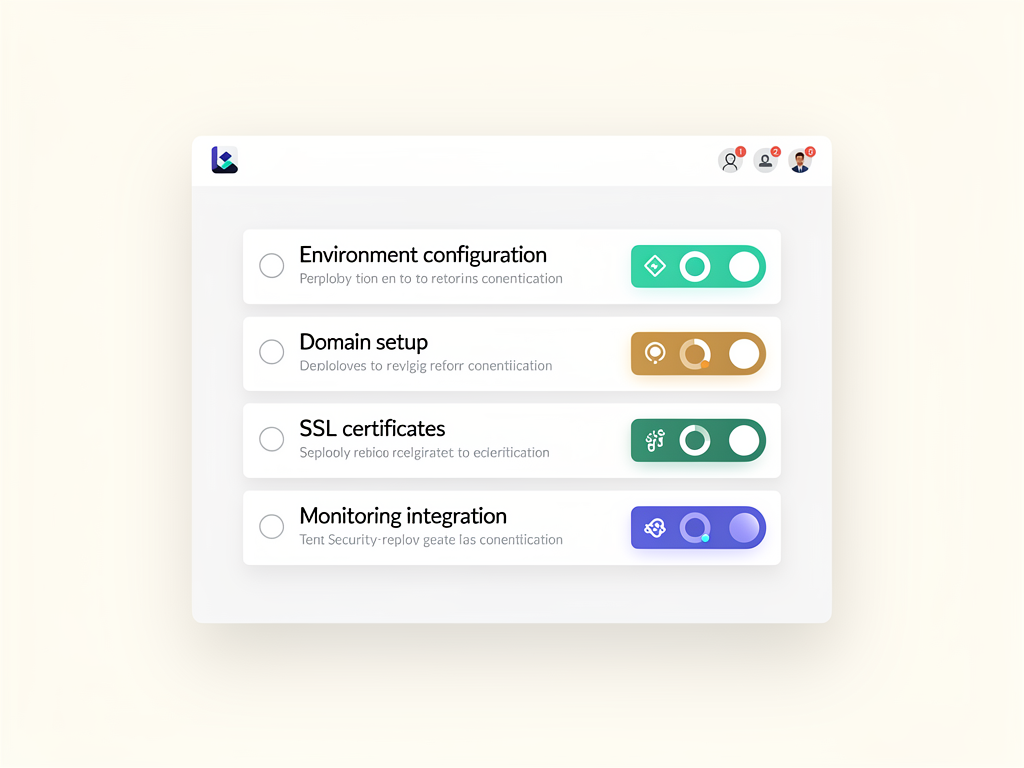
Production deployment of multi-tenant authentication requires careful configuration of environment variables, domain settings, and monitoring. Plan your deployment strategy to minimize downtime and enable quick rollbacks if issues arise.
Configure your production environment variables securely. Use your hosting provider's secret management for sensitive values like database connection strings. The Supabase anon key can be exposed publicly, but keep your service role key strictly server-side. Never commit secrets to version control.
Set up proper domain configuration with your hosting provider. For subdomain-based multi-tenancy, configure a wildcard DNS record pointing to your application. Ensure SSL certificates cover your wildcard subdomain pattern. Providers like Vercel handle this automatically, while self-hosted solutions require additional configuration.
If you are self-hosting, consider using a Next.js boilerplate or SaaS boilerplate that includes deployment configurations. A well-designed multi-tenant boilerplate can save significant time on infrastructure setup. The NextBuilder platform provides self-hosting guides specifically for multi-tenant Next.js applications with Supabase integration.
Implement comprehensive monitoring and alerting for your authentication system. Track metrics like authentication success and failure rates, session refresh patterns, and authorization denial frequencies. Set up alerts for unusual patterns that might indicate attacks or bugs. Log authentication events for audit trails and debugging.
Scaling Your Multi-Tenant Authentication System
As your platform grows, your authentication system must scale to handle increasing load. Plan for horizontal scaling, database optimization, and geographic distribution to maintain performance as you add tenants and users.
Supabase handles much of the scaling automatically through its managed infrastructure. However, you should monitor your usage against plan limits and upgrade proactively. Pay attention to authentication requests per minute, database connections, and storage usage. Supabase's dashboard provides visibility into these metrics.
For applications with global user bases, consider geographic distribution of your authentication infrastructure. Supabase offers regional deployments, and you can use edge functions for authentication logic that runs close to users. Reduced latency for authentication improves perceived performance significantly.
Database query optimization becomes increasingly important at scale. Ensure proper indexes exist on columns used in authentication queries, particularly tenant_id, user_id, and any columns used in RLS policy conditions. Use Supabase's query analyzer to identify slow queries and optimize them proactively.
Consider implementing tenant-specific rate limiting to prevent any single tenant from consuming excessive resources. Rate limiting protects both your infrastructure and other tenants from noisy neighbors. Implement limits at the API gateway level and within your application logic for defense in depth.
Migrating from Other Authentication Solutions
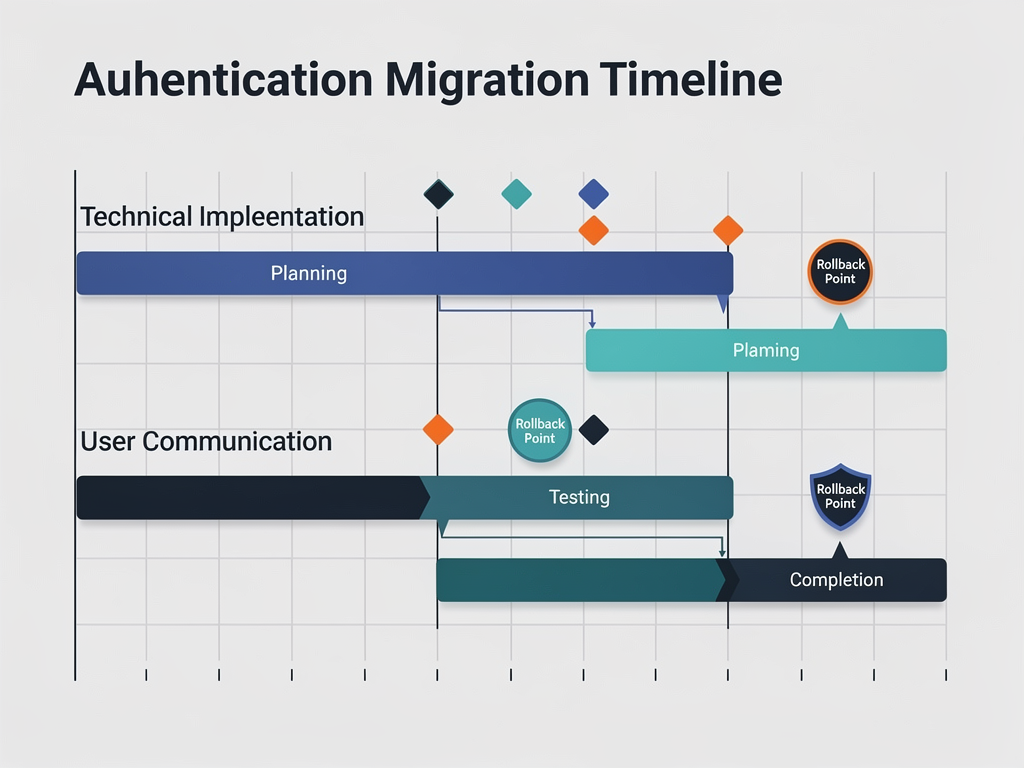
If you are migrating an existing application to Supabase authentication, plan the migration carefully to minimize user disruption. Supabase provides tools for importing users from other providers, but multi-tenant migrations require additional consideration.
Export your existing user data including email addresses, hashed passwords (if compatible), and any profile information. Supabase supports importing users with their existing passwords if they use bcrypt hashing. For incompatible password formats, you will need to trigger password resets for migrated users.
Map your existing tenant and membership data to Supabase's structure. Create migration scripts that populate your tenants and tenant_users tables while maintaining relationships to the imported user accounts. Test migrations thoroughly in a staging environment before production.
Plan for a transition period where both authentication systems might be active. This allows gradual migration and provides a fallback if issues arise. Implement feature flags to control which authentication system handles requests, enabling quick switching between old and new systems.
Communicate clearly with your users about the migration. Explain any actions they need to take (like password resets) and provide support channels for migration issues. A smooth migration experience maintains user trust and reduces support burden.
Advanced Patterns for Enterprise Multi-Tenancy
Enterprise customers often require advanced authentication features like single sign-on (SSO), audit logging, and compliance certifications. Implementing these features positions your platform for larger customers with bigger budgets.
SAML and OIDC single sign-on allows enterprise customers to use their existing identity providers. Supabase supports SSO through its enterprise plans, enabling integration with providers like Okta, Azure AD, and Google Workspace. Configure SSO at the tenant level so each organization can use their preferred identity provider.
Comprehensive audit logging tracks all authentication events for compliance and security analysis. Log successful and failed authentication attempts, permission changes, and administrative actions. Store audit logs separately from application data with appropriate retention policies. Many compliance frameworks like SOC 2 and HIPAA require detailed audit trails.
Session management features give administrators control over active sessions. Implement the ability to view all active sessions for a user, revoke specific sessions, and force logout across all sessions. These features are essential for security incident response and employee offboarding.
Multi-factor authentication (MFA) adds an additional security layer that enterprise customers expect. Supabase supports TOTP-based MFA out of the box. Consider making MFA mandatory for certain roles or allowing tenant administrators to enforce MFA policies for their organization.
Common Pitfalls and How to Avoid Them
Multi-tenant authentication involves numerous potential pitfalls that can cause security vulnerabilities or poor user experiences. Learn from common mistakes to build a more robust system from the start.
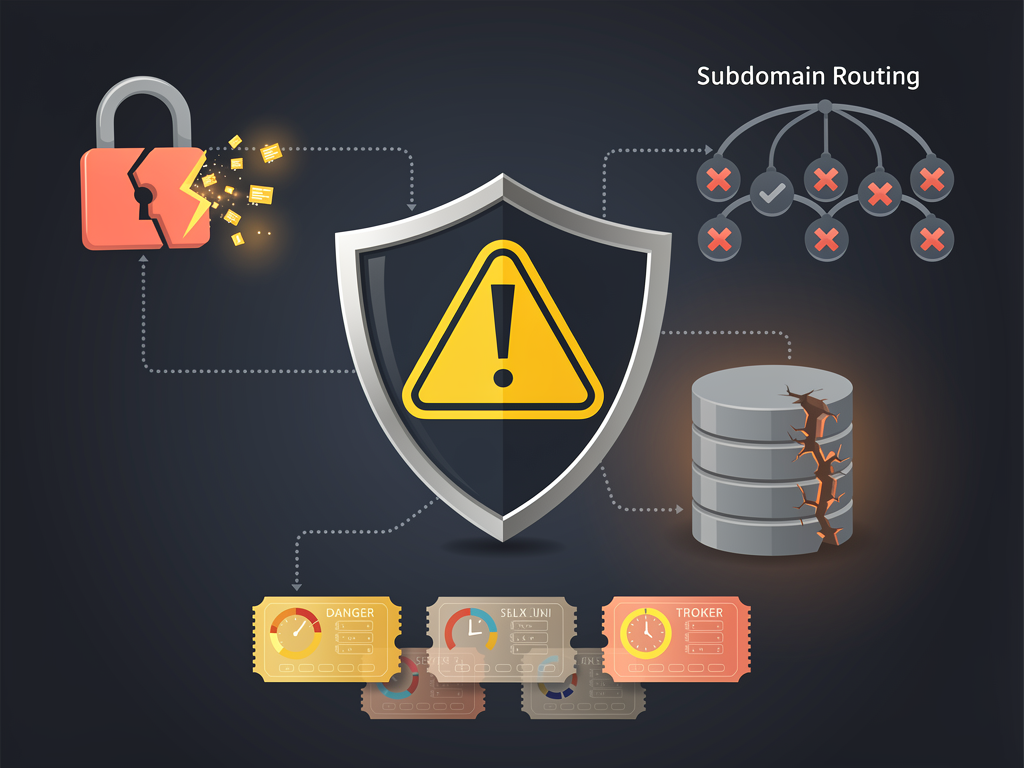
Forgetting to check tenant membership after authentication is a critical security flaw. A user might have valid Supabase credentials but not belong to the tenant they are trying to access. Always verify both authentication (who is this user?) and authorization (can they access this tenant?) before granting access.
Inconsistent tenant context handling causes confusing bugs. If some parts of your application extract tenant from the subdomain while others use a different method, users might see inconsistent data. Establish a single source of truth for tenant context and use it consistently throughout your application.
Neglecting to handle the "no tenant" case leads to errors. Users might visit your root domain without a tenant subdomain, or a tenant might be deleted while users have active sessions. Handle these edge cases gracefully with appropriate error messages and redirects.
Overly permissive RLS policies can expose data across tenants. Test your policies by attempting to access data as users from different tenants. A policy that accidentally allows access when tenant_id is NULL could expose all data. Use explicit equality checks rather than relying on NULL behavior.
Leveraging Starter Kits for Faster Development
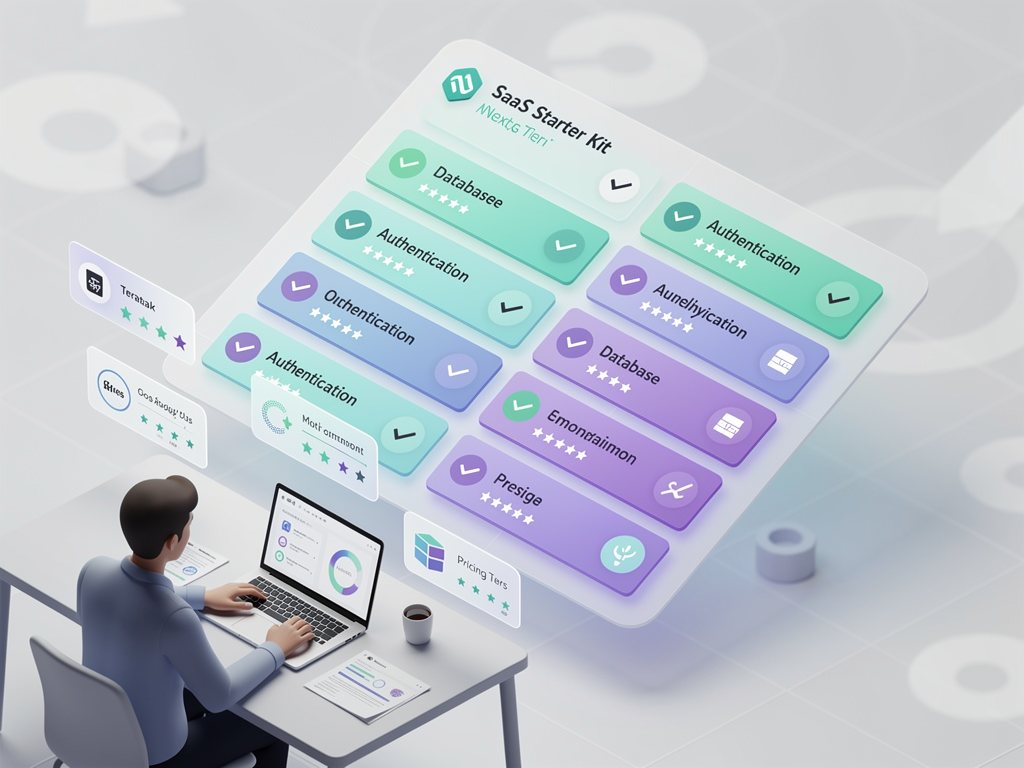
Building multi-tenant authentication from scratch requires significant development time. Using a well-designed Next.js starter kit or SaaS template can accelerate your development while providing battle-tested patterns for common challenges.
A quality SaaS starter kit includes pre-built authentication flows, tenant management interfaces, and database schemas designed for multi-tenancy. Look for kits that use modern patterns like the @supabase/ssr package and Next.js App Router. Avoid outdated templates that use deprecated authentication methods.
When evaluating a Next.js SaaS template, examine the authentication implementation carefully. Check how it handles subdomain routing, tenant isolation, and role-based permissions. Review the RLS policies to ensure they provide proper security. A poorly implemented template can introduce security vulnerabilities that are difficult to identify later.
Consider the long-term maintainability of any starter kit you adopt. Templates with active maintenance, good documentation, and community support will serve you better than abandoned projects. Check the repository's commit history, issue response times, and available support channels.
Customization requirements vary by project. Some templates are highly opinionated and difficult to modify, while others provide flexible foundations. Choose a template that matches your customization needs and technical preferences. The time saved by using a template should not be offset by fighting against its design decisions.
Conclusion
Implementing multi-tenant authentication with Supabase and Next.js provides a powerful foundation for building scalable SaaS platforms. The combination of Supabase's authentication service, PostgreSQL Row Level Security, and Next.js's server-side rendering capabilities enables you to create secure, performant applications that serve multiple organizations from a single codebase.
Success with multi-tenant authentication requires attention to detail at every layer. Configure your database schema with proper tenant isolation from the start. Implement middleware that correctly extracts tenant context and validates user sessions. Build Server and Client Components that consistently respect tenant boundaries. Test thoroughly for security vulnerabilities and edge cases.
As your platform grows, the patterns established in your authentication system will either support or hinder your scaling efforts. Invest time in proper architecture, comprehensive testing, and performance optimization. The effort pays dividends as you add tenants, users, and features to your platform.
Whether you are building a no-code platform, a client portal system, or an enterprise SaaS application, the authentication patterns covered in this guide provide a solid foundation. Combine these patterns with a quality multi-tenant boilerplate to accelerate your development while maintaining security and performance standards that enterprise customers expect.
Frequently Asked Questions
How Do I Handle Users Who Belong to Multiple Tenants?
Users belonging to multiple tenants is a common scenario in B2B SaaS applications. Store tenant memberships in a junction table (tenant_users) that maps user IDs to tenant IDs with associated roles. When a user logs in, query their memberships and either direct them to a tenant selection screen or default to their most recently accessed tenant. Implement tenant switching functionality that updates the current context without requiring re-authentication. Store the user's current tenant preference in a cookie or local storage for persistence across sessions. Your middleware should validate that the user has membership in the tenant indicated by the current subdomain, redirecting to tenant selection if they attempt to access a tenant they do not belong to.
What Is the Best Way to Handle Authentication Callbacks with Custom Domains?
Custom domain authentication callbacks require careful URL management. When initiating OAuth or magic link authentication, include the originating domain in the state parameter. Configure your Supabase project's redirect allowlist to include all customer custom domains, or use a centralized callback URL on your main domain. If using a centralized callback, implement a redirect flow that validates the state parameter, sets authentication cookies, and redirects the user back to their custom domain with a short-lived token. This token should be exchanged for a proper session on the custom domain. Consider implementing domain verification to prevent unauthorized domains from being added to your allowlist, protecting against phishing attacks that could exploit your authentication flow.
How Can I Implement Tenant-Specific Authentication Requirements?
Enterprise tenants often require specific authentication configurations like mandatory MFA, password complexity rules, or SSO-only access. Store these requirements in your tenants table and enforce them during authentication flows. Create middleware that checks tenant-specific requirements after initial authentication. For example, if a tenant requires MFA, redirect users to MFA setup or verification before granting access to protected resources. Implement a tenant settings interface that allows administrators to configure these requirements. Supabase's enterprise plans support SAML SSO configuration per organization, enabling tenant-specific identity provider integration. Document the available authentication options clearly so tenant administrators understand their configuration choices.
What Performance Optimizations Are Most Important for Multi-Tenant Auth?
The most impactful performance optimizations focus on reducing database queries during authentication. Cache tenant information including domain mappings, configuration settings, and feature flags using Redis or Next.js's built-in caching. Implement JWT claims for frequently-accessed authorization data like tenant memberships and roles, eliminating database queries for basic permission checks. Use Supabase's connection pooling (Supavisor) to prevent connection exhaustion under load. Create database indexes on columns used in authentication queries, particularly tenant_id and user_id combinations. Consider implementing edge caching for public tenant information and using edge functions for authentication logic to reduce latency for geographically distributed users. Monitor authentication latency and set performance budgets to catch regressions early.
How Do I Secure My RLS Policies Against Cross-Tenant Data Access?
Securing RLS policies requires a defense-in-depth approach. Start with explicit tenant_id checks in every policy rather than relying on implicit NULL behavior. Use the auth.uid() function to verify user identity and join against your tenant_users table to confirm tenant membership. Test policies by attempting data access as users from different tenants, including edge cases like deleted tenants or revoked memberships. Implement policy testing in your CI/CD pipeline using Supabase's local development tools. Avoid using service role keys in client-accessible code, as they bypass RLS entirely. Regularly audit your policies when schema changes occur, as new tables or columns might not be covered by existing policies. Consider using Supabase's policy templates as starting points and customize them for your specific multi-tenant requirements.
Should I Use the Older Auth Helpers or the New SSR Package?
The @supabase/ssr package is the recommended choice for new projects and should be used instead of the older @supabase/auth-helpers-nextjs package. The SSR package provides better integration with Next.js App Router, improved cookie handling, and more consistent behavior across server and client contexts. It addresses several issues present in the older helpers, particularly around session synchronization and middleware integration. If you have an existing project using auth-helpers, plan a migration to the SSR package during a maintenance window. The migration involves updating your client creation utilities and middleware configuration. Supabase provides migration guides in their documentation. The SSR package is actively maintained and receives updates aligned with Next.js releases, ensuring compatibility with the latest framework features and security patches.
Ready to Build Your Multi-Tenant Platform?
Stop spending months building authentication infrastructure from scratch. NextBuilder provides a complete multi-tenant foundation with Supabase authentication already configured, custom subdomain support with SSL, and comprehensive tenant management features. Launch your no-code SaaS platform in days instead of months, with production-ready authentication that scales with your business. Get started with NextBuilder today and focus on building features your customers will love.
Subscribe to our newsletter
Subscribe to our newsletter and stay up-to-date with the latest news and updates.