NextBuilder vs MakerKit: SaaS Boilerplate Comparison
Explore the differences between NextBuilder and MakerKit for building SaaS platforms. Learn about their unique approaches to authentication, multi-tenancy, and pricing models to find the right fit for your project.

Zakariae
Choosing the right foundation for your SaaS project can mean the difference between launching in weeks and spending months reinventing authentication, payment processing, and tenant management systems. For founders and developers building multi-tenant platforms in 2026, two names consistently appear in conversations: NextBuilder and MakerKit. Both promise to accelerate your path to market, but they serve fundamentally different visions of what a successful SaaS platform looks like.
This comprehensive comparison examines every critical dimension of these two platforms, from their architectural philosophies to their pricing models, helping you make an informed decision that aligns with your specific business goals. Whether you are a solo founder validating a weekend idea or a technical team building enterprise-grade software, understanding the nuances between these options will save you significant time and resources.
Key Takeaways
- NextBuilder specializes in no-code platform creation, enabling you to build SaaS products where your clients can create their own applications with custom subdomains and SSL certificates.
- MakerKit focuses on traditional SaaS development, providing authentication, subscriptions, and multi-tenancy for developers building conventional software products.
- Pricing models differ significantly: NextBuilder offers one-time licensing while makerkit uses annual subscription pricing at $299 per year.
- Multi-tenant architecture approaches vary, with NextBuilder emphasizing client-facing app builders and MakerKit targeting internal team and organization structures.
- Self-hosting capabilities are a major differentiator, with NextBuilder including detailed guides for Hetzner, Coolify, and Supabase deployment at approximately $15 per month.
- Target audiences overlap but diverge: NextBuilder suits founders creating platforms where users build apps, while MakerKit serves teams building traditional subscription-based software.
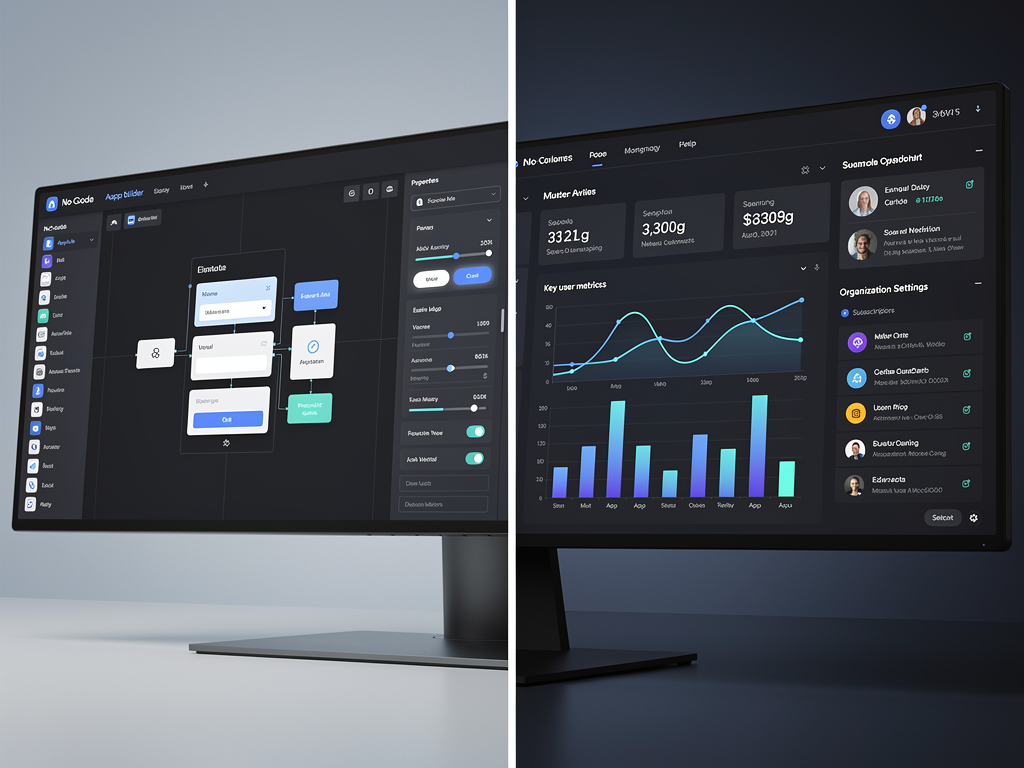
Understanding the Core Philosophy Behind Each Platform
Before diving into feature comparisons, it is essential to understand what each platform was designed to accomplish. NextBuilder emerged from a specific vision: enabling developers to create platforms where their clients can build unlimited applications. Think of tools like Webflow, Carrd, or Notion, where the end product is not just software but a platform that empowers others to create. This Next.js boilerplate focuses on the meta-level of SaaS development.
MakerKit, by contrast, follows a more traditional SaaS development paradigm. It provides the infrastructure for building subscription-based software where users consume features rather than create their own applications. This includes robust authentication systems, team management, billing integration, and the organizational structures typical of B2B software products.
The philosophical difference manifests in every architectural decision. NextBuilder includes features like custom subdomain management with automatic SSL provisioning, client dashboards for managing multiple applications, and member authentication systems separate from platform-level authentication. MakerKit emphasizes role-based access control within organizations, Supabase integration for backend services, and comprehensive testing infrastructure.
Understanding this distinction is crucial because choosing the wrong foundation means either building features that already exist elsewhere or fighting against architectural assumptions that do not match your use case. A developer building a form builder platform would find NextBuilder's architecture naturally aligned with their needs, while someone creating a project management tool would likely prefer MakerKit's organizational structures.
Authentication Architecture Compared
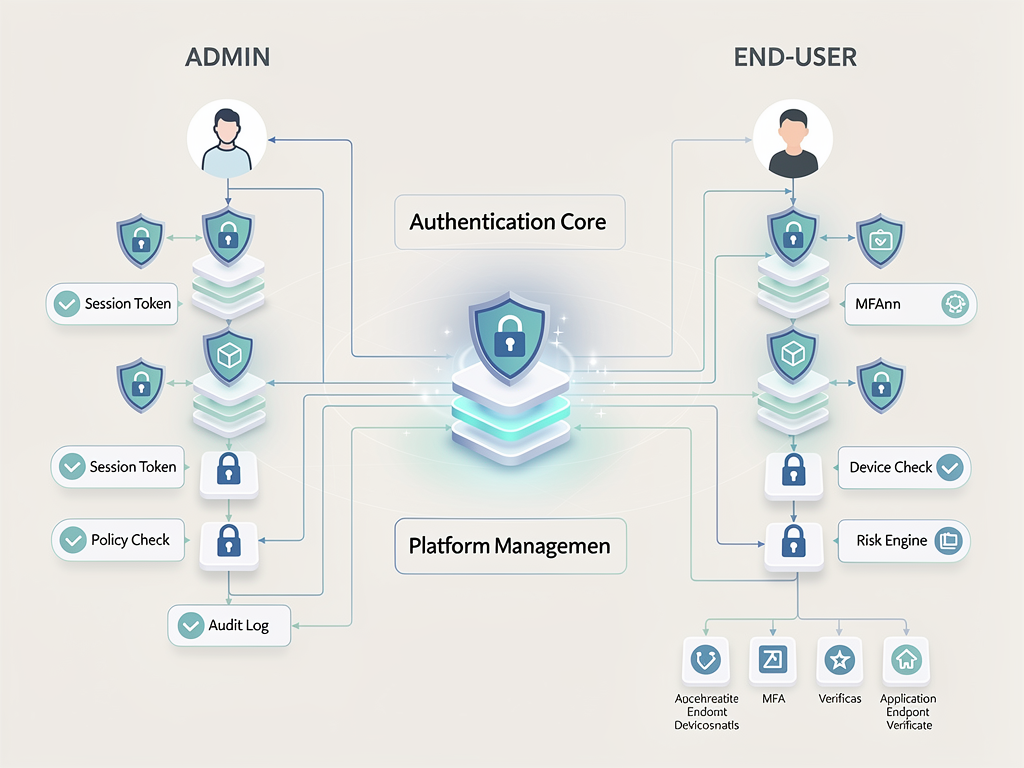
Authentication represents one of the most critical components of any SaaS platform, and both NextBuilder and MakerKit approach this challenge differently. NextBuilder implements what it calls "dual authentication," separating platform users (your direct customers who create apps) from app members (the end users of those apps). This separation is essential for no-code platforms where multiple authentication contexts must coexist without interference.
The dual authentication system in NextBuilder means you can have a client who logs into your platform to build their application, and then their users who log into the applications your client created. Each authentication context maintains its own session management, password recovery flows, and security policies. This complexity is handled at the infrastructure level, so you do not need to architect these separations yourself.
MakerKit uses Supabase Auth as its authentication backbone, which provides social logins, magic links, and traditional email and password authentication. The integration with Supabase means you benefit from a well-maintained authentication system with regular security updates. However, the authentication model assumes a single-tier user structure where all users belong to organizations within your platform.
| Feature | NextBuilder | MakerKit |
|---|---|---|
| Authentication Provider | NextAuth 5.0 | Supabase Auth |
| Dual Authentication | Yes (Platform + App Members) | No (Single Context) |
| Social Login Support | Yes | Yes |
| Magic Links | Yes | Yes |
| Two-Factor Authentication | Configurable | Via Supabase |
| Session Management | Per-tenant isolation | Organization-based |
For developers building platforms where authentication complexity is a core requirement, NextBuilder's approach eliminates weeks of custom development. The separation between platform authentication and app-level authentication is notoriously difficult to implement correctly, and security vulnerabilities in this area can have severe consequences. Having this solved at the boilerplate level represents significant value.
MakerKit's Supabase integration offers its own advantages, particularly for teams already invested in the Supabase ecosystem. The tight integration means authentication, database, and real-time features work seamlessly together. However, this also creates platform lock-in that some teams may wish to avoid.
Multi-Tenancy Implementation Deep Dive
Multi-tenancy is where these two platforms diverge most dramatically. NextBuilder was built from the ground up as a multi-tenant boilerplate specifically designed for scenarios where your customers create their own isolated environments. Each tenant in NextBuilder can have custom subdomains (client1.yourplatform.com) or even fully custom domains (client1.com) with automatic SSL certificate provisioning.
The multi-tenancy in NextBuilder extends beyond simple data isolation. Each tenant operates in what is effectively their own application instance, complete with their own member management, billing relationships, and customization options. This architecture supports use cases like website builders, form platforms, survey tools, and any SaaS where the value proposition involves users creating their own digital products.
MakerKit implements multi-tenancy through an organizational model more typical of B2B SaaS products. Users belong to organizations, and organizations have teams with role-based permissions. This model works well for products like project management tools, CRM systems, or collaboration platforms where the organizational hierarchy mirrors real-world business structures.
The technical implementation differences are significant. NextBuilder uses subdomain-based routing with middleware that identifies tenants at the request level, ensuring complete data isolation from the first moment a request enters your system. MakerKit uses organization IDs in the database layer, with row-level security policies ensuring users only access data within their organization.
Architecture Consideration: If your SaaS model involves customers creating content or applications that their own users will access, NextBuilder's subdomain-based multi-tenancy provides the isolation and customization capabilities you need. If your model involves teams collaborating within a shared application, MakerKit's organizational multi-tenancy is more appropriate.
Custom domain support deserves special attention. NextBuilder includes the infrastructure for allowing your clients to use their own domains, complete with automatic SSL certificate management. This feature alone can take weeks to implement correctly, involving DNS verification, certificate automation, and proper routing configuration. Having this built into the boilerplate eliminates a significant technical challenge that many no-code platforms require.
Payment Processing and Monetization Features
Both platforms integrate with Stripe for payment processing, but their approaches to monetization reflect their different target use cases. NextBuilder includes what it describes as the ability to "accept payments and let users monetize their apps." This two-level payment architecture means you can charge your clients for using your platform while also enabling them to charge their users for the applications they create.
This nested monetization capability is essential for platforms like course builders, membership site creators, or marketplace tools. Your revenue model might involve charging clients a monthly subscription for access to your platform, while they simultaneously collect payments from their customers. NextBuilder handles the complexity of managing these separate payment relationships.
MakerKit focuses on straightforward subscription billing for your SaaS product. It integrates with both Stripe and LemonSqueezy, providing flexibility in payment provider choice. The billing system supports subscription management, usage-based billing, and the standard SaaS pricing models that most products require.
| Monetization Feature | NextBuilder | MakerKit |
|---|---|---|
| Subscription Billing | Yes | Yes |
| Payment Providers | Stripe | Stripe, LemonSqueezy |
| Client Monetization | Yes (Nested Payments) | No |
| Usage-Based Billing | Configurable | Yes |
| Billing Portal | Yes (Client Dashboard) | Yes |
| Affiliate Program | Built-in | Not Included |
NextBuilder also includes a built-in affiliate program, which can be valuable for growth-focused platforms. Affiliate systems require tracking referrals, managing payouts, and providing dashboards for affiliates to monitor their performance. Having this functionality included means you can launch referral-based growth strategies without additional development or third-party integrations.
The billing portal experiences also differ. NextBuilder provides client dashboards where your customers can manage their billing, view invoices, and update payment methods. MakerKit offers similar functionality but oriented toward organizational billing rather than individual client accounts. Both approaches work well for their intended use cases.
Team Collaboration and Permission Systems
Team collaboration features reveal another dimension of how these platforms serve different needs. NextBuilder implements what it describes as "team collaboration with 5 permission levels," designed to support the workflows of platform operators who need granular control over who can do what within their system.
These permission levels in NextBuilder likely span from administrative access (full control over the platform) down to limited roles that might only allow viewing certain data or performing specific actions. For platforms where multiple team members manage client relationships, content moderation, or technical support, having these permissions built in prevents security issues that arise from ad-hoc permission implementations.
MakerKit approaches permissions through its organizational model, implementing role-based access control (RBAC) that determines what users can do within their organization. This model supports typical SaaS permission structures where users might be owners, administrators, or members with varying capabilities.
The distinction matters because NextBuilder's permissions operate at the platform level (controlling what your team can do), while MakerKit's permissions operate at the tenant level (controlling what your customers' team members can do). Both are valuable, but they solve different problems.
For agencies building white-label SaaS solutions, NextBuilder's approach allows you to have account managers, developers, and support staff with appropriate access levels. For products where your customers need to manage their own teams, MakerKit's organizational permissions provide that capability out of the box.
Dashboard and Admin Interface Comparison
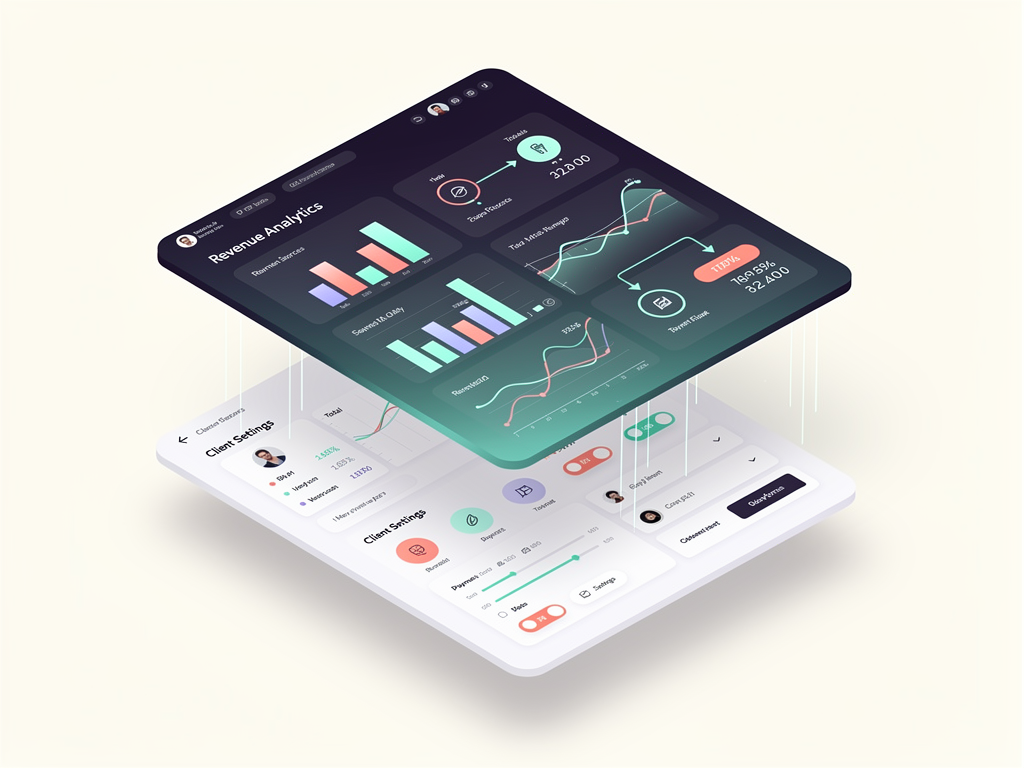
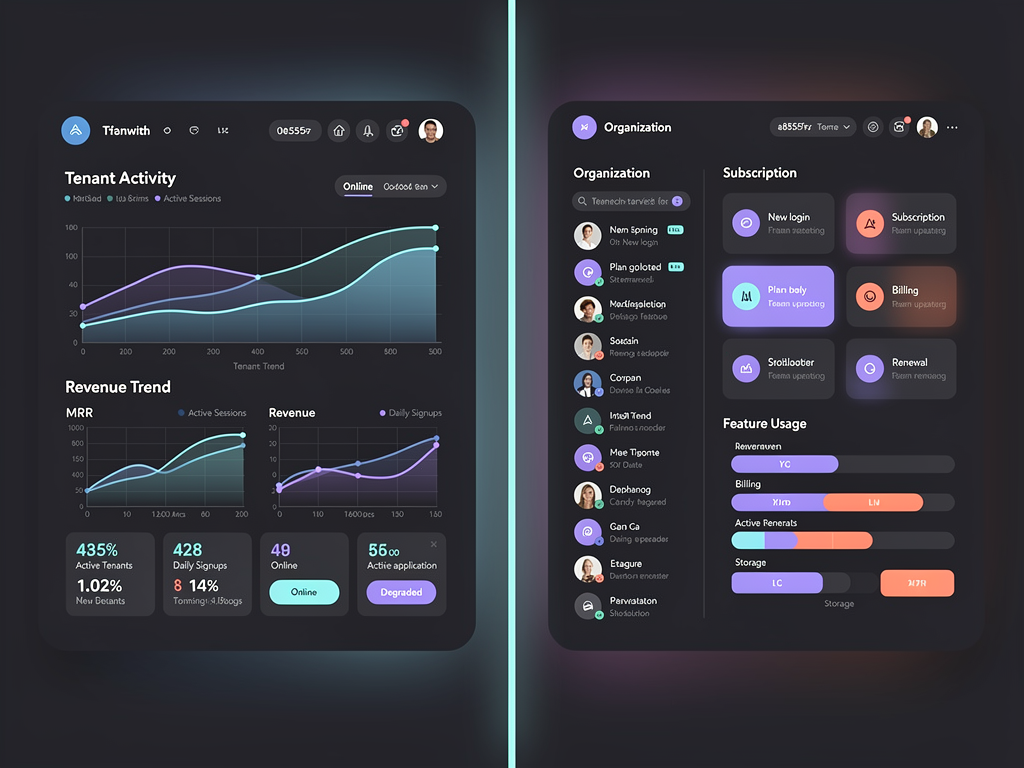
The administrative interfaces provided by each platform reflect their different operational models. NextBuilder includes both an admin dashboard with real-time analytics and client dashboards for profile, billing, and account management. Additionally, it provides member dashboards for every app created on the platform, creating a three-tier dashboard hierarchy.
This hierarchy makes sense for no-code platforms. As the platform operator, you need visibility into overall usage, revenue, and system health. Your clients need dashboards to manage their individual applications, users, and settings. And the end users of those applications need their own interfaces appropriate to whatever your clients have built.
MakerKit provides administrative dashboards focused on the traditional SaaS model, where you monitor your product's usage, manage subscriptions, and handle customer support. The dashboard includes the metrics and controls typical of subscription software: active users, revenue trends, churn rates, and similar KPIs.
Real-time analytics in NextBuilder can be particularly valuable for platforms where understanding usage patterns helps you improve the product. Seeing which features your clients use most, how their users engage with applications, and where friction occurs in the creation process provides actionable insights for product development.
Both platforms use modern UI frameworks. NextBuilder is built with Tailwind CSS and Shadcn/ui, providing a clean, customizable interface. MakerKit similarly uses contemporary styling approaches that look professional out of the box while remaining easy to customize to match your brand.
Email Marketing and Communication Tools
Communication with users is essential for any SaaS product, and both platforms include email capabilities, though with different emphases. NextBuilder features a custom email marketing system with a campaign builder, positioning email not just as transactional communication but as a growth tool for platform operators.
The campaign builder in NextBuilder allows you to create and send marketing emails to your user base, segment audiences, and track engagement. This capability is valuable for platforms that need to communicate product updates, drive engagement, or re-activate dormant users. Having this built in eliminates the need for external email marketing integrations during the early stages of your product.
NextBuilder also includes over 10 transactional email templates covering common scenarios like welcome emails, password resets, billing notifications, and similar communications. These templates ensure professional communication from day one without requiring design work.
MakerKit integrates with email services for transactional communication but does not include the same level of marketing email functionality. For teams that plan to use dedicated email marketing platforms like Mailchimp, ConvertKit, or similar services, this may not be a limitation. However, for founders who want an all-in-one solution, NextBuilder's included email marketing provides additional value.
The email infrastructure choice also affects deliverability. NextBuilder's documentation suggests integration with services like Resend or similar modern email APIs that prioritize deliverability. Proper email configuration, including SPF, DKIM, and DMARC records, is essential for ensuring your communications reach users' inboxes rather than spam folders.
Content Management and SEO Capabilities
Both platforms recognize that content marketing and SEO are crucial for SaaS growth, and each includes blogging functionality. NextBuilder provides an MDX blog with SEO optimization, allowing you to create content that drives organic traffic while maintaining the developer experience benefits of MDX (Markdown with JSX components).
MDX blogs offer flexibility that traditional content management systems lack. You can embed interactive components, code examples, or custom visualizations directly in your blog posts. For technical products where documentation and tutorials are important content types, this capability is valuable.
SEO optimization in NextBuilder includes the meta tags, structured data, and technical SEO elements that search engines require. Proper implementation of these elements can significantly impact your organic search visibility, driving sustainable traffic growth without ongoing advertising costs.
MakerKit similarly includes blogging capabilities, though the specific implementation details vary. Both platforms understand that content is a growth lever for SaaS products and provide the tools needed to publish and optimize content.
For platforms targeting the US market specifically, SEO considerations include local search optimization, proper hreflang implementation if you plan to expand internationally, and content strategies that address the specific needs and search behaviors of American users. Both platforms provide the technical foundation for these strategies.
Technology Stack and Developer Experience
The underlying technology choices affect both the development experience and the long-term maintainability of your product. NextBuilder uses Next.js 16 (the latest version as of 2026), Tailwind CSS, Shadcn/ui, and TypeScript for the frontend. The backend uses server actions, Prisma for database access, and PostgreSQL as the database, with support for both Neon and Supabase as hosted options.
State management in NextBuilder combines Zustand for client-side state and React Query for server state management. This combination represents current best practices in the React ecosystem, providing predictable state updates without the boilerplate of older solutions like Redux.
MakerKit integrates deeply with Supabase, using it for authentication, database, and real-time features. This tight integration provides a cohesive developer experience if you are comfortable with Supabase's approach. The framework supports both Next.js and Remix, offering flexibility in your routing and rendering approach.
| Technology | NextBuilder | MakerKit |
|---|---|---|
| Framework | Next.js 16 | Next.js, Remix |
| Language | TypeScript | TypeScript |
| Styling | Tailwind CSS, Shadcn/ui | Tailwind CSS |
| Database | PostgreSQL (Prisma) | Supabase (PostgreSQL) |
| State Management | Zustand, React Query | Various |
| Backend | Server Actions | Supabase Functions |
The choice between Prisma (NextBuilder) and direct Supabase integration (MakerKit) has implications for database flexibility. Prisma provides an abstraction layer that makes switching databases easier, while Supabase's approach offers tighter integration with its specific features like real-time subscriptions and row-level security.
For developers who value the ability to self-host and control their infrastructure, NextBuilder's architecture provides more flexibility. The Prisma-based approach means you can deploy to any PostgreSQL database, whether that is a managed service or a self-hosted instance.
Deployment and Self-Hosting Options
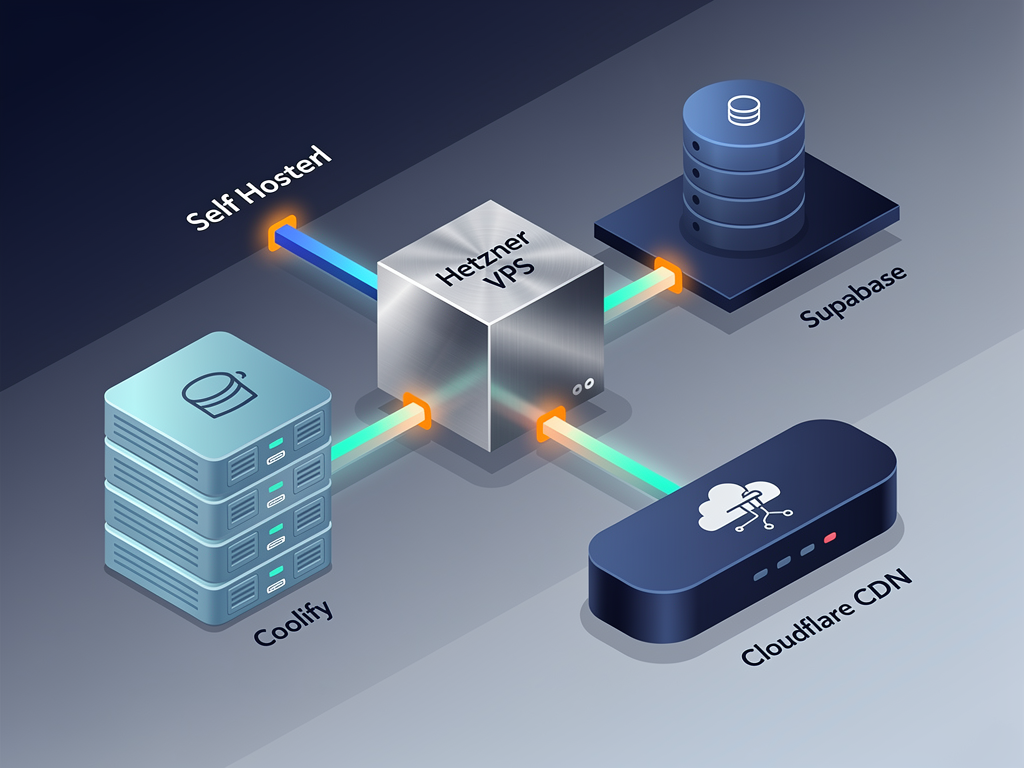
Deployment flexibility is increasingly important as SaaS founders seek to control costs and maintain data sovereignty. NextBuilder distinguishes itself by including a comprehensive self-hosting guide covering Hetzner, Coolify, and Supabase deployment. According to their documentation, this approach allows hosting an enterprise-level platform for approximately $15 per month.
This cost efficiency is significant. Many SaaS products spend hundreds or thousands of dollars monthly on hosting during their early stages, before revenue justifies those expenses. Being able to launch with minimal infrastructure costs extends your runway and reduces the pressure to monetize immediately.
The self-hosting guide in NextBuilder covers the specific steps needed to deploy on Hetzner (a European hosting provider known for competitive pricing), configure Coolify (an open-source platform-as-a-service alternative to Heroku), and integrate with Supabase for database services. Having this documentation means you are not left to figure out deployment on your own.
MakerKit, with its Supabase integration, naturally supports deployment to Supabase's hosted infrastructure. This approach is simpler but creates dependency on Supabase's pricing and availability. For teams that prefer managed services and are comfortable with the associated costs, this may be preferable.
Vercel deployment is supported by both platforms, as expected for Next.js applications. Vercel provides excellent developer experience and global edge deployment, though costs can escalate with traffic. Having self-hosting as an option means you can start on Vercel for convenience and migrate to self-hosted infrastructure as your product scales.
Pricing Models and Long-Term Costs
Pricing structure significantly impacts your total cost of ownership over time. NextBuilder uses a one-time licensing model, meaning you pay once and own the code perpetually. This approach aligns with the traditional software licensing model and provides predictable costs.
MakerKit uses annual subscription pricing at $299 per year. This model provides ongoing access to updates, new features, and support. Over multiple years, the subscription model results in higher total costs, but it also ensures you receive continuous improvements without additional purchases.
The right choice depends on your preferences and circumstances. If you prefer to own your tools outright and are comfortable implementing updates yourself, one-time licensing provides better long-term value. If you value ongoing support and automatic updates, subscription pricing may be worth the premium.
Cost Consideration: When evaluating pricing, consider not just the license cost but the total cost of ownership including hosting, third-party services, and the value of your development time. A more expensive boilerplate that saves significant development time may offer better value than a cheaper option that requires more customization.
For comparison, other options in the SaaS template market range from free open-source solutions like the Ixartz SaaS Boilerplate to premium offerings like Supastarter at $349 to $1,499. NextBuilder and MakerKit both position themselves in the mid-market, offering substantial functionality without enterprise pricing.
The affiliate program included in NextBuilder also affects the economics. If you can generate referral revenue by recommending the platform to other developers, this can offset or even exceed your initial license cost. This is particularly relevant for developers who create content, teach courses, or have audiences interested in SaaS development.
Use Case Scenarios and Ideal Customers
Understanding which platform suits which scenarios helps clarify the decision. NextBuilder excels when you are building platforms where your customers create things. Examples include website builders (like Carrd or Webflow), form builders (like Typeform or JotForm), survey platforms, course creation tools, membership site builders, or any SaaS where the value proposition is "build your own X."
The custom subdomain and SSL capabilities make NextBuilder particularly suited for white-label solutions where your clients want their applications to appear under their own branding. Web agencies building SaaS products for multiple clients can use NextBuilder as a foundation, customizing it for each client while maintaining a consistent technical base.
MakerKit is better suited for traditional SaaS products where users consume functionality rather than create their own applications. Project management tools, CRM systems, analytics platforms, collaboration software, and similar products align well with MakerKit's organizational model and permission structures.
Consider these specific scenarios:
- Building a landing page builder: NextBuilder's multi-tenant architecture with custom domains makes this straightforward.
- Building a team collaboration tool: MakerKit's organizational model and team permissions are purpose-built for this.
- Building a no-code database tool: NextBuilder's app-within-platform model supports this use case.
- Building a subscription analytics dashboard: MakerKit's traditional SaaS structure fits well.
The distinction is not absolute. You could build either type of product with either platform, but you would be working against the grain in some cases. Choosing the platform that aligns with your product vision means less customization and faster time to market.
AI Coding Agent Compatibility
A relatively new consideration in boilerplate selection is compatibility with AI coding assistants like Claude Code, Cursor, and Windsurf. As AI-assisted development becomes more common, boilerplates that provide clear documentation and consistent patterns work better with these tools.
Both platforms use TypeScript, which provides the type information that AI coding agents use to understand codebases and generate accurate suggestions. Well-typed code reduces the likelihood of AI-generated errors and improves the quality of suggestions.
Documentation quality affects AI agent performance. Platforms with comprehensive documentation, clear architectural patterns, and consistent naming conventions enable AI tools to provide more relevant assistance. When evaluating either platform, consider how well the documentation explains the codebase structure and conventions.
The React ecosystem that both platforms use is well-represented in AI training data, meaning coding assistants generally perform well with Next.js applications. However, custom patterns specific to each boilerplate may require some learning by the AI agent, which happens naturally as you work with the codebase.
For teams planning to use AI-assisted development extensively, testing the boilerplate with your preferred coding assistant before committing is worthwhile. Clone the repository, open it in your AI-enabled editor, and see how well the assistant understands the codebase structure and can help you make modifications.
Testing and Quality Assurance Infrastructure
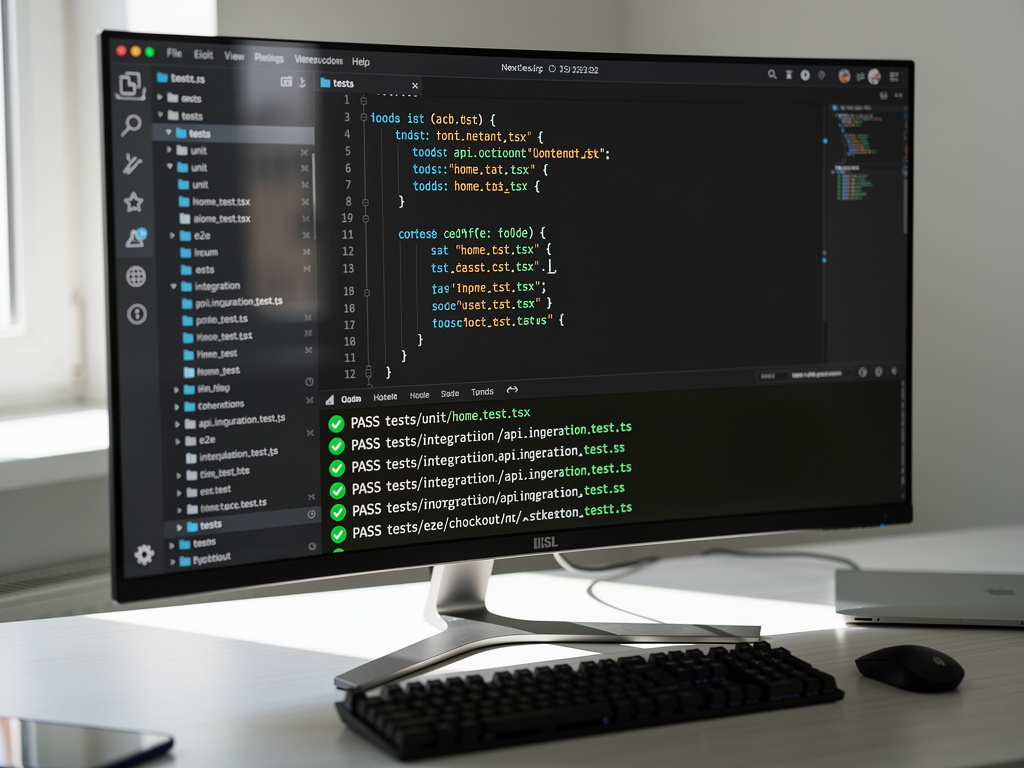
Production-ready software requires testing infrastructure, and the two platforms differ in their included testing capabilities. MakerKit emphasizes testing as a core feature, including comprehensive testing setups that cover unit tests, integration tests, and end-to-end testing scenarios.
This testing infrastructure is valuable for teams that prioritize code quality and want to ship with confidence. Having tests in place from the beginning establishes patterns that encourage continued testing as you build features. Teams that skip testing early often find it difficult to add later when the codebase has grown.
NextBuilder's documentation focuses more on features and deployment than testing infrastructure. This does not mean testing is impossible, but it may require more setup on your part. For rapid MVP development where speed to market is the priority, this tradeoff may be acceptable. For products where reliability is critical, additional testing setup may be necessary.
Consider your team's testing culture and requirements. If you have strong testing practices and will implement comprehensive tests regardless of what the boilerplate provides, the included testing infrastructure is less important. If you rely on boilerplate-provided tests as a starting point, MakerKit's emphasis on testing may be valuable.
Community, Support, and Documentation Quality
The support ecosystem around a boilerplate affects your experience when you encounter issues or need guidance. Both platforms provide documentation, but the depth and quality vary. NextBuilder includes documentation covering its features, deployment guides, and customization instructions.
MakerKit has built a reputation for comprehensive documentation, which multiple comparison sources cite as a strength. Good documentation reduces the time spent figuring out how things work and helps you implement features correctly the first time.
Community size matters for getting help with edge cases. Larger communities mean more Stack Overflow answers, more blog posts, and more developers who have solved problems you might encounter. MakerKit's longer presence in the market has allowed it to build a larger community of users.
Support responsiveness is another factor. When you encounter a bug or need clarification, how quickly can you get help? Both platforms offer support channels, but response times and support quality vary. Reading reviews from other users can provide insight into support experiences.
For the SaaS boilerplate market overall, documentation and support quality have become differentiators as the technical features of competing products converge. When multiple options offer similar functionality, the one with better documentation and support provides a better developer experience.
Migration Paths and Lock-In Considerations
Choosing a boilerplate creates some degree of lock-in, and understanding the migration implications helps you make an informed decision. Both platforms use Next.js, so the fundamental framework knowledge transfers if you need to switch. However, the specific patterns, abstractions, and integrations create switching costs.
NextBuilder's architecture around multi-tenant app creation would require significant rearchitecting to migrate to a different foundation. The subdomain routing, dual authentication, and nested payment systems are deeply integrated. If you build on NextBuilder and later decide you need different architecture, expect substantial migration effort.
MakerKit's Supabase integration creates dependency on that platform's specific features. While Supabase uses PostgreSQL underneath, the row-level security policies, authentication system, and real-time features are Supabase-specific. Migrating away from Supabase would require reimplementing these features.
The safest approach is choosing the platform that aligns with your long-term vision, minimizing the likelihood of needing to migrate. If you are confident you are building a no-code platform, NextBuilder's architecture is appropriate. If you are building traditional SaaS, MakerKit's approach fits better.
Both platforms provide source code access, meaning you own the code and can modify it as needed. This is preferable to platforms that only provide hosted solutions, as it ensures you can always access and modify your codebase regardless of what happens to the boilerplate vendor.
Real-World Performance Considerations
Performance characteristics affect user experience and operational costs. Both platforms use Next.js, which provides excellent performance through server-side rendering, static generation, and edge deployment capabilities. However, the specific implementations and the features you enable affect real-world performance.
NextBuilder's multi-tenant architecture adds complexity that can affect performance if not implemented carefully. Subdomain routing, tenant identification, and data isolation all add processing overhead. The platform's architecture should handle this efficiently, but monitoring performance as you scale is important.
MakerKit's Supabase integration leverages Supabase's infrastructure for database queries and real-time features. Supabase provides good performance for most use cases, but understanding its limitations and pricing at scale is important for planning.
For US-based audiences specifically, consider where your infrastructure is located. Both platforms can deploy to US regions, ensuring low latency for American users. Edge deployment through Vercel or similar platforms can further improve performance by serving content from locations close to users.
Caching strategies also affect performance. Next.js provides various caching mechanisms, and how well the boilerplate leverages these affects page load times and server costs. Understanding the caching approach of your chosen platform helps you optimize performance as needed.
Future Roadmap and Platform Evolution
The trajectory of each platform affects your long-term experience. Active development means new features, security updates, and compatibility with evolving ecosystem tools. Stagnant platforms accumulate technical debt and compatibility issues over time.
NextBuilder's focus on the no-code platform space positions it to evolve with that market. As no-code tools become more sophisticated, the boilerplate will likely add features that support more complex app-building capabilities. The Next.js starter kit foundation ensures compatibility with the latest React and Next.js features.
MakerKit's subscription model provides ongoing revenue that funds continued development. The annual pricing creates incentive for the maintainers to deliver value that justifies renewal. This alignment of incentives generally leads to consistent updates and improvements.
The broader SaaS starter kit market continues to evolve, with new entrants and existing players adding features. Staying informed about market developments helps you understand whether your chosen platform remains competitive or if alternatives have emerged that better serve your needs.
Conclusion
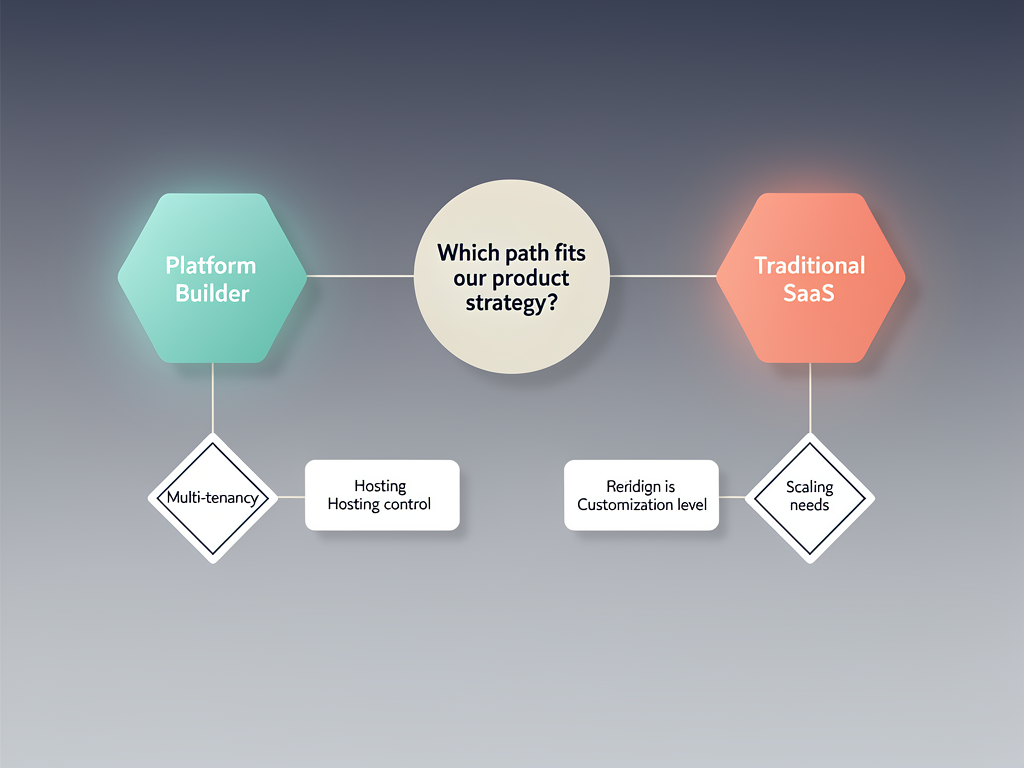
Choosing between NextBuilder and MakerKit ultimately comes down to what you are building. NextBuilder provides the architecture, features, and infrastructure needed to create platforms where your customers build their own applications. Its multi-tenant capabilities with custom subdomains, dual authentication system, and nested payment processing solve the specific challenges of no-code platform development.
MakerKit serves the traditional SaaS development model, providing authentication, subscriptions, and organizational structures for products where users consume functionality rather than create their own applications. Its Supabase integration, testing infrastructure, and documentation quality support teams building conventional software products.
For founders targeting the growing no-code and low-code market, NextBuilder's specialized architecture provides significant advantages. The ability to launch a platform where clients can create unlimited apps with custom domains and SSL, combined with self-hosting options that keep costs around $15 per month, creates a compelling foundation for building the next generation of creation tools.
Both platforms represent mature, well-considered approaches to SaaS development. The key is matching your product vision with the platform architecture that supports it. Take time to explore demos, review documentation, and consider how each platform's assumptions align with your specific requirements before making your decision.
Frequently Asked Questions
Can I migrate from MakerKit to NextBuilder or vice versa?
Migration between these platforms is technically possible but involves significant effort due to their different architectural approaches. MakerKit uses Supabase-specific features like row-level security and Supabase Auth, while NextBuilder uses NextAuth and Prisma with a multi-tenant subdomain architecture. Migrating would require reimplementing authentication flows, database access patterns, and potentially restructuring your data model. The user data itself (stored in PostgreSQL in both cases) could be migrated, but the application code would need substantial rewriting. Most developers find it more practical to choose the right platform initially rather than planning to migrate later. If you are uncertain about your requirements, building a small proof-of-concept with each platform can help clarify which architecture better fits your needs before committing to full development.
How do the platforms handle scaling to thousands of tenants?
NextBuilder's subdomain-based multi-tenancy scales well because tenant identification happens at the routing layer, with database queries scoped to specific tenants. The architecture supports thousands of tenants without significant performance degradation, though you should monitor database query performance and implement appropriate indexing as you scale. MakerKit's organizational model similarly scales well, with Supabase's row-level security handling tenant isolation at the database level. Both platforms benefit from PostgreSQL's proven scalability. For very large scale (tens of thousands of tenants), you may need to implement additional optimizations like connection pooling, read replicas, or caching layers. The self-hosting option in NextBuilder provides more control over these optimizations, while MakerKit's Supabase dependency means relying on Supabase's scaling capabilities and pricing at higher tiers.
Which platform is better for a solo founder with limited development experience?
For solo founders with limited development experience, the answer depends on what you are building. If you are creating a traditional SaaS product (like a project management tool or CRM), MakerKit's comprehensive documentation and testing infrastructure provide more guidance and guardrails. The Supabase integration also simplifies backend management. If you are building a no-code platform where users create their own applications, NextBuilder's specialized architecture means less custom development, even though the concepts (multi-tenancy, dual auth) are more complex. Both platforms use TypeScript and modern React patterns, so some development experience is beneficial. Consider also that AI coding assistants can help bridge knowledge gaps, making either platform more accessible than they would have been a few years ago. Starting with the platform that matches your product type reduces the amount of custom code you need to write.
How do ongoing costs compare between the two platforms over a three-year period?
Over three years, the cost structures differ significantly. MakerKit's $299 annual subscription totals $897 over three years, plus hosting costs (Supabase pricing varies by usage, but expect $25 to $100+ monthly for production workloads). NextBuilder's one-time license plus self-hosting at approximately $15 monthly totals the license cost plus roughly $540 in hosting over three years. The total cost advantage depends on your specific hosting needs and whether you value the ongoing updates included in MakerKit's subscription. Additional costs to consider include third-party services (email, analytics, monitoring), domain registration, and SSL certificates (though both platforms support free Let's Encrypt certificates). For bootstrapped startups, NextBuilder's lower ongoing costs extend runway. For funded startups where developer time is the primary cost, the platform that enables faster development provides better value regardless of licensing costs.
Can I use either platform to build a marketplace or two-sided platform?
Both platforms can serve as foundations for marketplace development, though with different approaches. NextBuilder's architecture, designed for platforms where users create applications, naturally supports marketplace concepts where sellers create storefronts or listings. The nested payment capabilities allow you to process payments between buyers and sellers while taking a platform fee. MakerKit's organizational model can support marketplaces where organizations represent either buyers or sellers, though you would need to implement the marketplace-specific logic (listings, search, transactions) yourself. For complex marketplaces with features like escrow, dispute resolution, or sophisticated matching algorithms, both platforms provide a starting point rather than a complete solution. You would build marketplace-specific features on top of the authentication, payment, and multi-tenancy foundations they provide. Consider which platform's architecture more closely matches your marketplace model before choosing.
What happens if the platform maintainers stop developing or supporting the product?
Both platforms provide source code access, meaning you own a copy of the codebase regardless of what happens to the maintainers. If development stops, you can continue using and modifying your existing code. However, you would lose access to updates, security patches, and new features. For MakerKit's subscription model, you would retain access to the code you have at the time development stops. For NextBuilder's one-time license, you similarly retain your purchased code. The risk is mitigated by both platforms using standard, well-supported technologies (Next.js, PostgreSQL, TypeScript) rather than proprietary systems. If a platform were abandoned, the community might fork and continue development, as happens with many open-source projects. To reduce this risk, consider the platform's apparent health: active GitHub commits, responsive support, and a growing user base all indicate sustainable development. Both NextBuilder and MakerKit show signs of active maintenance as of 2026.
Ready to Build Your No-Code SaaS Platform?
If you are ready to create a platform where your clients can build unlimited applications with custom subdomains and SSL certificates, NextBuilder provides the complete foundation you need. With over 600 hours of development time saved, 12+ production-ready features, and self-hosting guides that keep your costs around $15 per month, you can launch your multi-tenant SaaS platform in days instead of months. Explore the demo and see how NextBuilder can accelerate your path from idea to launched product.
Subscribe to our newsletter
Subscribe to our newsletter and stay up-to-date with the latest news and updates.