Choosing the Right SaaS Starter Kit: Essential Features for 2026
Explore the critical features that make a SaaS starter kit valuable in 2026. From multi-tenancy to authentication depth, learn how to select the right foundation for your project and save significant development time.

Zakariae

The market for SaaS starter kits has exploded in recent years, with the industry crossing $50 million annually in 2026. For founders and developers building multi-tenant platforms, the choice of which foundation to build upon can mean the difference between launching in days versus months. But with dozens of options available, each claiming to save you weeks of development time, how do you separate the genuinely valuable features from marketing fluff?
This comprehensive guide cuts through the noise to examine what features actually matter when selecting a saas starter kit in 2026. Whether you are a solo founder validating a weekend idea, a technical team building enterprise software, or an agency creating white-label solutions, understanding which capabilities deliver real value will help you make an informed decision that serves your project for years to come.
Key Takeaways
- Authentication depth matters more than authentication presence: Look for MFA, passkeys, magic links, OAuth, team management, and role-based access control, not just basic email and password login.
- Multi-tenancy architecture is non-negotiable for platform builders: If you are building a no-code platform or app builder, ensure your starter kit supports custom subdomains, SSL provisioning, and tenant isolation from day one.
- Billing flexibility determines monetization options: The best kits support subscriptions, one-time payments, usage-based billing, and multiple payment providers without requiring extensive customization.
- Time to first paid user is the ultimate metric: Evaluate how quickly you can go from cloning a repository to accepting real payments from real customers.
- Maintainability trumps feature count: A clean, well-documented codebase with 15 features beats a sprawling mess with 50 features every time.
- AI development readiness is the new differentiator: Kits optimized for AI coding assistants like Cursor and Claude Code can dramatically accelerate your development workflow.

Understanding the Modern SaaS Starter Kit Landscape
The concept of a SaaS boilerplate has evolved dramatically since the early days of simple authentication templates. Today's starter kits are comprehensive foundations that can include everything from payment processing to email marketing systems, admin dashboards to affiliate programs. This evolution reflects the increasing complexity of modern SaaS applications and the growing expectations of end users.
For developers building multi-tenant platforms, the stakes are particularly high. A platform where clients create their own applications, complete with custom subdomains and SSL certificates, requires sophisticated architecture that goes far beyond what a basic Next.js boilerplate provides. The wrong choice at this stage can lead to months of refactoring as you discover architectural limitations that prevent scaling.
The market has segmented into several distinct categories. At one end, you have free open-source scaffolds that provide minimal structure and require significant additional development. At the other end, enterprise-grade kits costing over $1,000 offer comprehensive feature sets but may include more complexity than early-stage projects need. Understanding where your project falls on this spectrum is the first step toward making the right choice.
Reports indicate that developers who choose the right starter kit for their specific use case save an average of 600 or more hours compared to building from scratch. However, those who choose poorly often spend more time fighting their boilerplate's architecture than they would have spent building custom solutions. The key is matching the kit's strengths to your project's requirements.
Authentication: The Foundation of Every SaaS Application
Authentication is where many founders first realize the difference between a basic template and a production-ready starter kit. While nearly every option on the market claims to include authentication, the depth and flexibility of that implementation varies enormously. A good starter kit should save you two to three days on authentication alone, but only if it includes the features your users expect.
Essential authentication features for 2026 include:
- Email and password login with secure password hashing
- OAuth integration for Google, GitHub, and other major providers
- Magic link authentication for passwordless login
- Multi-factor authentication (MFA) with TOTP support
- Passkey support for the latest authentication standards
- Session management with secure token handling
- Password recovery flows with rate limiting
For multi-tenant platforms, authentication becomes even more complex. You need to support not just platform-level users (your direct customers) but also the end users of the applications your customers build. This dual authentication model requires careful architectural planning that many basic kits simply do not provide.
Consider a scenario where you are building a no-code form builder platform. Your customers (the form builders) need accounts with billing, team management, and administrative capabilities. But the people filling out those forms may also need accounts within each customer's application. A starter kit designed for this use case will have these concepts built into its core architecture rather than bolted on as an afterthought.
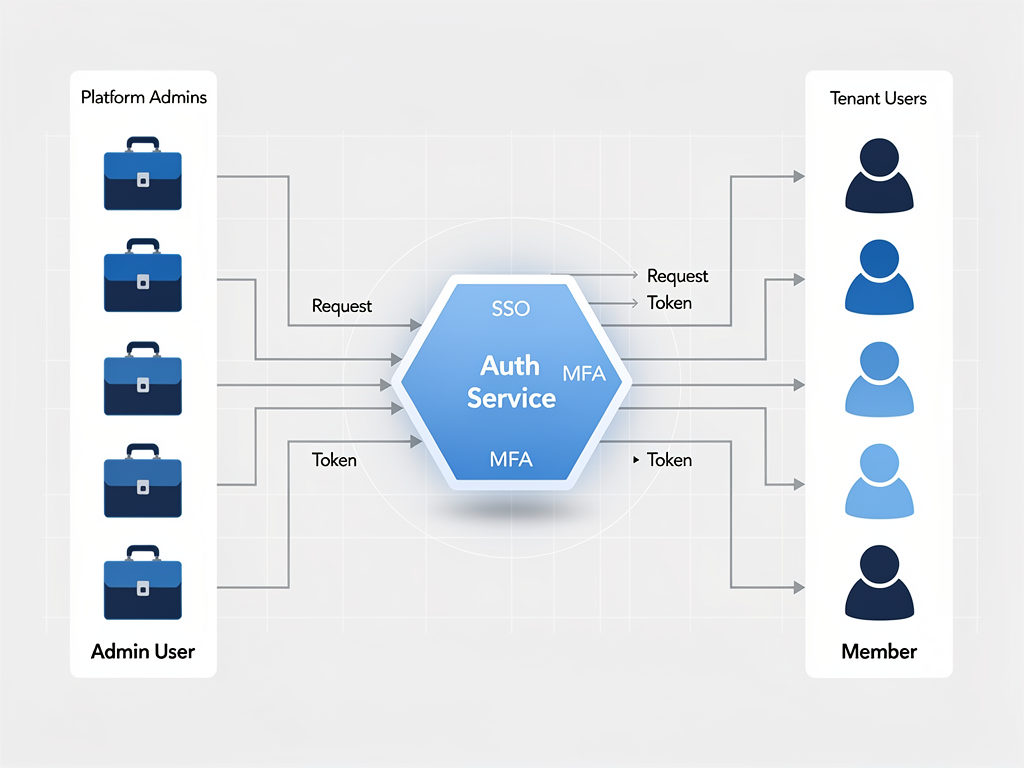
The authentication provider you choose also matters significantly. Options like NextAuth (now Auth.js), Clerk, Supabase Auth, and Better Auth each have different strengths. NextAuth offers flexibility and is widely understood, while Clerk provides a managed solution with excellent UI components. Supabase Auth integrates seamlessly with Supabase's database and storage features. Better Auth has emerged as a popular choice for its balance of features and simplicity. The best starter kits either support multiple providers or have chosen one that aligns with the kit's overall architecture.
Multi-Tenancy Architecture: The Critical Differentiator
If you are building a platform where customers create their own applications, workspaces, or storefronts, multi-tenancy is not optional. It is the fundamental architectural pattern that enables your business model. Yet many starter kits treat multi-tenancy as an advanced feature rather than a core capability, leading to painful refactoring later.
A proper multi-tenant boilerplate should address several key concerns from the start. Data isolation ensures that one tenant's data is never accessible to another tenant, even if bugs or security vulnerabilities exist in your application code. This can be achieved through database-level isolation (separate databases per tenant), schema-level isolation (separate schemas within a shared database), or row-level isolation (shared tables with tenant ID columns and strict access controls).
Custom domain support is essential for platforms where customers want their applications to appear under their own branding. This includes both custom subdomains (customer.yourplatform.com) and fully custom domains (app.customerdomain.com). Implementing this correctly requires DNS configuration, SSL certificate provisioning, and routing logic that many basic kits do not include.
| Multi-Tenancy Approach | Data Isolation | Complexity | Cost | Best For |
|---|---|---|---|---|
| Separate Databases | Highest | High | High | Enterprise, regulated industries |
| Separate Schemas | High | Medium | Medium | B2B SaaS with compliance needs |
| Shared Tables (Row-Level) | Medium | Low | Low | Most SaaS applications |
The infrastructure requirements for multi-tenancy extend beyond the database. You need to consider how tenant-specific configurations are stored and accessed, how background jobs are scoped to individual tenants, and how analytics and logging can be filtered by tenant. A well-designed Next.js starter kit will have these patterns established from the beginning, with clear documentation on how to extend them for your specific needs.
For founders building no-code platforms specifically, the multi-tenancy requirements are even more demanding. Each tenant may need the ability to define custom data models, create their own user roles, and configure their application's behavior without touching code. This level of flexibility requires a meta-programming approach that goes beyond simple tenant isolation.
Payment Processing and Monetization Features
The ability to accept payments and manage subscriptions is what transforms a project into a business. While Stripe has become the de facto standard for SaaS payments, the quality of Stripe integration varies dramatically between starter kits. A basic integration might handle simple subscriptions, while a comprehensive implementation supports the full range of monetization strategies modern SaaS businesses employ.
Essential billing features include:
- Subscription management with multiple pricing tiers
- One-time payment support for lifetime deals or credits
- Usage-based billing for metered features
- Customer portal for self-service subscription management
- Webhook handling for payment events
- Invoice generation and management
- Tax calculation and compliance (increasingly important)
- Multiple currency support for international customers
For platform builders, the payment story becomes more complex. You may need to enable your customers to accept payments from their own users, creating a three-party payment flow. This requires Stripe Connect or similar marketplace payment infrastructure, which adds significant complexity to your billing system.

Consider also the importance of billing flexibility for your go-to-market strategy. Many successful SaaS products offer free trials, freemium tiers, annual discounts, and promotional pricing. Your starter kit should make these pricing experiments easy to implement without requiring changes to your core billing logic. The best kits include admin interfaces for managing pricing and a clear separation between billing logic and business logic.
Beyond Stripe, some kits support alternative payment providers like Lemon Squeezy (popular for its EU-friendly approach and simplified tax handling) or Paddle (which acts as a merchant of record). If international sales are important to your business, having multiple payment provider options can significantly simplify compliance and reduce payment friction for customers in different regions.
Admin Dashboards and Back-Office Tools
Every SaaS application needs administrative capabilities, but the scope of those capabilities varies based on your business model. A simple B2C tool might need basic user management and analytics. A multi-tenant platform requires comprehensive tenant management, support tools, and operational dashboards that give you visibility into how your platform is being used.
The admin dashboard in a quality starter kit should provide real-time analytics on key metrics: active users, new signups, revenue, and engagement patterns. It should include user management capabilities that allow you to view user details, impersonate users for support purposes, and manage subscriptions manually when needed. For multi-tenant platforms, tenant-level analytics and management become equally important.
Look for starter kits that include:
- Real-time analytics with customizable dashboards
- User management with search, filtering, and bulk actions
- Tenant management for multi-tenant applications
- Support tools including user impersonation
- Content management for marketing pages and documentation
- Feature flag management for controlled rollouts
- Audit logging for compliance and debugging
The quality of the admin interface often reflects the overall quality of the starter kit. A well-designed admin dashboard suggests that the developers understand the operational needs of running a SaaS business, not just the technical requirements of building one. Pay attention to details like loading states, error handling, and responsive design in the admin area.
Email Systems: Transactional and Marketing
Email remains the primary communication channel for most SaaS applications, yet it is frequently an afterthought in starter kit selection. A comprehensive email system includes both transactional emails (password resets, welcome messages, notifications) and marketing capabilities (newsletters, campaigns, drip sequences). The best kits include both, with templates and infrastructure ready to use.
Transactional email requirements include templates for common scenarios: welcome emails, password reset requests, subscription confirmations, payment receipts, and team invitations. These templates should be well-designed, mobile-responsive, and easy to customize with your branding. The underlying infrastructure should support reliable delivery through providers like Resend, Postmark, or SendGrid.
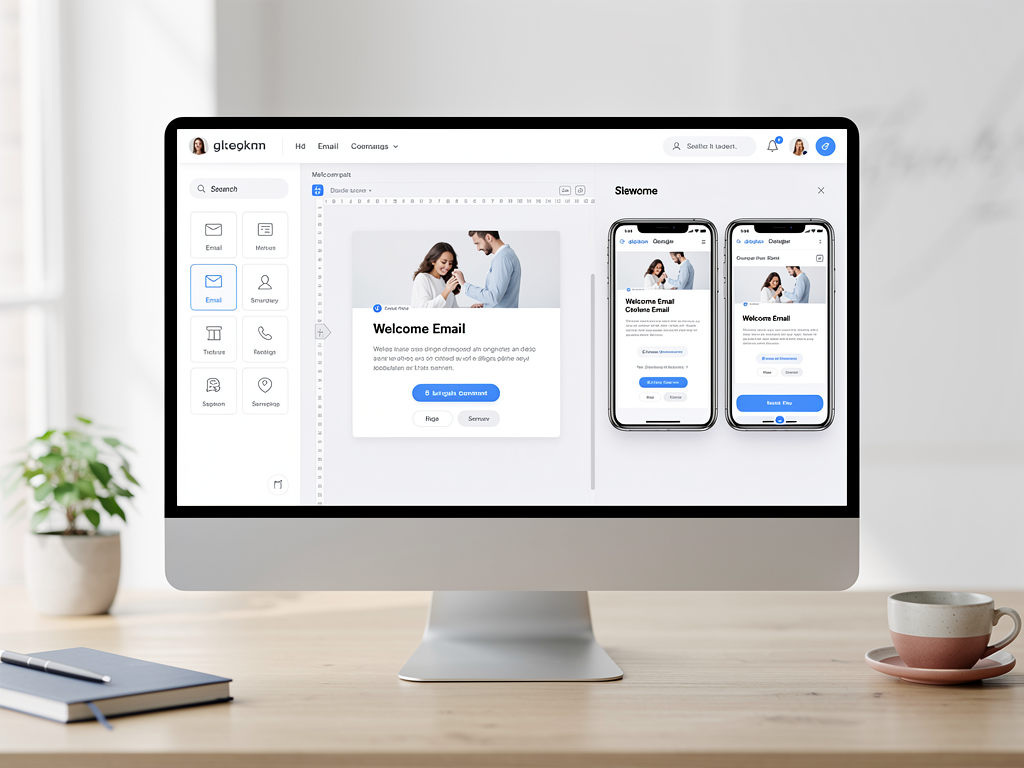
Marketing email capabilities are increasingly important as SaaS businesses recognize the value of owned audience communication. Look for starter kits that include subscriber management, campaign builders, and analytics. Some advanced kits even include automation features for drip campaigns and behavioral triggers, reducing your dependence on external email marketing platforms.
The integration between your application and email system matters significantly. When a user completes an action in your app, the corresponding email should be triggered automatically. When a user unsubscribes from marketing emails, that preference should be respected across your entire system. These integrations are often where the quality of a starter kit becomes apparent.
Team Collaboration and Permission Systems
For B2B SaaS applications, team collaboration features are not optional. Your customers expect to invite colleagues, assign roles, and manage permissions without contacting support. Implementing these features correctly requires careful consideration of your permission model and how it interacts with your multi-tenancy architecture.
A robust team system should support:
- Team invitations via email with secure token-based acceptance
- Multiple permission levels (owner, admin, member, viewer, etc.)
- Role-based access control (RBAC) for fine-grained permissions
- Team-level billing with seat-based pricing support
- Activity logs showing team member actions
- Transfer of ownership between team members
The complexity of permission systems often surprises developers who have not built B2B applications before. Consider a scenario where a team member should be able to view all projects but only edit projects they created. Or where certain features are available only to users with specific roles. These requirements compound quickly, and retrofitting a permission system onto an application that was not designed for it is painful.
Some starter kits offer five or more permission levels out of the box, with clear documentation on how to extend the system for custom requirements. Others provide only basic owner and member roles, leaving you to build more sophisticated permissions yourself. Evaluate your target market's needs carefully when assessing this feature.
Developer Experience and Code Quality
The features visible to end users are only part of what makes a starter kit valuable. The developer experience, code quality, and maintainability of the codebase determine how productive you will be over the lifetime of your project. A kit that saves you two weeks at launch but costs you two hours of confusion every week thereafter is not actually saving you time.
Code quality indicators to evaluate:
- TypeScript usage with strict mode enabled
- Consistent code formatting with Prettier or similar
- Linting configuration with ESLint rules
- Test coverage for critical paths
- Clear folder structure with logical organization
- Separation of concerns between layers
- Documentation of architectural decisions
The choice of state management, data fetching, and API patterns significantly impacts developer experience. Modern kits often use combinations like Zustand for client state and React Query for server state, providing a balance of simplicity and power. tRPC has become popular for its end-to-end type safety, though it requires buy-in to its specific patterns.
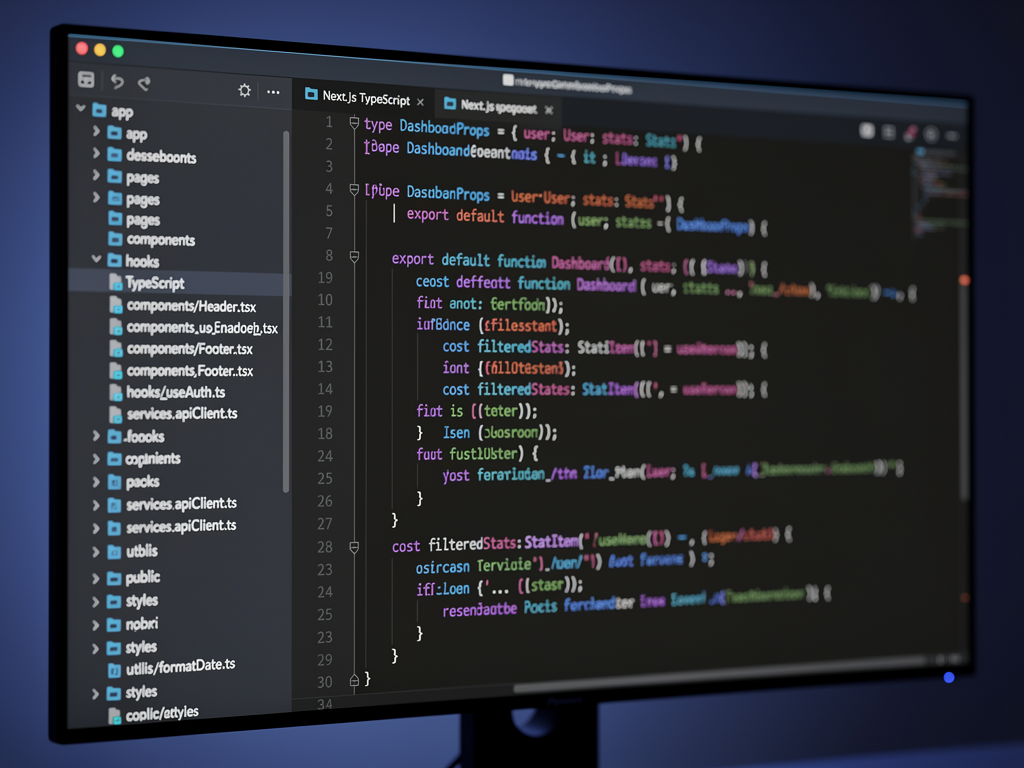
Documentation quality is another crucial factor. The best starter kits include not just setup instructions but explanations of why architectural decisions were made. This context helps you make informed choices when extending the codebase and reduces the learning curve for new team members joining your project.
Consider also the update and maintenance story. How frequently is the kit updated? Is there a clear upgrade path when new versions are released? Some kits provide migration guides and changelogs that make staying current straightforward, while others leave you to figure out changes yourself.
AI Development Readiness: The 2026 Differentiator
The rise of AI coding assistants has created a new evaluation criterion for starter kits. Tools like Cursor, Claude Code, and GitHub Copilot can dramatically accelerate development, but their effectiveness depends on the codebase they are working with. Kits optimized for AI-assisted development include rules, examples, and documentation that help these tools understand the codebase's patterns and conventions.
AI-readiness features include:
- Cursor rules or similar configuration files
- Comprehensive inline documentation
- Consistent patterns that AI tools can learn
- Example implementations for common features
- Clear naming conventions throughout the codebase
The practical impact of AI readiness is significant. When an AI assistant understands your codebase's patterns, it can generate code that fits seamlessly with existing implementations. When it does not, you spend time correcting and reformatting AI-generated code to match your conventions. Over the course of a project, this difference compounds into substantial time savings or costs.
Some starter kits have explicitly optimized for AI-assisted development workflows, including documentation specifically written to help AI tools understand the codebase. This is a relatively new consideration, but one that is increasingly important as AI tools become central to many developers' workflows.
Self-Hosting and Infrastructure Flexibility
The deployment story for your SaaS application affects both your costs and your operational flexibility. While many starter kits assume deployment to Vercel or similar platforms, the ability to self-host can significantly reduce costs at scale and provide more control over your infrastructure.
A Next.js SaaS template that includes self-hosting guidance opens up options like deploying to Hetzner, DigitalOcean, or AWS with tools like Coolify or Dokku. These approaches can reduce hosting costs from hundreds of dollars per month to as little as $15 to $20 per month for substantial workloads, making them attractive for bootstrapped founders and cost-conscious teams.
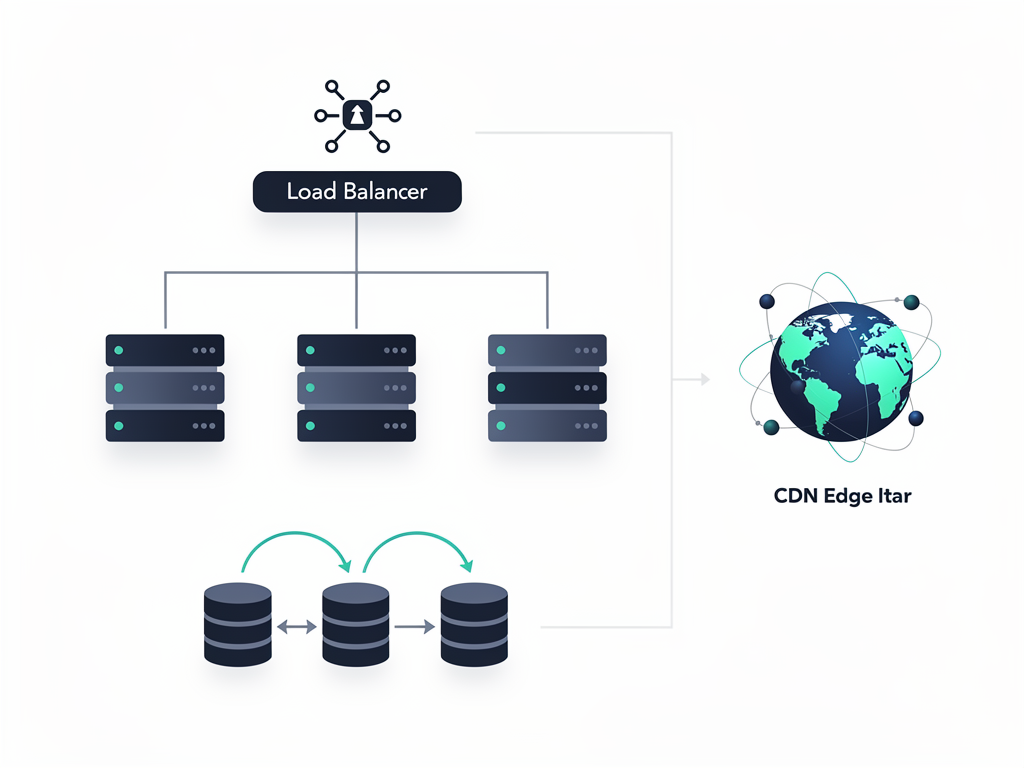
Infrastructure considerations include:
- Database options (PostgreSQL, MySQL, managed vs. self-hosted)
- File storage (S3-compatible, local, or managed services)
- Background job processing (Redis-based queues, serverless functions)
- Caching layers (Redis, in-memory, CDN)
- Monitoring and logging infrastructure
- SSL certificate management
For multi-tenant platforms with custom domain support, the infrastructure requirements are particularly demanding. You need to handle SSL certificate provisioning for potentially thousands of custom domains, route requests to the correct tenant, and manage the complexity of wildcard certificates for subdomains. Starter kits that include this infrastructure save enormous amounts of development time.
Marketing and Growth Features
Technical features get most of the attention in starter kit comparisons, but marketing and growth capabilities can be equally important for your business success. The best kits include landing page templates, SEO optimization, and growth tools that help you acquire and retain customers.
Marketing features to look for:
- Landing page templates with conversion optimization
- SEO-optimized page structures and meta tag management
- Blog system with MDX support for content marketing
- Affiliate program infrastructure for referral marketing
- Social proof components (testimonials, logos, statistics)
- A/B testing capabilities for conversion optimization
- Analytics integration for tracking user behavior
An affiliate program deserves special mention as a growth feature. For many SaaS businesses, affiliate and referral marketing provides a cost-effective customer acquisition channel. Building an affiliate system from scratch requires tracking referrals, managing payouts, and providing affiliates with dashboards and marketing materials. Starter kits that include this infrastructure can accelerate your growth marketing efforts significantly.

The blog system included in many starter kits supports content marketing strategies that drive organic traffic. Look for MDX support (Markdown with JSX components), SEO optimization features, and easy content management. A well-implemented blog can become a significant source of qualified leads over time.
Evaluating Starter Kits for Multi-Tenant Platform Development
If your goal is building a platform where customers create their own applications, such as a no-code builder, form platform, or white-label solution, your evaluation criteria differ from those building simpler SaaS applications. The architectural requirements are more demanding, and the consequences of choosing poorly are more severe.
Critical features for platform builders:
- True multi-tenancy with data isolation
- Custom subdomain support with automatic SSL
- Custom domain support with DNS verification
- Tenant-level user management (members within each tenant's app)
- Tenant-level billing (allowing tenants to monetize their apps)
- White-label capabilities for removing platform branding
- API access for tenant integrations
The distinction between a SaaS template and a platform-building kit is significant. A standard SaaS template assumes you are building a single application with multiple users. A platform-building kit assumes you are building infrastructure that enables others to build applications. This fundamental difference affects every architectural decision in the codebase.
Consider the user hierarchy in a platform scenario. You have platform administrators (your team), platform customers (people who pay you to build apps), and end users (people who use the apps your customers build). Each level requires different authentication, permissions, and interfaces. A kit designed for this use case will have these concepts built into its core rather than requiring you to architect them yourself.
Price Versus Value: Making the Right Investment
Starter kit prices range from free open-source options to enterprise kits costing over $1,000. Understanding the value equation helps you make an informed investment decision. The question is not "which kit is cheapest?" but "which kit provides the best return on investment for my specific situation?"
| Price Range | Typical Features | Best For | Time Savings |
|---|---|---|---|
| Free ($0) | Basic auth, minimal UI, limited docs | Learning, simple MVPs | 1-2 weeks |
| Budget ($100-200) | Auth, payments, landing pages | Solo founders, validation | 2-4 weeks |
| Mid-range ($200-400) | Full feature set, good docs, support | Serious projects, small teams | 4-8 weeks |
| Premium ($400+) | Enterprise features, priority support | Funded startups, agencies | 8-12+ weeks |
The time savings calculation is straightforward. If a $300 kit saves you 40 hours of development time, and your time is worth $50 per hour or more, the kit pays for itself immediately. For most professional developers, even budget-priced kits provide positive ROI within the first week of development.
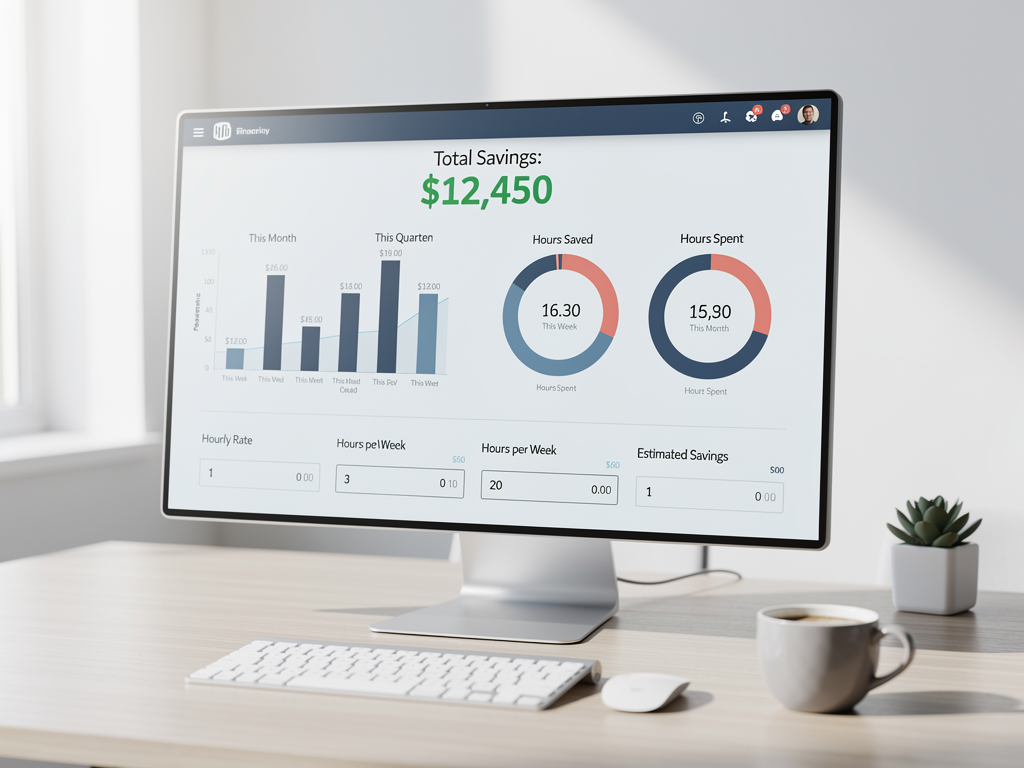
However, price alone does not determine value. A free kit that requires 20 hours of customization to meet your needs may cost more than a $300 kit that works out of the box. Evaluate the total cost of ownership, including setup time, learning curve, and ongoing maintenance requirements.
For platform builders specifically, the value equation tilts heavily toward more comprehensive kits. The architectural complexity of multi-tenant platforms means that gaps in your starter kit translate directly into development time. A kit that includes custom domain support, tenant-level billing, and member management can save months of development compared to building these features yourself.
Common Pitfalls When Selecting a Starter Kit
Understanding what can go wrong helps you avoid common mistakes in the selection process. Many developers have learned these lessons the hard way, and their experiences provide valuable guidance for your decision.
Pitfall 1: Choosing based on feature count rather than feature quality. A kit with 50 features sounds impressive until you discover that half of them are half-implemented or poorly documented. Depth beats breadth. Look for kits that do fewer things excellently rather than many things poorly.
Pitfall 2: Ignoring the upgrade and maintenance story. Your starter kit is not a one-time purchase. You will need to update dependencies, apply security patches, and potentially migrate to new versions. Kits with clear upgrade paths and active maintenance save significant headaches over time.
Pitfall 3: Underestimating the importance of documentation. When you are stuck at 2 AM trying to figure out why payments are not working, documentation quality matters enormously. Evaluate the docs before purchasing, not after.
Pitfall 4: Choosing a kit that does not match your technical stack. If you are comfortable with Prisma, do not choose a kit that uses Drizzle just because it has other features you like. The friction of learning new tools compounds over time and reduces the productivity benefits of using a starter kit.
Pitfall 5: Overlooking the community and support options. When you encounter issues, having access to Discord channels, GitHub discussions, or direct support can be invaluable. Evaluate the support options available and the responsiveness of the kit's maintainers.

Making Your Final Decision: A Framework
With all these considerations in mind, here is a practical framework for making your final starter kit decision. Work through these questions in order, and you will arrive at a clear answer for your specific situation.
Step 1: Define your product requirements. Are you building a simple B2C tool, a B2B application with teams, or a multi-tenant platform? This fundamental question eliminates many options immediately.
Step 2: Identify your technical constraints. What database, authentication provider, and hosting approach do you prefer? Kits that align with your existing preferences will be more productive than those requiring you to learn new tools.
Step 3: Evaluate your timeline and budget. A solo founder validating an idea has different constraints than a funded team building for scale. Match your investment to your situation.
Step 4: Test before committing. Most quality starter kits offer demos or trial access. Spend time exploring the codebase, reading the documentation, and building a small feature before making your final decision.
Step 5: Consider the long-term relationship. You will be working with this codebase for months or years. Choose a kit whose maintainers you trust and whose community you want to be part of.
Pro tip: Create a simple scoring matrix with your top five requirements and rate each kit you are considering. This structured approach helps cut through marketing hype and focus on what actually matters for your project.

Conclusion
Selecting the right starter kit in 2026 requires looking beyond feature lists and marketing claims to understand what capabilities actually matter for your specific project. For founders building multi-tenant platforms, the requirements are particularly demanding: true multi-tenancy architecture, custom domain support, dual authentication systems, and flexible billing infrastructure are not optional features but fundamental requirements.
The market has matured significantly, with options available for every budget and use case. Free open-source kits provide excellent starting points for learning and simple MVPs. Mid-range options offer the best balance of features and value for most serious projects. Premium kits justify their cost for complex platform builds where architectural decisions have long-term consequences.
Whatever you choose, remember that a starter kit is a foundation, not a finished product. The best kit is one that accelerates your unique work rather than constraining it. Evaluate options based on how well they support your specific vision, and do not be afraid to invest in quality when the ROI is clear.
The hours you save by choosing wisely can be invested in what actually differentiates your product: the features, experience, and value that only you can create for your customers.
Frequently Asked Questions
How much time does a SaaS starter kit actually save compared to building from scratch?
The time savings vary based on the kit's comprehensiveness and your project's requirements, but most developers report saving between 200 and 600 hours by using a quality starter kit. This estimate includes authentication implementation (typically 40 to 80 hours if built from scratch), payment integration (30 to 60 hours), email systems (20 to 40 hours), admin dashboards (40 to 80 hours), and the countless small features that add up over time. For multi-tenant platforms specifically, the savings can exceed 800 hours because the architectural complexity of tenant isolation, custom domains, and dual authentication systems requires significant expertise to implement correctly. The key is choosing a kit that matches your requirements closely, as time spent adapting a poorly-matched kit can erode these savings substantially.
Should I choose a free open-source starter kit or pay for a premium option?
The decision depends on your project stage, budget, and technical expertise. Free open-source kits like the official Next.js SaaS Starter or ixartz SaaS Boilerplate provide excellent foundations for learning and simple MVPs, with the ixartz option including features that compete with paid alternatives. However, free kits typically lack dedicated support, may have inconsistent maintenance, and often require more customization to reach production readiness. Paid kits in the $200 to $400 range generally offer better documentation, active support channels, and more polished implementations. For serious projects with revenue potential, the math favors paid options: a $300 kit that saves 40 hours costs less than $8 per hour of saved development time. For platform builders specifically, premium kits often justify their cost through architectural decisions that would take months to implement independently.
What is the difference between a SaaS starter kit and a SaaS boilerplate?
The terms are often used interchangeably, but subtle distinctions exist in how the market uses them. A boilerplate typically refers to foundational code structure and patterns that you build upon, focusing on architecture and conventions. A starter kit usually implies a more complete package including not just code but also documentation, deployment guides, and sometimes support. In practice, the modern market has converged around "starter kit" as the preferred term for comprehensive packages that include authentication, payments, dashboards, and other production-ready features. When evaluating options, focus less on terminology and more on what is actually included: the feature set, documentation quality, and support options matter more than whether the product calls itself a kit, boilerplate, or template.
How important is multi-tenancy support if I am not sure I need it yet?
If there is any possibility your product will need multi-tenancy, choosing a kit with this architecture from the start is strongly recommended. Retrofitting multi-tenancy onto an application designed for single-tenant use is one of the most painful refactoring exercises in SaaS development. It touches authentication, database queries, authorization logic, and often requires rethinking your entire data model. The cost of starting with multi-tenancy support when you do not need it is minimal: some additional complexity in your data access patterns. The cost of not having it when you need it can be weeks or months of refactoring. For platform builders, no-code tool creators, or anyone building B2B software where customers might want isolated workspaces, multi-tenancy should be considered a hard requirement rather than a nice-to-have feature.
Can I switch starter kits after I have started building my product?
Technically yes, but practically it is often easier to start fresh than to migrate between kits. Starter kits make assumptions about folder structure, naming conventions, state management, and API patterns that permeate your entire codebase. Migrating means either adapting your custom code to the new kit's patterns or adapting the new kit to match your existing code, both of which are time-consuming and error-prone. The better approach is to invest time upfront in choosing the right kit, including building small proof-of-concept features to validate that the kit's patterns work for your use case. If you do need to switch, consider it a rewrite rather than a migration: extract your business logic and rebuild the infrastructure layer from scratch using the new kit as your foundation.
What features should I prioritize if I am building a no-code platform?
No-code platform builders have the most demanding requirements of any starter kit users. Prioritize these features in order: first, robust multi-tenancy with true data isolation, because your customers' data must be completely separated. Second, custom subdomain and domain support with automatic SSL provisioning, because your customers expect their applications to have professional URLs. Third, dual authentication supporting both platform users and tenant members, because the people using your customers' apps need accounts too. Fourth, flexible permission systems that can be configured per-tenant, because different customers will have different role requirements. Fifth, tenant-level billing that allows your customers to monetize their own applications. Finally, look for extensibility in the data layer, as no-code platforms often need to support custom fields, dynamic schemas, or user-defined data structures that go beyond standard CRUD operations.
Ready to Build Your Multi-Tenant Platform?
If you are building a no-code SaaS platform where clients create unlimited apps with custom subdomains and SSL, NextBuilder provides the complete Next.js foundation you need. With multi-tenant architecture, dual authentication, custom domains, team collaboration, and built-in monetization features, you can launch your platform in days instead of months. The included self-hosting guide helps you run enterprise-level infrastructure for as little as $15 per month. Explore the demo and see what 600+ hours of saved development time looks like.
Subscribe to our newsletter
Subscribe to our newsletter and stay up-to-date with the latest news and updates.