Build a No-Code Web App Builder with Next.js
Discover how to create a no-code web app builder platform using Next.js. Learn about multi-tenant architecture, customization, and monetization strategies to capitalize on the growing SaaS market.

Zakariae

The demand for no-code solutions has exploded in recent years, with businesses of all sizes seeking ways to build applications without extensive programming knowledge. For entrepreneurs and developers looking to capitalize on this trend, creating a no code web app builder platform represents one of the most lucrative opportunities in the SaaS market today. By leveraging the power of Next.js, you can build a robust, scalable platform that enables your clients to create their own applications through intuitive visual interfaces.
Building such a platform from scratch would traditionally require months of development time and significant technical resources. However, with the right architectural approach and a solid Next.js boilerplate as your foundation, you can dramatically accelerate your time to market while maintaining the flexibility to customize every aspect of your platform. This comprehensive guide walks you through the entire process, from understanding the core architecture to implementing advanced features that will set your platform apart from competitors.
Key Takeaways
- Multi-tenant architecture is essential for building scalable no-code platforms that serve multiple clients from a single codebase
- Custom subdomain support with SSL enables each client to have their own branded experience while maintaining security
- Implementing a visual editor requires careful consideration of component libraries, state management, and real-time preview capabilities
- Authentication layers must handle both platform users and end-user app members with different permission levels
- Starting with a production-ready SaaS boilerplate can save over 600 hours of development time
- Monetization features including subscription billing and affiliate programs are crucial for platform sustainability
- Self-hosting options provide cost savings and data sovereignty for enterprise clients
Understanding the No-Code Platform Market Opportunity
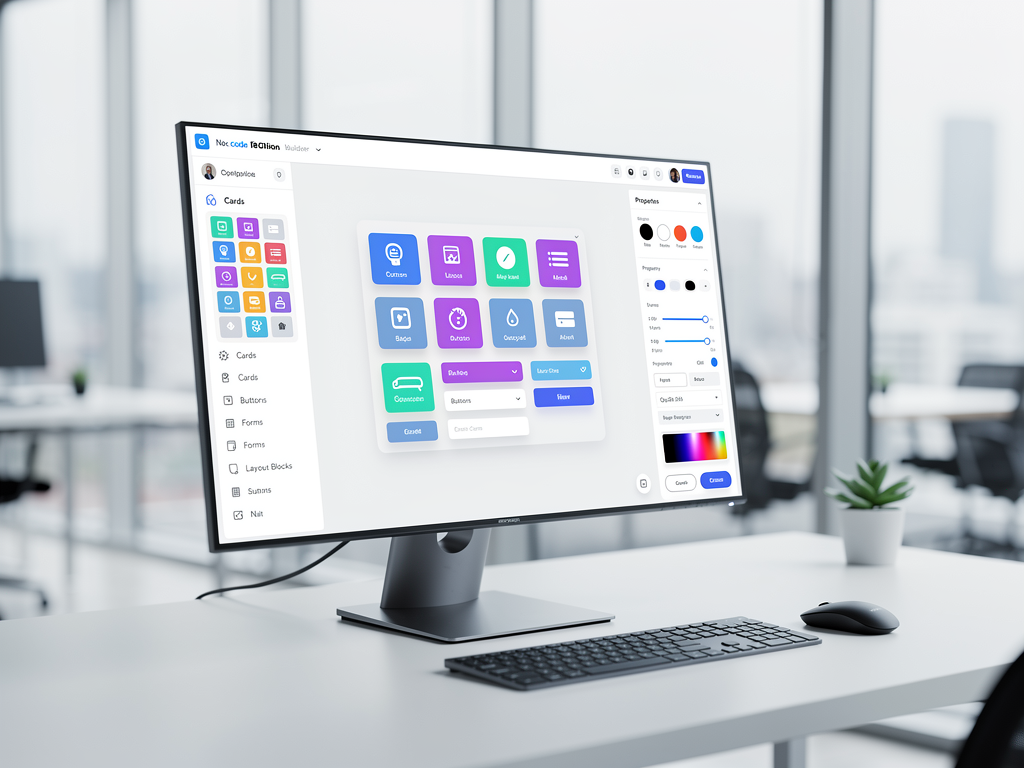
The no-code development platform market has experienced remarkable growth, with industry analysts projecting it to reach $65 billion by 2027. This surge is driven by the increasing digital transformation needs of businesses combined with a persistent shortage of skilled developers. Organizations across industries are seeking ways to empower their non-technical staff to build custom solutions without relying on overburdened IT departments.
For SaaS entrepreneurs, this presents a unique opportunity to create platforms that serve specific niches or vertical markets. Rather than competing directly with established players like Bubble or Webflow, you can focus on building specialized solutions for industries such as healthcare, real estate, education, or professional services. These targeted platforms often command premium pricing because they address specific workflow requirements and compliance needs that general-purpose builders cannot easily accommodate.
The key advantage of building your own no-code platform lies in the recurring revenue potential. Unlike traditional software development agencies that trade time for money, platform owners benefit from subscription-based income that scales with their user base. Each new client adds to your monthly recurring revenue without proportionally increasing your operational costs, creating the kind of leverage that investors find particularly attractive.
Additionally, no-code platforms create powerful network effects. As more users build applications on your platform, they generate templates, components, and integrations that benefit other users. This ecosystem development creates switching costs that improve retention while simultaneously attracting new customers who want access to the growing library of resources. Understanding these dynamics is crucial for designing a platform architecture that supports and encourages community growth.
Essential Architecture for Multi-Tenant No-Code Platforms
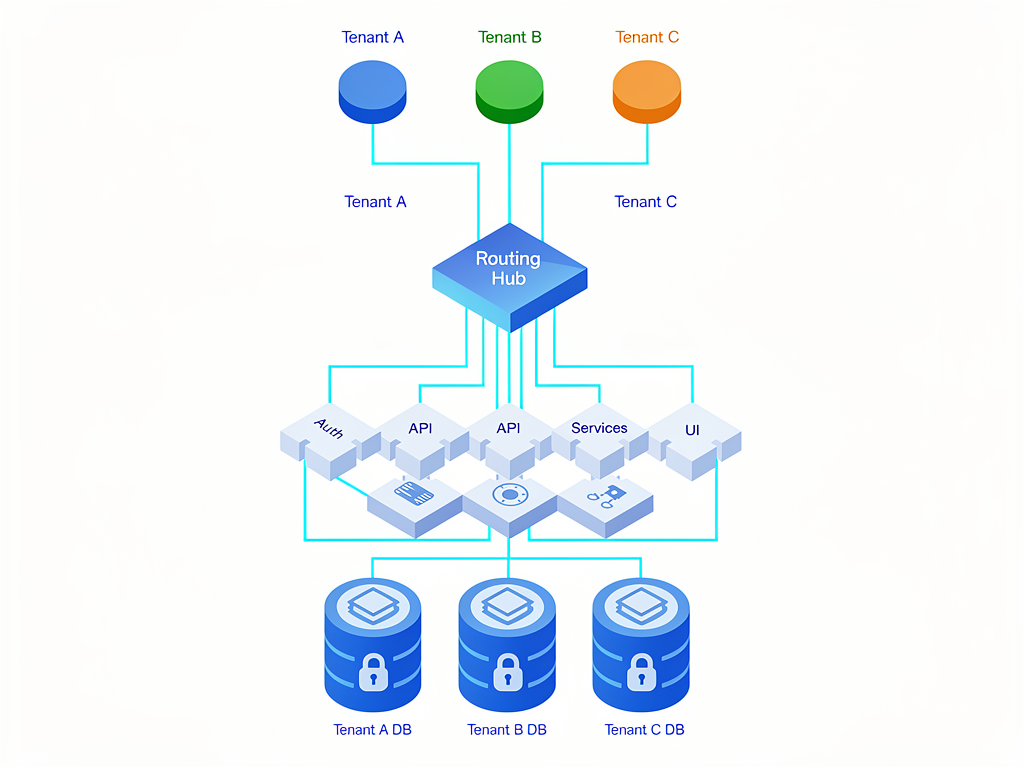
Building a successful no-code platform requires a multi-tenant architecture that efficiently serves multiple clients from a single application instance while maintaining strict data isolation and customization capabilities. This architectural approach differs significantly from traditional single-tenant applications and requires careful planning from the outset to avoid costly refactoring later.
The foundation of multi-tenant architecture involves implementing tenant identification at every layer of your application. When a request arrives at your server, the system must immediately determine which tenant the request belongs to, typically through subdomain parsing, custom domain mapping, or authentication token analysis. This tenant context then flows through your entire application stack, ensuring that database queries, file storage operations, and API calls are all scoped appropriately.
Database design for multi-tenant applications generally follows one of three patterns: separate databases per tenant, shared database with separate schemas, or shared database with shared schema. For most no-code platforms, the shared database with shared schema approach offers the best balance of operational simplicity and cost efficiency. This pattern uses a tenant identifier column in each table to partition data, with application-level enforcement ensuring queries never cross tenant boundaries.
Using a multi-tenant boilerplate as your starting point provides pre-built solutions for these architectural challenges. Rather than spending weeks implementing tenant isolation, custom domain routing, and permission systems, you can leverage battle-tested code that handles these concerns correctly. This approach is particularly valuable because multi-tenancy bugs can have severe consequences, potentially exposing one client's data to another, which would be catastrophic for your platform's reputation and legal standing.
Why Next.js Is the Ideal Framework for No-Code Builders
Next.js has emerged as the premier framework for building complex SaaS applications, and its advantages are particularly pronounced when developing no-code platforms. The framework's hybrid rendering capabilities allow you to optimize different parts of your application for their specific requirements, using server-side rendering for dynamic content, static generation for marketing pages, and client-side rendering for interactive builder interfaces.
The App Router introduced in Next.js 13 and refined in subsequent versions provides powerful routing capabilities essential for multi-tenant applications. Dynamic route segments enable clean URL structures for tenant-specific content, while middleware allows you to intercept requests for subdomain parsing and authentication checks before they reach your page components. This architecture supports the complex routing requirements of no-code platforms where each tenant may have multiple applications, each with their own pages and data.
Server Components represent another significant advantage for no-code platform development. By rendering components on the server, you can significantly reduce the JavaScript bundle sent to clients, improving initial load times for the applications your users build. This is particularly important because no-code platforms often generate applications with many components, and without careful optimization, these applications can become sluggish and frustrating to use.
The ecosystem surrounding Next.js provides additional benefits. Integration with Vercel's deployment platform offers automatic scaling, edge functions, and analytics out of the box. Libraries like Prisma for database access, NextAuth for authentication, and Zustand for state management integrate seamlessly with Next.js patterns. This mature ecosystem means you spend less time solving infrastructure problems and more time building features that differentiate your platform.
A well-designed Next.js starter kit provides the scaffolding needed to begin development immediately. Rather than configuring TypeScript, setting up linting rules, integrating styling solutions, and establishing project structure from scratch, you inherit a production-ready configuration that follows best practices. This foundation is especially valuable for teams that want to maintain code quality while moving quickly to market.
Implementing Custom Subdomains and SSL Certificates
One of the most powerful features you can offer your no-code platform users is the ability to deploy their applications on custom subdomains or fully custom domains. This capability transforms your platform from a simple tool into a white-label solution that clients can present as their own branded product. Implementing this feature correctly requires understanding both the technical infrastructure and the user experience considerations involved.
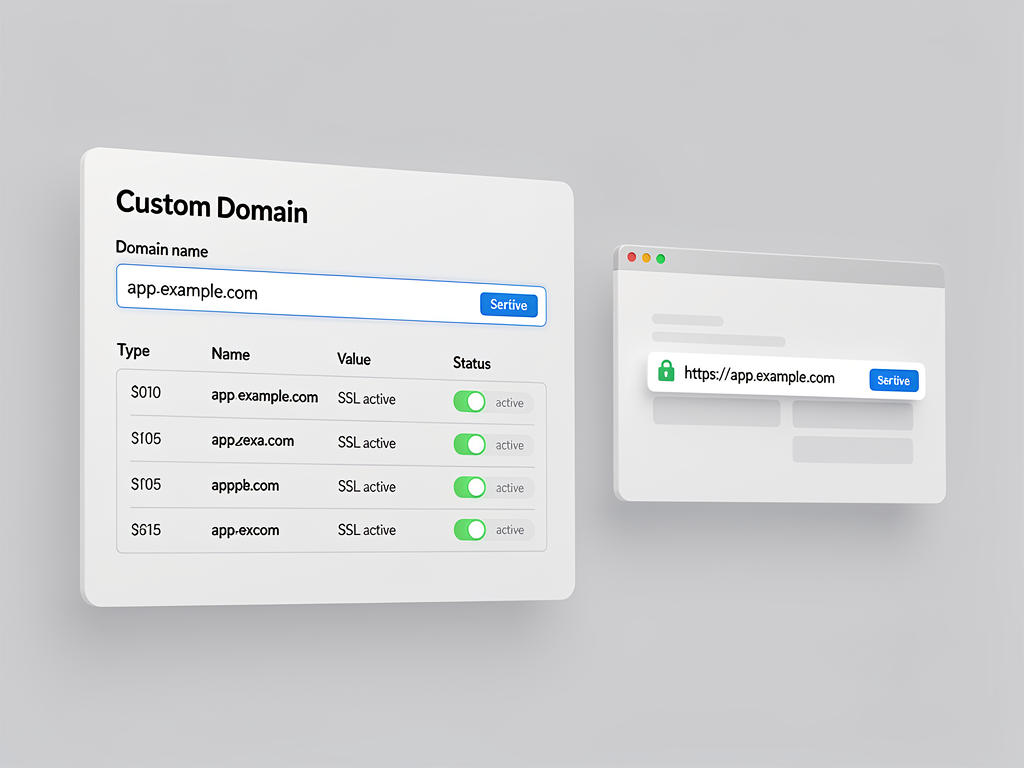
For subdomain-based deployment, your platform needs to handle wildcard DNS configuration and SSL certificate generation. When a user creates a new application, your system automatically provisions a subdomain like their-app.yourplatform.com. The wildcard DNS record ensures that any subdomain resolves to your servers, while your application's routing logic determines which tenant and application should handle each request based on the subdomain.
SSL certificate management for wildcard subdomains can be handled through services like Let's Encrypt, which provides free certificates with automated renewal. For platforms running on their own infrastructure, tools like Caddy or Traefik can automatically obtain and renew certificates as new subdomains are created. This automation is essential because manual certificate management becomes impractical as your platform scales to hundreds or thousands of client applications.
Custom domain support adds another layer of complexity but significantly increases the value proposition for clients. When a user wants to deploy their application on app.theirbusiness.com, they need to configure DNS records pointing to your platform. Your system must then verify domain ownership, provision SSL certificates for the custom domain, and update routing rules to serve the correct application. This process should be as automated as possible, with clear instructions guiding users through the DNS configuration steps.
The technical implementation typically involves a combination of database records mapping domains to tenants and applications, middleware that performs domain lookups on each request, and background jobs that handle certificate provisioning and renewal. Edge functions can accelerate this process by performing domain resolution at the network edge, reducing latency for end users accessing applications on custom domains.
Building the Visual Editor Experience
The visual editor is the heart of any no-code platform, and its quality directly determines user satisfaction and retention. Building an effective visual editor requires balancing power and simplicity, giving users enough flexibility to create diverse applications while preventing them from becoming overwhelmed by options. This balance is achieved through thoughtful interface design, progressive disclosure of advanced features, and intelligent defaults that produce good results without configuration.
Most successful no-code editors follow a three-panel layout: a component library on the left, a canvas in the center, and a properties panel on the right. Users drag components from the library onto the canvas, then configure them using the properties panel. This pattern is familiar from design tools like Figma and development environments like Visual Studio Code, reducing the learning curve for new users while providing efficient workflows for experienced ones.
Implementing drag-and-drop functionality requires careful attention to user experience details. Visual feedback during dragging, such as drop zone highlighting and insertion point indicators, helps users understand where components will land. Undo and redo functionality is essential, as users frequently experiment with different arrangements. Keyboard shortcuts for common operations like copy, paste, and delete improve efficiency for power users who spend significant time in your editor.
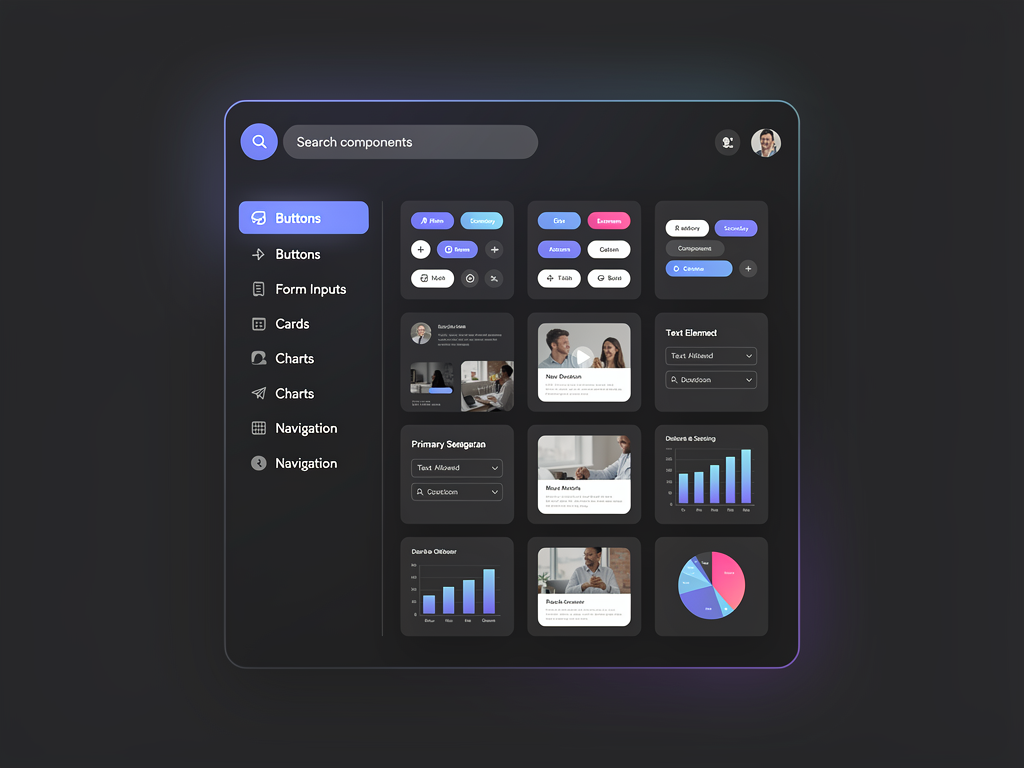
The component library itself represents a major design decision. You can offer primitive components like buttons, text fields, and containers that users combine to create complex interfaces, or you can provide pre-built sections like hero banners, pricing tables, and contact forms that users customize. Most successful platforms offer both, allowing beginners to assemble applications quickly from sections while giving advanced users the primitives needed for custom designs.
Real-time preview is another critical feature. Users should see exactly how their application will appear to end users as they make changes in the editor. This immediate feedback loop accelerates learning and reduces frustration. Implementing preview requires rendering the user's design configuration into actual UI components, which can be accomplished through a component registry that maps configuration data to React components.
Designing the Component System
Your platform's component system defines what users can build and how easily they can build it. A well-designed component system provides flexibility without overwhelming complexity, offering enough variety to address diverse use cases while maintaining consistency that makes applications feel cohesive. This requires careful thought about component categories, property schemas, and styling approaches.
Components should be organized into logical categories that match how users think about building applications. Common categories include layout components (containers, grids, columns), content components (text, images, videos), form components (inputs, selects, checkboxes), navigation components (menus, breadcrumbs, tabs), and data components (tables, lists, charts). Each category should contain enough options to address common needs without creating decision paralysis.
Every component needs a property schema that defines what users can configure. This schema drives the properties panel interface and validates user input. Properties typically fall into categories like content (text, images, data bindings), appearance (colors, fonts, spacing), behavior (click actions, visibility conditions), and responsive settings (how the component adapts to different screen sizes). Designing these schemas requires anticipating user needs while avoiding excessive complexity.
Styling presents particular challenges for no-code platforms. You want to give users creative freedom while ensuring their applications look professional. One effective approach is providing a design token system where users define colors, fonts, and spacing values at the application level, then reference these tokens in component properties. This ensures consistency across the application while allowing global style changes with minimal effort.
Consider also how components interact with data. Many components need to display dynamic content from databases, APIs, or user input. Your component system should support data binding that connects component properties to data sources. For example, a text component might display a user's name from the current session, or a list component might iterate over products from a database query. This data binding capability transforms static designs into dynamic applications.
Implementing Dual Authentication Systems
No-code platforms require a sophisticated authentication architecture that handles two distinct user populations: platform users who build applications, and app members who use the applications that platform users create. These populations have different authentication needs, permission structures, and user experiences, requiring careful system design to accommodate both effectively.
Platform users, your direct customers, need accounts that provide access to the builder interface, billing management, team collaboration features, and application administration. Their authentication typically follows standard SaaS patterns with email and password login, social authentication options, and two-factor authentication for security-conscious users. Session management should support long-lived sessions for convenience while providing mechanisms for users to revoke sessions from other devices.
App members present a more complex challenge because each application built on your platform may have different authentication requirements. Some applications might allow public access without authentication, others might require simple email and password login, and enterprise applications might need integration with corporate identity providers through SAML or OIDC. Your platform must provide flexible authentication configuration that application builders can customize for their specific needs.
The permission system adds another dimension of complexity. Platform users need role-based access control for team collaboration, with roles like owner, admin, editor, and viewer having different capabilities. App members need their own permission system that application builders can configure, potentially with custom roles specific to each application. Implementing this requires a flexible permission framework that supports both predefined roles and custom permission configurations.
NextAuth (now Auth.js) provides an excellent foundation for implementing these authentication systems in Next.js applications. Its provider-based architecture supports multiple authentication methods, while its session and JWT handling simplifies secure authentication across your platform. Extending NextAuth to support the dual authentication requirements of no-code platforms requires custom providers and session handling, but the framework's flexibility makes this achievable without building authentication from scratch.
Database Design and Data Management
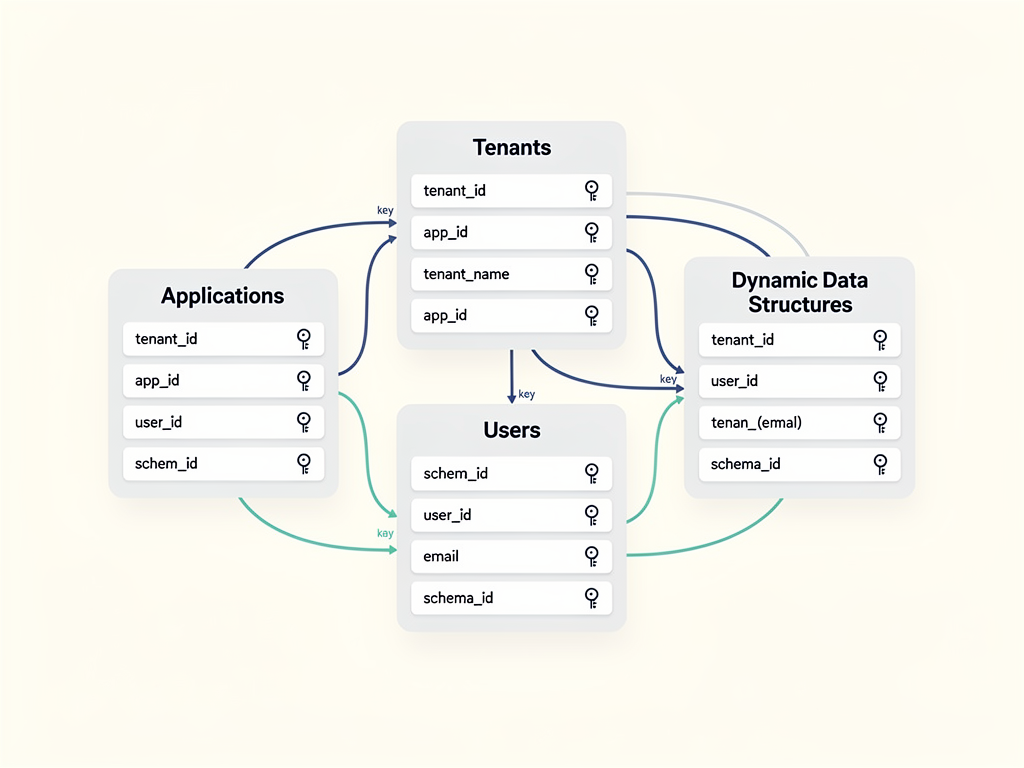
The database architecture for a no-code platform must handle both platform data (user accounts, subscriptions, application configurations) and application data (the data that end users create and manage within applications built on your platform). These different data types have different access patterns, scaling requirements, and isolation needs, requiring thoughtful database design.
Platform data follows relatively standard SaaS patterns. You need tables for users, organizations, subscriptions, applications, and their relationships. This data is accessed primarily through your administrative interfaces and APIs, with predictable query patterns that can be optimized through appropriate indexing. PostgreSQL is an excellent choice for this data, offering the relational integrity, JSON support, and performance characteristics that SaaS applications require.
Application data presents more interesting challenges. Each application built on your platform may have its own data model defined by the application builder. A CRM application needs contacts, companies, and deals. An inventory system needs products, warehouses, and transactions. Your platform must support these dynamic schemas without requiring database migrations for each application's data model changes.
Several approaches exist for handling dynamic application data. The entity-attribute-value (EAV) pattern stores all data in a flexible structure of entities and their attributes, allowing any schema without database changes. The JSON column approach stores each record as a JSON document within a relational table, combining schema flexibility with relational database benefits. Some platforms use separate databases per application, providing complete isolation at the cost of operational complexity.
Prisma has become the preferred ORM for Next.js applications, offering type-safe database access, automatic migrations, and an intuitive query API. For the dynamic data requirements of no-code platforms, you may need to combine Prisma for platform data with raw SQL or a more flexible query builder for application data. This hybrid approach provides the best of both worlds: type safety where schemas are known, and flexibility where they are not.
Creating the Admin Dashboard and Analytics
A comprehensive admin dashboard is essential for platform operators to understand usage patterns, identify growth opportunities, and manage their business effectively. This dashboard should provide real-time visibility into key metrics while offering the tools needed to support customers, manage subscriptions, and configure platform settings.
The metrics that matter most for no-code platforms include user acquisition (signups, trial conversions, churn), engagement (active users, applications created, features used), and revenue (monthly recurring revenue, average revenue per user, lifetime value). These metrics should be displayed prominently on the dashboard home page, with trend indicators showing whether each metric is improving or declining compared to previous periods.
User management capabilities allow platform operators to view customer accounts, assist with support issues, and manage subscriptions. The dashboard should provide search and filtering to quickly locate specific users, detailed views showing each user's applications and activity history, and administrative actions like password resets, subscription adjustments, and account suspensions. These tools are essential for providing quality customer support as your platform grows.
Application analytics help you understand how your platform is being used. Which components are most popular? What types of applications are users building? Where do users encounter difficulties in the builder? This information guides product development decisions, helping you prioritize features that will have the greatest impact on user success. Implementing these analytics requires instrumentation throughout your platform, tracking user actions and aggregating them into meaningful insights.
Consider also providing analytics for your users, allowing them to understand how their applications are performing. Page views, user sessions, and conversion funnels help application builders optimize their creations. This feature adds significant value to your platform and can justify premium pricing tiers that include advanced analytics capabilities.
Monetization Strategies and Payment Integration
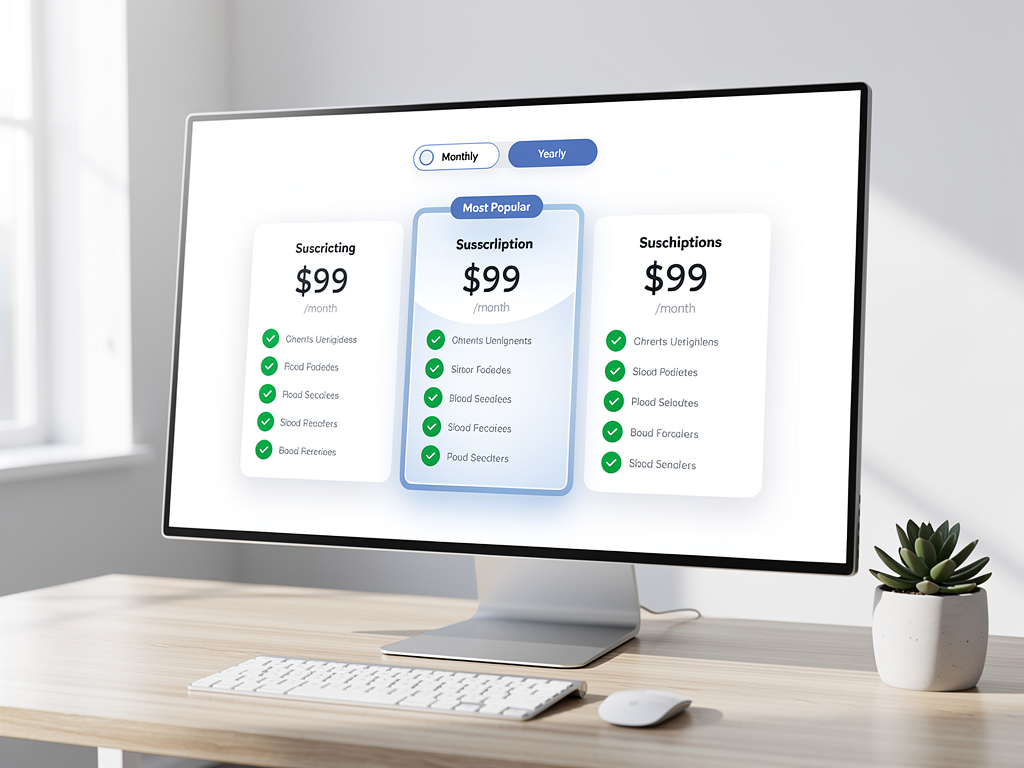
Successful no-code platforms require sustainable monetization strategies that align platform success with customer success. The most common approach is subscription-based pricing with tiers that offer increasing capabilities at higher price points. Designing these tiers requires understanding what features provide the most value to different customer segments and pricing accordingly.
A typical tier structure might include a free tier for experimentation and learning, a starter tier for individuals and small projects, a professional tier for businesses with more demanding requirements, and an enterprise tier for organizations needing advanced features, support, and compliance capabilities. Each tier should offer clear value progression that motivates upgrades as customer needs grow.
Feature gating determines which capabilities are available at each tier. Common gating criteria include the number of applications, team members, custom domains, API calls, or storage. Some platforms also gate advanced features like custom code injection, white-labeling, or priority support. The key is ensuring that free and lower tiers provide enough value for users to succeed while reserving premium features that justify higher pricing.
Stripe has become the standard payment processor for SaaS applications, offering subscription management, usage-based billing, and comprehensive APIs for integration. Implementing Stripe involves creating products and prices in the Stripe dashboard, integrating the checkout flow for new subscriptions, handling webhooks for subscription lifecycle events, and building customer portal access for subscription management. A SaaS template with pre-built Stripe integration can save weeks of development time.
Beyond direct subscriptions, consider enabling your users to monetize their applications. If platform users can charge their own customers for access to applications built on your platform, they become more invested in your platform's success. This might involve providing payment integration components, handling payouts to application builders, or offering marketplace features where users can sell templates and components.
Building Team Collaboration Features
As your platform matures, team collaboration becomes increasingly important for retaining business customers. Organizations need multiple team members to work together on applications, with appropriate permissions controlling who can make changes, publish updates, or access sensitive settings. Implementing these features requires careful design of permission systems and collaborative workflows.
The foundation of team collaboration is an organization model that groups users together. Each organization has an owner who controls billing and can manage other members. Additional roles like admin, editor, and viewer provide graduated permissions. Admins can manage team members and settings, editors can modify applications, and viewers can only observe without making changes. This role hierarchy should be flexible enough to accommodate different organizational structures.
Invitation workflows allow organization owners to add new team members. The typical flow involves sending an email invitation with a unique link, having the invitee create an account or sign in to an existing account, and then adding them to the organization with the specified role. Pending invitations should be visible and revocable, and invitation links should expire after a reasonable period for security.
For larger teams, granular permissions beyond simple roles become necessary. Some team members might need access to specific applications but not others. Certain features like billing management or API key generation might require additional permissions beyond the standard editor role. A flexible permission system allows organizations to configure access controls that match their security requirements and organizational structure.
Real-time collaboration, where multiple users can edit the same application simultaneously, represents an advanced feature that significantly enhances the team experience. Implementing this requires operational transformation or conflict-free replicated data types (CRDTs) to handle concurrent edits, along with presence indicators showing which team members are currently viewing or editing. While complex to implement, this feature can be a significant differentiator for platforms targeting team use cases.
Email Marketing and Communication Systems
Effective communication with users is essential for onboarding, engagement, and retention. Your platform needs both transactional emails (password resets, subscription confirmations, team invitations) and marketing emails (onboarding sequences, feature announcements, re-engagement campaigns). Building a comprehensive email system requires integration with email service providers and thoughtful message design.
Transactional emails should be immediate, reliable, and professionally designed. Services like SendGrid, Postmark, or Amazon SES provide the infrastructure for sending these emails at scale with high deliverability. Each transactional email needs a well-designed template that matches your brand, clear and actionable content, and appropriate personalization. Consider creating a library of email templates that cover common scenarios, reducing the effort required to add new transactional emails as your platform grows.
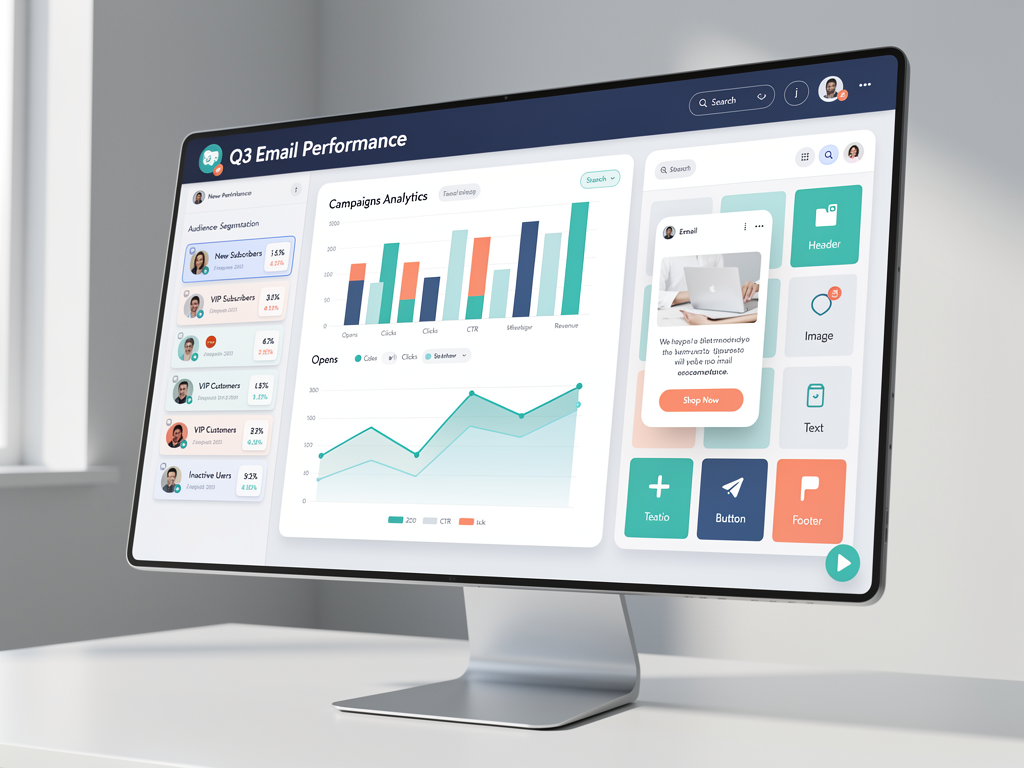
Marketing emails require more sophisticated capabilities including audience segmentation, campaign scheduling, and performance tracking. You might integrate with dedicated email marketing platforms like Mailchimp or ConvertKit, or build these capabilities directly into your platform. The latter approach provides more control and can be more cost-effective at scale, but requires significant development investment.
An email campaign builder within your admin dashboard allows you to create and send marketing emails without leaving your platform. This might include a visual email editor, audience selection based on user attributes and behaviors, A/B testing capabilities, and analytics showing open rates, click rates, and conversions. These tools help you optimize your communication strategy and improve user engagement over time.
Consider also providing email capabilities to your platform users. If they can send emails to their application's end users, they can build more engaging applications. This might involve providing email components in the visual editor, offering email template builders, or integrating with email service providers on behalf of users. These features add significant value while creating additional monetization opportunities.
Implementing an Affiliate Program
An affiliate program can significantly accelerate your platform's growth by incentivizing existing users and partners to refer new customers. When implemented well, affiliate programs create a cost-effective acquisition channel where you only pay for successful conversions. Building this feature requires tracking referrals, calculating commissions, and managing payouts.
The basic mechanics involve generating unique referral links for each affiliate, tracking when visitors arrive through those links, attributing signups and conversions to the referring affiliate, and calculating commissions based on your program's terms. Cookie-based tracking is the most common approach, storing the affiliate identifier when a visitor first arrives and crediting that affiliate when the visitor later converts.
Commission structures vary widely across affiliate programs. One-time commissions pay a fixed amount or percentage when a referred user makes their first purchase. Recurring commissions pay ongoing percentages of the referred user's subscription payments, creating long-term income for affiliates who refer high-value customers. Some programs offer tiered commissions that increase as affiliates generate more referrals, incentivizing top performers.
The affiliate dashboard should provide affiliates with visibility into their performance. This includes their referral link, statistics on clicks and conversions, pending and paid commissions, and payout history. Clear reporting builds trust and motivates continued promotion. Consider also providing marketing materials like banners, email templates, and social media content that affiliates can use to promote your platform effectively.
Payout management requires integration with payment systems that support transfers to affiliates. PayPal, Stripe Connect, and direct bank transfers are common options. You need policies defining minimum payout thresholds, payout schedules, and handling of refunds or chargebacks. Automating payouts reduces administrative burden as your affiliate program grows, while manual review capabilities help prevent fraud.
Self-Hosting Options and Cost Optimization
While managed hosting platforms like Vercel offer convenience, self-hosting your no-code platform can significantly reduce costs, especially as you scale. Enterprise customers may also require self-hosting for data sovereignty, compliance, or security reasons. Providing self-hosting options expands your addressable market while demonstrating confidence in your platform's architecture.
A comprehensive self-hosting guide should cover infrastructure provisioning, application deployment, database setup, SSL configuration, and ongoing maintenance. For cost-conscious operators, combinations like Hetzner for compute, Coolify for deployment orchestration, and Supabase for database can provide enterprise-level capabilities for as little as $15 per month. This dramatic cost reduction compared to managed platforms makes self-hosting attractive for bootstrapped startups and cost-sensitive organizations.
Docker containerization simplifies self-hosting by packaging your application with all its dependencies. Users can deploy your platform on any infrastructure that supports Docker, from local servers to cloud providers. Providing Docker Compose configurations for development and production environments, along with Kubernetes manifests for larger deployments, accommodates different operational preferences and scales.
Database hosting decisions significantly impact both cost and performance. Managed database services like Neon or Supabase offer convenience and automatic scaling but incur ongoing costs. Self-hosted PostgreSQL on the same infrastructure as your application eliminates these costs but requires more operational expertise. Your documentation should cover both options, helping users choose based on their technical capabilities and budget constraints.
Consider also offering a managed hosting option for users who prefer convenience over cost savings. This creates a spectrum of deployment options from fully managed (highest cost, lowest effort) to fully self-hosted (lowest cost, highest effort), allowing each customer to choose the balance that works for them. This flexibility can be a significant competitive advantage, especially for platforms targeting diverse customer segments.
SEO and Content Marketing for Platform Growth
Growing your no-code platform requires effective marketing that reaches potential users where they are searching for solutions. Search engine optimization ensures your platform appears in relevant searches, while content marketing establishes your authority and provides value that attracts and retains visitors. These strategies work together to build sustainable organic traffic.
Your platform's marketing site should target keywords related to the problems your platform solves. If you are building a no-code platform for creating CRM applications, target keywords like "build custom CRM without coding" or "no-code CRM builder." Create landing pages optimized for these keywords, with clear value propositions, feature explanations, and calls to action. Technical SEO fundamentals like fast page loads, mobile responsiveness, and proper meta tags ensure search engines can effectively index and rank your pages.
A blog with MDX support enables rich content marketing that combines text, images, code examples, and interactive elements. Write articles that help your target audience succeed, whether or not they use your platform. Tutorials, case studies, industry insights, and comparison guides all attract visitors who may become customers. Consistent publishing builds authority over time, improving your search rankings and establishing your platform as a trusted resource.
Consider also enabling SEO capabilities for applications built on your platform. If your users' applications rank well in search engines, they succeed, which means they continue using and paying for your platform. Providing SEO features like customizable meta tags, sitemap generation, and structured data support helps your users succeed while differentiating your platform from competitors that neglect these capabilities.
Social proof accelerates conversion of visitors into users. Showcase customer testimonials, case studies, and usage statistics prominently on your marketing site. If notable companies or individuals use your platform, highlight these relationships. Reviews on third-party sites like G2 or Capterra provide independent validation that potential customers trust. Actively soliciting and showcasing this social proof should be an ongoing part of your marketing strategy.
Testing, Quality Assurance, and Performance Optimization
Maintaining quality and performance as your platform grows requires systematic testing and optimization practices. No-code platforms are particularly challenging because you must ensure both your platform code and the applications users build perform well. A comprehensive quality strategy addresses both dimensions through automated testing, performance monitoring, and continuous optimization.
Automated testing for your platform should include unit tests for individual functions and components, integration tests for API endpoints and database operations, and end-to-end tests for critical user workflows. The visual editor deserves particular attention, with tests verifying that drag-and-drop operations, property changes, and preview rendering all work correctly. Continuous integration pipelines should run these tests on every code change, catching regressions before they reach production.
Performance optimization starts with measurement. Implement monitoring that tracks page load times, API response times, and database query performance. Tools like Vercel Analytics, New Relic, or self-hosted alternatives provide visibility into where time is spent and where bottlenecks occur. Focus optimization efforts on the metrics that most impact user experience, typically initial page load and interactive response times.
For the visual editor specifically, performance is critical because users spend extended periods interacting with it. Virtualization techniques can handle large component trees without rendering everything simultaneously. Debouncing and throttling prevent excessive re-renders during rapid interactions. Code splitting ensures users only download the JavaScript needed for their current task. These optimizations compound to create a responsive editing experience even for complex applications.
Applications built on your platform also need to perform well, and their performance reflects on your platform. Provide optimization features like image compression, lazy loading, and code minification that automatically improve application performance. Educate users about performance best practices through documentation and in-app guidance. Consider implementing performance budgets that warn users when their applications exceed recommended thresholds.

Scaling Your Platform for Growth
As your no-code platform gains traction, you need infrastructure and processes that scale with demand. This involves both technical scaling to handle increased load and operational scaling to support a growing customer base. Planning for scale from the beginning prevents painful migrations and outages as you grow.
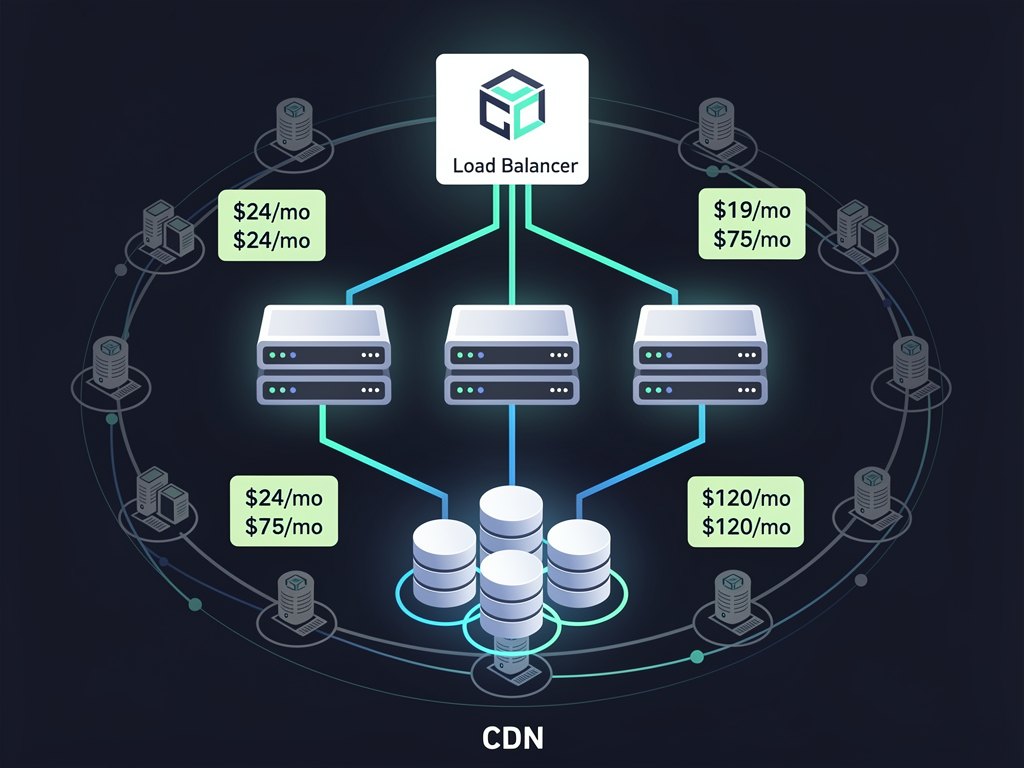
Technical scaling for Next.js applications typically involves horizontal scaling of application servers behind a load balancer, database scaling through read replicas and connection pooling, and CDN distribution for static assets and cached content. Serverless deployment on platforms like Vercel handles much of this automatically, scaling resources up and down based on demand. Self-hosted deployments require more manual configuration but offer greater control over scaling behavior.
Database scaling deserves particular attention because it often becomes the bottleneck for growing applications. Connection pooling through tools like PgBouncer prevents connection exhaustion under high load. Read replicas distribute query load across multiple database instances. Caching layers using Redis or similar technologies reduce database load for frequently accessed data. Query optimization and appropriate indexing ensure individual queries execute efficiently even as data volumes grow.
Operational scaling involves building processes and potentially teams to support your growing customer base. Customer support needs evolve from founder-handled emails to dedicated support staff with ticketing systems and knowledge bases. Documentation becomes increasingly important as you cannot personally onboard every new user. Community building through forums, Discord servers, or social media groups creates peer support that scales better than direct support.
Consider also how your pricing and packaging should evolve as you scale. Early-stage platforms often underprice to attract initial users, but sustainable growth requires pricing that supports continued investment in the platform. Regularly review your pricing against the value you provide and what competitors charge. Do not be afraid to increase prices for new customers as your platform's capabilities and reputation grow.
Launching and Iterating on Your Platform
Launching your no-code platform is not a single event but an ongoing process of iteration and improvement. The initial launch gets your platform in front of users, but subsequent iterations based on feedback and data determine long-term success. Adopting a mindset of continuous improvement helps you build a platform that truly serves your users' needs.
For your initial launch, focus on reaching early adopters who are willing to tolerate rough edges in exchange for early access and influence over the product direction. Product Hunt, Hacker News, and relevant subreddits can drive initial traffic. Personal outreach to potential users in your target market often yields the most valuable early customers because they provide detailed feedback and become advocates if they succeed with your platform.
Feedback collection should be systematic and ongoing. In-app feedback widgets, customer interviews, support ticket analysis, and usage analytics all provide insights into what is working and what needs improvement. Prioritize feedback based on frequency (how many users mention it), severity (how much it impacts user success), and strategic fit (how well it aligns with your platform's direction). Not all feedback should be acted upon, but all feedback should be heard and considered.
Release cycles should balance stability with progress. Too-frequent releases can destabilize your platform and overwhelm users with changes. Too-infrequent releases slow your response to feedback and competitive pressures. Many successful SaaS platforms release weekly or bi-weekly, with major features announced through changelogs and email updates. This cadence keeps the platform fresh while providing enough stability for users to build confidently.
Celebrate milestones and share progress publicly. User count milestones, feature launches, and customer success stories all provide opportunities to generate attention and reinforce your platform's momentum. This visibility attracts new users, encourages existing users, and can attract potential partners, investors, or acquirers. Building in public has become a powerful strategy for SaaS founders, creating community and accountability around your platform's growth.

Conclusion
Building a no-code web app builder platform with Next.js represents a significant but achievable undertaking that can create substantial value for both you and your users. The combination of Next.js's powerful capabilities, a solid SaaS starter kit foundation, and thoughtful implementation of the features discussed in this guide positions you to create a platform that competes effectively in the growing no-code market.
Success requires attention to both technical excellence and user experience. The multi-tenant architecture, custom domain support, and visual editor form the technical foundation, while intuitive interfaces, comprehensive documentation, and responsive support determine whether users succeed with your platform. Balancing these concerns while moving quickly to market is the central challenge of building any SaaS product.
Starting with a production-ready Next.js SaaS template dramatically accelerates your path to launch. Rather than spending months building authentication, billing, team management, and other foundational features, you can focus your energy on the unique capabilities that differentiate your platform. This leverage is particularly valuable in competitive markets where speed to market can determine success or failure.
The no-code market continues to grow as more organizations recognize the value of empowering non-technical staff to build solutions. By creating a platform that serves this need effectively, you position yourself to capture a share of this expanding market while building a business with attractive recurring revenue characteristics. The journey from idea to successful platform is challenging, but the rewards for those who execute well are substantial.
Frequently Asked Questions
How Long Does It Take to Build a No-Code Platform from Scratch?
Building a production-ready no-code platform from scratch typically requires 12 to 18 months of full-time development effort for a small team. This timeline includes designing and implementing the multi-tenant architecture, building the visual editor, creating the component system, implementing authentication and billing, and developing the administrative tools needed to operate the platform. Starting with a comprehensive boilerplate can reduce this timeline to 3 to 6 months by providing pre-built solutions for common SaaS requirements. The visual editor and component system typically require the most custom development regardless of your starting point, as these features define your platform's unique value proposition. Iterative development approaches that launch with minimal features and expand based on user feedback can get you to market even faster, though with a more limited initial feature set.
What Technical Skills Are Required to Build a No-Code Platform?
Building a no-code platform requires strong full-stack development skills, particularly in React and Next.js for the frontend, Node.js for backend logic, and PostgreSQL or similar databases for data storage. Experience with TypeScript improves code quality and developer productivity. Understanding of authentication systems, payment processing, and multi-tenant architecture is essential. DevOps knowledge for deployment, monitoring, and scaling becomes important as your platform grows. While you do not need to be an expert in every area, you need either personal competence or team members who can handle each domain. For solo founders, focusing on areas where you are strongest while using well-documented libraries and services for other areas is a practical approach. The no-code platform you are building will eventually let others avoid needing these skills, but building the platform itself requires substantial technical capability.
How Do I Handle Data Security and Privacy for Multi-Tenant Applications?
Data security in multi-tenant applications requires defense in depth with multiple layers of protection. At the database level, ensure all queries include tenant identifiers and consider row-level security policies that enforce isolation at the database engine level. At the application level, implement middleware that validates tenant context on every request and audit logging that tracks data access. Encrypt sensitive data at rest and in transit using industry-standard algorithms. For compliance with regulations like GDPR or HIPAA, implement data retention policies, provide data export capabilities, and document your security practices. Regular security audits and penetration testing identify vulnerabilities before malicious actors do. Consider also the security of applications your users build, providing guidance and guardrails that help them avoid common security mistakes like SQL injection or cross-site scripting in their custom configurations.
What Monetization Model Works Best for No-Code Platforms?
The most successful no-code platforms use tiered subscription pricing that scales with customer value. A free tier attracts users and allows them to evaluate your platform, while paid tiers offer increased capabilities that growing businesses need. Common tier differentiators include the number of applications, team members, custom domains, API calls, and storage. Usage-based pricing components can capture additional value from high-volume users without pricing out smaller customers. Enterprise tiers with custom pricing accommodate large organizations with specific requirements. The key is aligning your pricing with the value customers receive, so that as they succeed with your platform, they naturally grow into higher tiers. Avoid pricing that penalizes success, such as charging per end user of applications, which can discourage users from growing their applications. Regular analysis of customer segments, upgrade patterns, and churn helps you optimize pricing over time.
How Can I Differentiate My No-Code Platform from Established Competitors?
Differentiation in the no-code market typically comes from vertical specialization, superior user experience, or unique technical capabilities. Vertical specialization means focusing on a specific industry or use case, building features and templates that address those specific needs better than general-purpose platforms. Superior user experience involves making your platform easier to learn, faster to use, or more enjoyable than alternatives. Unique technical capabilities might include better performance, more flexible customization, or integration with systems that competitors do not support. Pricing can also differentiate, particularly for bootstrapped competitors of well-funded platforms. Community and support quality matter more than many founders expect, as users often choose platforms where they feel supported and connected. Identify what makes your platform genuinely better for your target users and communicate that difference clearly in your marketing and product experience.
Should I Build My Own Visual Editor or Use an Existing Solution?
This decision depends on how central the visual editing experience is to your platform's differentiation. Building a custom visual editor provides complete control over the user experience and allows you to optimize for your specific use case, but requires significant development investment and ongoing maintenance. Existing solutions like Plasmic or GrapesJS provide proven editing capabilities that you can integrate and customize, dramatically reducing development time. For platforms where the visual editor is the core differentiator, custom development often makes sense despite the cost. For platforms where the editor is just one component of a larger value proposition, leveraging existing solutions lets you focus resources on other differentiating features. A hybrid approach, starting with an existing solution and replacing it with custom development as you scale, can balance speed to market with long-term flexibility. Evaluate the trade-offs carefully based on your specific situation and resources.
Ready to Build Your No-Code Platform?
Stop spending months building foundational SaaS features from scratch. NextBuilder provides the complete Next.js foundation for building multi-tenant no-code platforms, including custom subdomain support with SSL, dual authentication systems, team collaboration, payment processing, and everything else you need to launch your platform in days instead of months. With over 600 hours of development time already invested and a comprehensive self-hosting guide included, you can focus on building the unique features that will make your platform successful. Visit NextBuilder.dev to explore the demo and start building your no-code platform today.
Subscribe to our newsletter
Subscribe to our newsletter and stay up-to-date with the latest news and updates.