Build a Bubble-Like No-Code Platform with Next.js
Discover how to create a multi-tenant no-code platform using Next.js. This guide covers architecture, visual builders, and performance optimization for SaaS entrepreneurs.

Zakariae
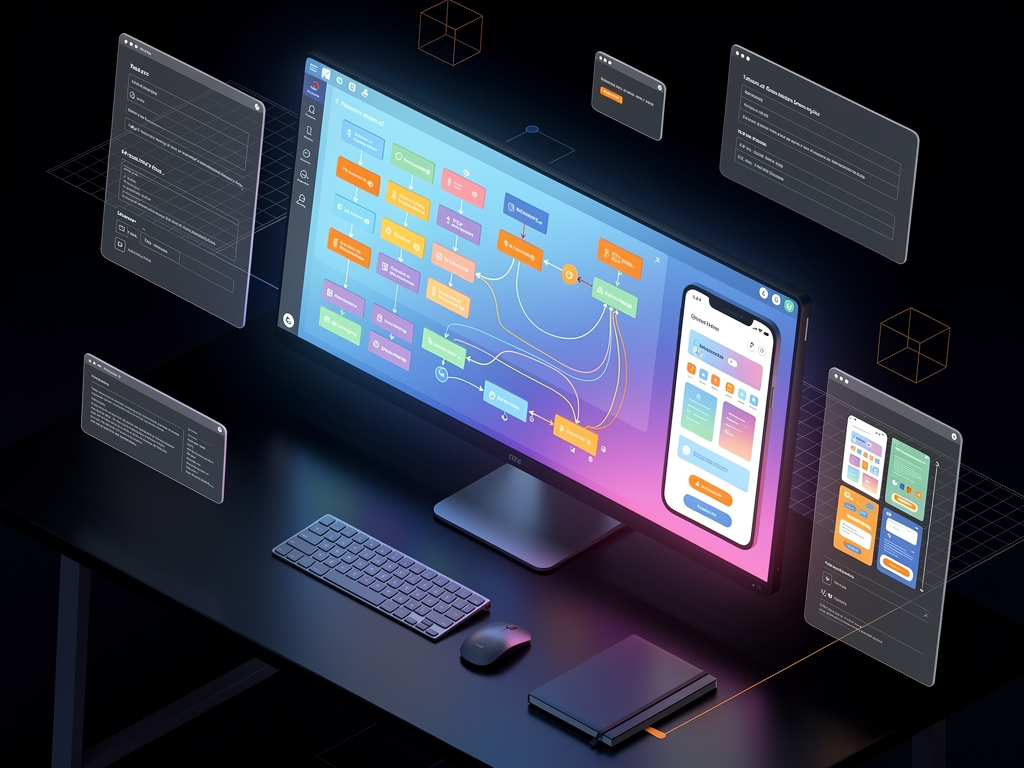
The no-code movement has fundamentally transformed how entrepreneurs and developers approach software creation. Platforms like Bubble have demonstrated that visual development tools can power sophisticated web applications, attracting millions of users who want to build without traditional coding. But what if you could create your own platform that offers similar capabilities to your clients? What if you could build a multi-tenant system where each of your customers can design, deploy, and manage their own applications through an intuitive interface?
This comprehensive guide explores the architecture, technical considerations, and strategic approaches for building a Bubble-like no-code platform using Next.js. Whether you're a SaaS entrepreneur looking to enter the visual development space, a technical founder seeking to create the next generation of app builders, or a web agency wanting to offer white-label solutions, understanding how to construct such a platform is invaluable knowledge that can accelerate your path to market.
Key Takeaways
- Multi-tenant architecture is the foundation of any successful no-code platform, enabling isolated environments for each client while sharing infrastructure costs.
- Visual builders require sophisticated state management to handle drag-and-drop interfaces, real-time previews, and component hierarchies.
- Custom subdomain and SSL support differentiates professional platforms from basic builders, giving clients branded experiences.
- Starting with a production-ready foundation saves hundreds of development hours compared to building authentication, billing, and tenant management from scratch.
- Database abstraction layers allow non-technical users to create data models without understanding relational database concepts.
- Workflow automation engines are essential for enabling users to build business logic without writing code.
- Performance optimization becomes critical when rendering user-generated applications at scale across thousands of tenants.
Understanding the No-Code Platform Landscape
The bubble no code platform revolutionized how people think about software development by proving that complex applications could be built visually. Since its founding, Bubble has attracted over two million users and hosts hundreds of thousands of applications. This success has inspired countless entrepreneurs to consider building their own visual development platforms, recognizing the massive market opportunity in democratizing software creation.
The no-code market is projected to reach $187 billion by 2030, according to industry analysts. This growth is driven by the persistent shortage of traditional developers, the increasing demand for custom software solutions, and the desire for faster iteration cycles. Organizations of all sizes are seeking ways to empower their teams to build internal tools, customer-facing applications, and automated workflows without relying entirely on engineering resources.
Building a platform that competes in this space requires understanding what makes existing solutions successful. Users expect intuitive visual editors, robust data management capabilities, seamless integrations with third-party services, and the ability to deploy applications without technical knowledge. Meeting these expectations while maintaining performance and scalability presents significant architectural challenges that require careful planning and the right technical foundation.
The competitive landscape includes horizontal platforms like Bubble, Webflow, and Adalo, as well as vertical solutions targeting specific industries or use cases. New entrants often succeed by focusing on underserved niches, offering superior developer experience, or providing better pricing models. Understanding where your platform will fit in this ecosystem is crucial for making informed technical and business decisions.
Why Next.js Is the Ideal Foundation
Next.js has emerged as the preferred framework for building sophisticated SaaS applications, and its capabilities make it particularly well-suited for no-code platform development. The framework's hybrid rendering approach, combining server-side rendering, static generation, and client-side interactivity, provides the flexibility needed to handle both the administrative interfaces and the dynamically generated user applications.
Server components in Next.js 14 and beyond enable efficient data fetching patterns that are essential for platforms serving multiple tenants. Each request can be authenticated, routed to the appropriate tenant context, and rendered with tenant-specific data without the performance penalties associated with purely client-side approaches. This architecture supports the complex permission systems and data isolation requirements inherent in multi-tenant platforms.
The middleware capabilities in Next.js allow for sophisticated request handling at the edge, enabling custom subdomain routing, authentication verification, and tenant resolution before requests reach your application logic. This is particularly valuable for no-code platforms where each client might have their own subdomain or custom domain, requiring dynamic routing decisions on every request.
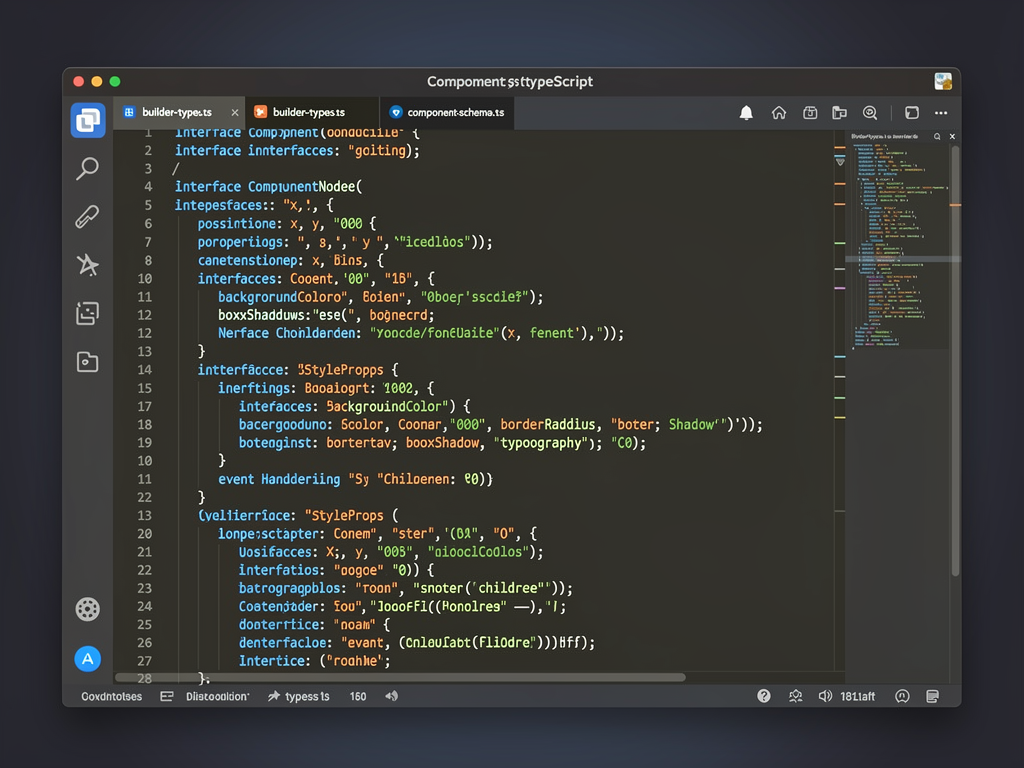
TypeScript integration provides the type safety necessary for building complex visual editors and component systems. When users are constructing applications through drag-and-drop interfaces, the underlying data structures representing their designs must be precisely typed to prevent runtime errors and enable intelligent autocomplete in administrative interfaces. Next.js's first-class TypeScript support makes this straightforward to implement.
Multi-Tenant Architecture Fundamentals
The cornerstone of any no-code platform is its multi-tenant architecture. This design pattern allows a single application instance to serve multiple customers, called tenants, while keeping their data and configurations completely isolated. For a platform where clients build their own applications, proper tenant isolation is not just a technical requirement but a fundamental trust and security concern.
There are three primary approaches to multi-tenant data isolation. The shared database with tenant identifiers approach stores all tenant data in common tables with a tenant ID column, offering the lowest infrastructure costs but requiring careful query design to prevent data leakage. The schema-per-tenant approach creates separate database schemas for each tenant within a shared database instance, providing better isolation with moderate complexity. The database-per-tenant approach offers maximum isolation but at higher infrastructure costs and operational complexity.
For most no-code platforms, the shared database approach with robust row-level security policies provides the best balance of cost efficiency and data protection. PostgreSQL's row-level security features, combined with proper middleware implementation, can enforce tenant isolation at the database level, preventing accidental cross-tenant data access even if application code contains bugs.
Using a multi-tenant boilerplate as your starting point dramatically accelerates development. Rather than spending weeks implementing tenant resolution, subdomain routing, and data isolation from scratch, you can begin with proven patterns that have been tested in production environments. This foundation allows you to focus your engineering efforts on the unique value proposition of your visual builder rather than reinventing infrastructure.
Tenant provisioning workflows must handle creating new database records, configuring subdomain DNS entries, provisioning SSL certificates, and setting up default configurations. Automating these processes ensures that new clients can begin using your platform immediately after signup, without manual intervention from your team. This self-service capability is essential for scaling beyond a handful of customers.
Designing the Visual Editor Experience
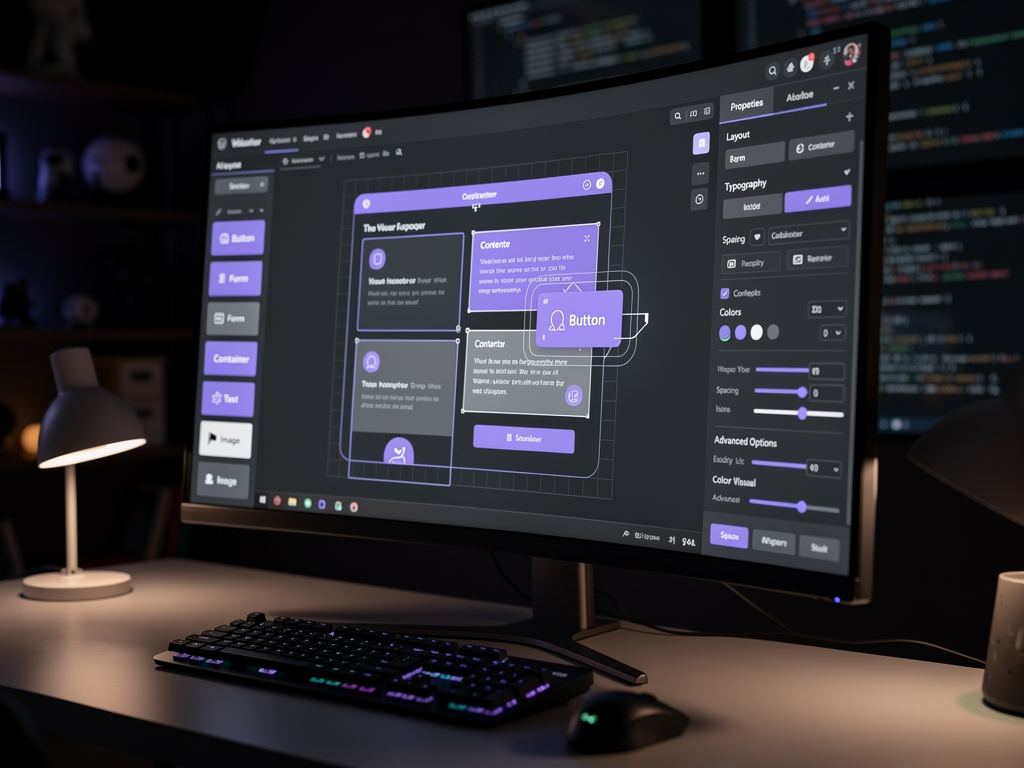
The visual editor is the heart of any no-code platform, and its design directly impacts user adoption and satisfaction. Users expect drag-and-drop functionality that feels responsive and intuitive, real-time previews that accurately reflect their changes, and property panels that expose configuration options without overwhelming complexity. Achieving this balance requires sophisticated front-end architecture and careful attention to user experience details.
Component-based architecture forms the foundation of visual editors. Each draggable element, whether a button, form field, container, or custom widget, is represented as a component with defined properties, styling options, and behavioral configurations. These components must be serializable to JSON for storage and reconstructable for rendering, creating a clear separation between the design-time representation and the runtime execution.
State management in visual editors is particularly challenging because multiple systems must stay synchronized. The component tree representing the current design, the selection state indicating which elements are active, the undo/redo history enabling mistake recovery, and the preview rendering showing results all must update coherently as users make changes. Libraries like Zustand provide the reactivity and performance characteristics needed for this real-time synchronization.
Canvas rendering can be implemented through several approaches. DOM-based rendering uses actual HTML elements positioned absolutely within a container, providing native browser behaviors but potentially suffering performance issues with complex designs. Canvas-based rendering using HTML5 Canvas or WebGL offers better performance for complex scenes but requires reimplementing standard interactions. Hybrid approaches render the design structure in DOM while using canvas for guides, selection indicators, and drag previews.
Responsive design support adds another layer of complexity. Users expect to design applications that work across desktop, tablet, and mobile devices. Your editor must provide viewport switching, responsive property overrides, and preview capabilities that accurately demonstrate how designs will appear on different screen sizes. This typically requires storing multiple sets of styling values and intelligently merging them based on the active breakpoint.
Building the Data Management Layer
No-code platforms must enable users to create, structure, and manage data without understanding database concepts like normalization, foreign keys, or indexing. This requires building an abstraction layer that presents data modeling in accessible terms while generating efficient database structures behind the scenes. The challenge is providing enough flexibility for diverse use cases while preventing users from creating performance problems or data integrity issues.
Visual data modeling interfaces typically present tables as "collections" or "data types" with fields that have user-friendly type names like "Text," "Number," "Date," "Image," and "Link to Another Collection." Behind the scenes, these translate to appropriate database column types with proper constraints. The "Link" field type, representing relationships between collections, requires particular care to generate correct foreign key constraints and enable efficient querying.
Schema migration handling becomes complex when users can modify their data structures at any time. Unlike traditional development where migrations are planned and tested, no-code platforms must handle arbitrary schema changes safely. This includes adding and removing fields, changing field types when possible, and managing the impact on existing data. Some changes may require data transformation, while others might be destructive and require user confirmation.
Query building interfaces allow users to retrieve and filter data without writing database queries. Visual query builders present conditions as readable statements like "Show all Products where Price is greater than 50 and Category equals Electronics." These visual representations must compile to efficient database queries, potentially with proper indexing hints, to maintain performance as data volumes grow.
Data validation rules enable users to enforce business logic at the data layer. Required fields, unique constraints, format validations, and custom rules all contribute to data quality. Implementing these validations consistently across both the visual editor's form inputs and the API layer ensures data integrity regardless of how records are created or modified.
Implementing Workflow Automation
The ability to define business logic without coding is what transforms a simple page builder into a true application platform. Workflow automation engines enable users to specify triggers, conditions, and actions that execute automatically in response to events. This might include sending emails when forms are submitted, updating related records when data changes, or integrating with external services based on user actions.
Event-driven architecture underlies effective workflow systems. Every significant action in the platform, from user interactions to data modifications to scheduled times, can potentially trigger workflows. Your system must capture these events, evaluate which workflows should execute, and process them reliably even under high load or temporary failures. Message queues and background job processors are essential infrastructure for this capability.
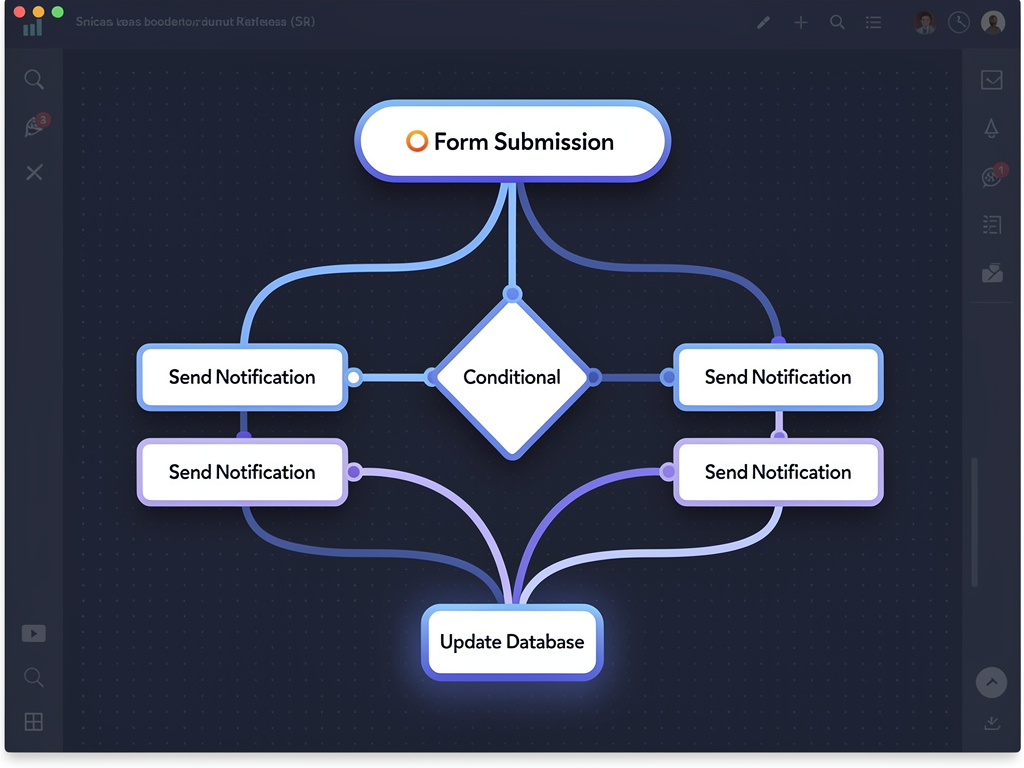
Visual workflow builders typically use node-based interfaces where users connect trigger nodes to action nodes through conditional branches. Each node type has specific configuration options: trigger nodes specify which events activate the workflow, condition nodes evaluate data against rules, and action nodes perform operations like sending notifications, modifying data, or calling external APIs. The visual representation must compile to executable workflow definitions.
Error handling in user-defined workflows requires special consideration. When a workflow fails, whether due to invalid data, external service unavailability, or logic errors, the platform must provide clear feedback to help users diagnose and fix problems. Workflow execution logs, retry mechanisms, and alerting systems help users maintain reliable automation without requiring debugging skills.
Rate limiting and resource controls prevent individual tenants from consuming excessive platform resources through poorly designed workflows. A workflow that triggers on every page view and performs expensive operations could impact platform performance for all users. Implementing execution quotas, timeout limits, and resource monitoring protects the platform while still enabling powerful automation capabilities.
Custom Domains and SSL Certificate Management
Professional no-code platforms allow clients to use their own domains for the applications they build. This white-label capability is often a key differentiator and premium feature, enabling clients to present their applications under their own brand without any reference to the underlying platform. Implementing this requires sophisticated DNS configuration, SSL certificate provisioning, and request routing.
The technical flow for custom domains typically involves several steps. First, clients configure their DNS to point their domain to your platform, either through CNAME records for subdomains or A records for apex domains. Your platform must detect these DNS configurations, verify domain ownership, and provision SSL certificates. Finally, incoming requests must be routed to the correct tenant based on the requested hostname.
SSL certificate automation is essential for scaling custom domain support. Manual certificate provisioning becomes impractical beyond a handful of domains. Let's Encrypt provides free certificates with API-based issuance, making automated provisioning feasible. Your platform must handle certificate requests, DNS or HTTP validation challenges, certificate storage, and renewal before expiration. Services like Caddy or custom implementations using ACME libraries can manage this complexity.
Wildcard certificates simplify subdomain support for your platform's primary domain. A single certificate covering *.yourplatform.com allows unlimited client subdomains without individual certificate provisioning. Combined with dynamic subdomain routing in your Next.js middleware, this enables instant subdomain availability for new tenants.
Edge deployment considerations affect custom domain architecture. If your platform uses edge functions or CDN distribution, custom domain routing must work at the edge layer. This might involve edge configuration APIs, DNS-level routing services, or hybrid approaches where edge nodes handle static assets while origin servers process dynamic requests. The specific architecture depends on your hosting infrastructure and performance requirements.
Authentication and Authorization Systems
No-code platforms require multiple authentication layers serving different user types. Platform administrators manage the overall system, tenant owners configure their applications, tenant team members collaborate on development, and end users interact with the built applications. Each layer has different authentication requirements and permission models that must work together coherently.
Platform-level authentication handles users who build and manage applications. This typically includes email/password authentication, social login options, and potentially enterprise SSO for larger customers. Session management, password reset flows, and account security features like two-factor authentication are expected capabilities. NextAuth.js provides a solid foundation for implementing these features in Next.js applications.
Application-level authentication enables the applications your clients build to have their own user systems. End users of a client's application should authenticate against that application, not your platform. This requires a separate authentication layer that clients can configure, potentially with their own social login integrations, custom registration flows, and user management interfaces.
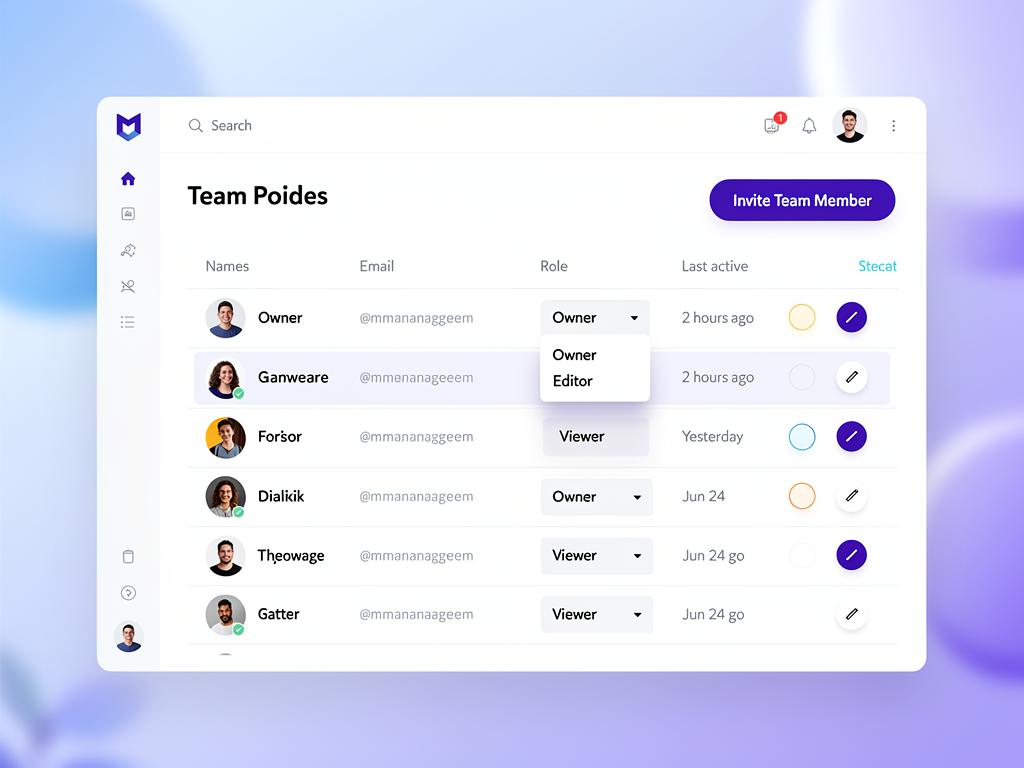
Role-based access control within tenant organizations allows team collaboration with appropriate permissions. Common roles include owners with full access, editors who can modify applications, viewers who can see but not change configurations, and billing administrators who manage subscriptions. The permission system must enforce these roles consistently across all platform features.
API authentication for programmatic access enables advanced users to integrate your platform with external systems. API keys, OAuth tokens, or JWT-based authentication allow automated workflows, CI/CD integrations, and custom tooling. Rate limiting, scope restrictions, and audit logging are essential for secure API access.
Payment Processing and Monetization
Sustainable no-code platforms require robust payment infrastructure supporting multiple monetization models. Subscription billing for platform access, usage-based pricing for resource consumption, and potentially revenue sharing when clients monetize their own applications all require sophisticated payment processing capabilities. Stripe has become the standard choice for SaaS payment infrastructure due to its comprehensive APIs and global coverage.
Subscription management involves plan creation, upgrade/downgrade handling, proration calculations, and churn management. Your platform must enforce feature limits based on subscription tiers, handle failed payments gracefully, and provide clear billing interfaces for customers. Webhook processing ensures your system stays synchronized with payment events like successful charges, failed payments, and subscription cancellations.
Usage-based billing components might include charges for additional team members, storage consumption, API calls, or bandwidth usage. Implementing accurate usage tracking, aggregation, and billing requires careful attention to edge cases like mid-cycle plan changes, usage spikes, and billing disputes. Clear usage dashboards help customers understand and predict their costs.
Enabling clients to monetize their applications creates additional complexity but significant value. If your clients can charge their own users, they have stronger incentives to build successful applications on your platform. This might involve connected Stripe accounts, platform fees on transactions, or integrated billing features that clients can configure without payment processing knowledge.
A SaaS boilerplate with pre-built payment integrations saves substantial development time. Implementing Stripe subscriptions, webhook handlers, billing portals, and usage tracking from scratch requires weeks of development and careful testing. Starting with proven payment infrastructure allows you to focus on your platform's unique features rather than rebuilding common billing functionality.
Performance Optimization Strategies
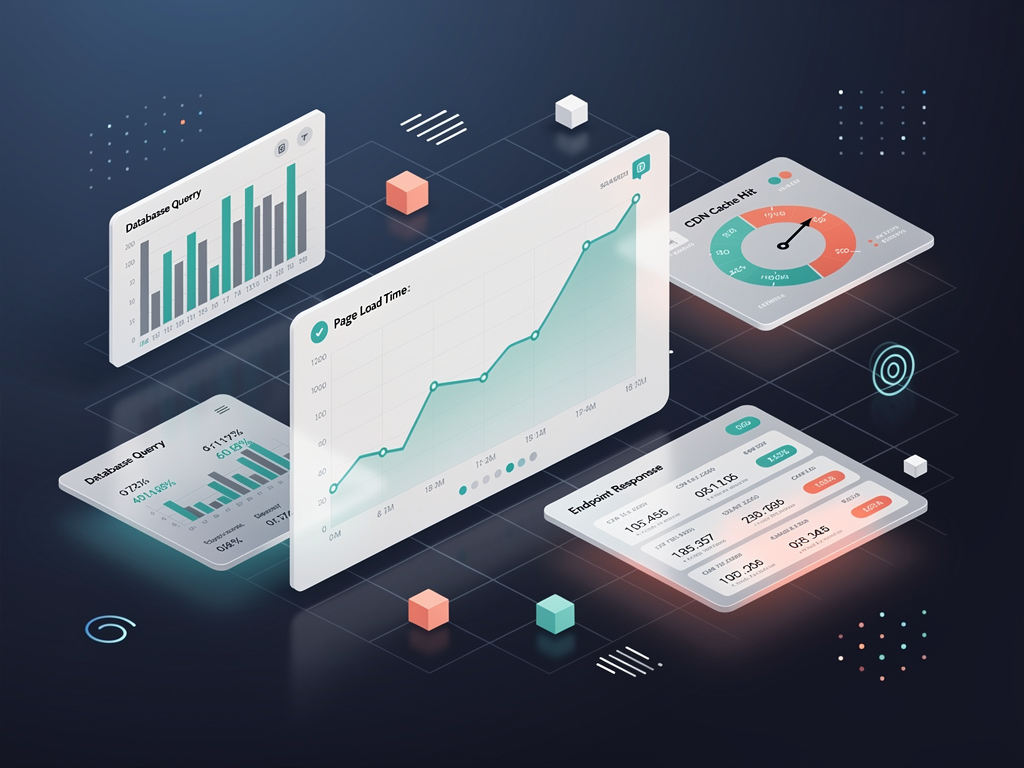
No-code platforms face unique performance challenges because they execute user-generated configurations rather than optimized code. A poorly designed application built by a client can impact platform performance for other tenants if not properly isolated. Implementing performance guardrails, optimization strategies, and monitoring systems is essential for maintaining quality of service at scale.
Rendering optimization for user-built applications requires balancing flexibility with performance. Pre-rendering static portions of applications, caching computed layouts, and lazy-loading off-screen components all contribute to faster load times. The challenge is implementing these optimizations automatically without requiring users to understand performance concepts.
Database query optimization becomes critical as client applications grow. User-defined queries might inadvertently create expensive operations like full table scans or cartesian joins. Implementing query analysis, automatic indexing suggestions, and query complexity limits helps maintain database performance. Query result caching with intelligent invalidation further reduces database load.
Asset optimization for user-uploaded images, videos, and files improves application performance significantly. Automatic image resizing, format conversion to modern formats like WebP, and CDN distribution ensure that client applications load quickly regardless of the original asset quality. Lazy loading and responsive image serving based on device capabilities further enhance the experience.
Resource isolation prevents individual tenants from monopolizing platform resources. CPU time limits for workflow execution, memory constraints for complex operations, and concurrent request limits all contribute to fair resource distribution. Implementing these limits transparently, with clear feedback when limits are approached, helps users optimize their applications without frustrating surprises.
Integration Capabilities and API Design
Modern applications rarely exist in isolation, and no-code platforms must enable connections to external services. Email providers, payment processors, CRM systems, analytics platforms, and countless other services might need to integrate with applications built on your platform. Providing robust integration capabilities without requiring coding knowledge is a significant technical challenge.
Pre-built integrations for popular services provide immediate value to users. Connecting to services like Mailchimp, Stripe, Google Sheets, Slack, and Zapier through configured credentials and visual mapping interfaces enables powerful functionality without custom development. Each integration requires understanding the external API, building appropriate authentication flows, and creating intuitive configuration interfaces.
Webhook support enables external services to push data into applications built on your platform. Users must be able to create webhook endpoints, define how incoming data maps to their data structures, and trigger workflows based on webhook events. Security considerations include webhook signature verification, rate limiting, and payload validation to prevent abuse.
Generic HTTP integration capabilities allow advanced users to connect to any service with an API. Visual request builders where users specify endpoints, headers, authentication, and body content enable custom integrations without coding. Response mapping interfaces help users extract relevant data from API responses and incorporate it into their applications.
Your platform's own API enables programmatic access for advanced use cases. A well-designed REST or GraphQL API allows users to automate application management, integrate with development workflows, and build custom tooling. Comprehensive API documentation, SDKs for popular languages, and sandbox environments support developers building on your platform.
Deployment and Hosting Infrastructure
The applications users build on your platform need reliable hosting that scales automatically with demand. Your infrastructure must handle traffic spikes to individual applications, provide global distribution for performance, and maintain high availability without requiring users to understand DevOps concepts. The hosting model significantly impacts both user experience and your operational costs.
Serverless deployment models align well with no-code platforms because they automatically scale with demand and charge based on actual usage. Platforms like Vercel, which is optimized for Next.js, provide edge deployment, automatic scaling, and integrated CDN distribution. This infrastructure handles the complexity of deployment while you focus on the application layer.
Self-hosting options appeal to enterprises with specific compliance requirements or cost optimization goals. Providing deployment guides for platforms like Coolify on Hetzner servers enables customers to run your platform on their own infrastructure. A Next.js SaaS template with self-hosting documentation dramatically simplifies this process, allowing technical teams to deploy without extensive platform-specific knowledge.
Preview environments enable users to test changes before publishing to production. Generating temporary deployments for draft versions of applications, with shareable URLs for stakeholder review, improves the development workflow. These previews should accurately reflect production behavior while remaining isolated from live applications.
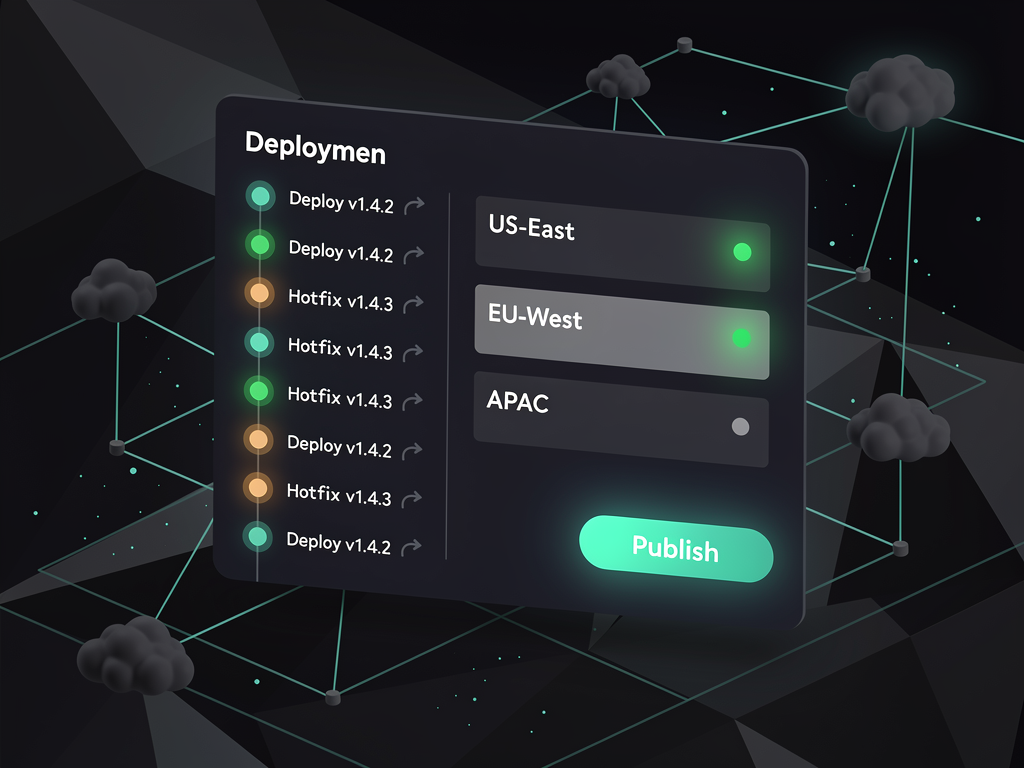
Deployment automation ensures that publishing changes is instantaneous and reliable. When users click "Publish," their changes should be live within seconds, with automatic rollback capabilities if problems are detected. Blue-green deployment strategies, health checks, and gradual rollouts all contribute to reliable publishing without user-visible complexity.
Analytics and Monitoring for Platform Operators
Operating a no-code platform requires visibility into both platform health and individual tenant activity. Understanding how users interact with your builder, which features drive engagement, and where users encounter friction enables continuous improvement. Simultaneously, monitoring application performance, error rates, and resource consumption ensures reliable service delivery.
Platform analytics track builder usage patterns including feature adoption, session duration, and conversion funnels. Understanding which components users drag most frequently, where they spend time in the interface, and at what points they abandon sessions provides actionable insights for product improvement. Event tracking with tools like Mixpanel, Amplitude, or self-hosted alternatives captures this behavioral data.
Tenant-level metrics help identify both successful customers and those at risk of churning. Tracking application traffic, active user counts, and feature utilization per tenant enables proactive customer success outreach. Tenants with declining usage might need support, while highly active tenants might be candidates for upselling to higher tiers.
Application analytics provided to your clients enable them to understand their own users. Page views, user flows, conversion tracking, and custom event logging help clients optimize their applications. Building analytics capabilities into your platform, rather than requiring external integrations, provides immediate value and increases platform stickiness.
Error monitoring and alerting ensure rapid response to problems. Capturing errors from both the platform itself and user-built applications, with appropriate context for debugging, enables quick resolution. Distinguishing between platform bugs requiring your attention and user configuration errors requiring client notification is important for efficient operations.
Security Considerations and Best Practices
Security in no-code platforms is particularly challenging because users can create arbitrary configurations that might introduce vulnerabilities. Your platform must prevent common security issues while still enabling the flexibility users expect. Defense in depth, with multiple layers of protection, ensures that individual failures don't compromise the entire system.
Input sanitization prevents injection attacks in user-generated content. When users create forms, define data fields, or configure integrations, their inputs must be validated and sanitized before storage and execution. Cross-site scripting (XSS) prevention is especially important in platforms where users create content that other users view.
Data isolation verification should be continuous, not just implemented once. Regular security audits, automated testing for cross-tenant data access, and penetration testing help identify isolation failures before they're exploited. Row-level security policies in PostgreSQL provide database-level enforcement that complements application-level checks.
Secret management for API keys, database credentials, and integration tokens requires secure storage and access controls. Users configuring integrations will provide sensitive credentials that must be encrypted at rest, transmitted securely, and accessible only to authorized processes. Vault-style secret management or encrypted environment variables protect this sensitive data.
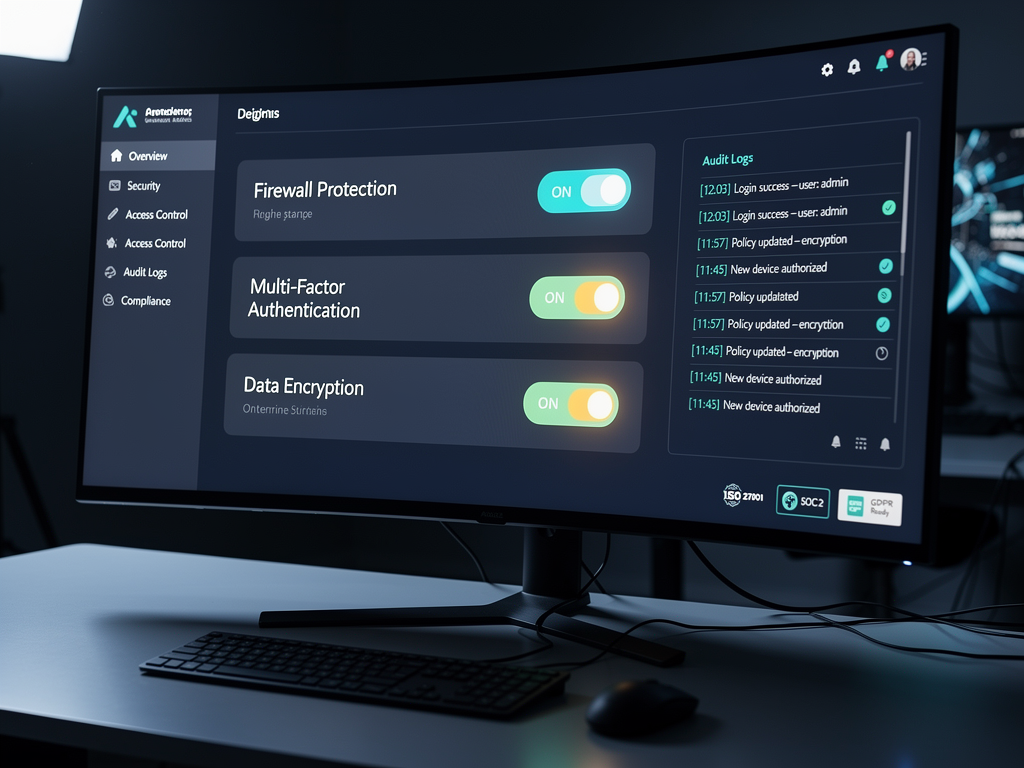
Compliance considerations vary by industry and geography. GDPR requirements for European users, SOC 2 compliance for enterprise customers, and industry-specific regulations like HIPAA for healthcare applications all impose requirements on your platform. Building compliance capabilities from the start, including data export, deletion, and audit logging, is easier than retrofitting them later.
Scaling Your Platform for Growth
Building for scale from the beginning prevents painful rewrites as your platform grows. Architectural decisions made early, including database design, caching strategies, and service boundaries, significantly impact how easily your platform can handle increased load. While premature optimization should be avoided, designing for scalability ensures growth doesn't require fundamental changes.
Horizontal scaling strategies enable adding capacity by running more instances rather than larger servers. Stateless application design, where no request depends on previous requests to the same server, enables load balancing across multiple instances. Session storage in Redis or database-backed sessions, rather than in-memory storage, supports this stateless approach.
Database scaling typically involves read replicas for query distribution, connection pooling to manage concurrent connections, and eventually sharding for very large deployments. Starting with a managed database service like Supabase or Neon provides automatic scaling for initial growth, with migration paths to dedicated infrastructure as needed.
Caching at multiple levels dramatically improves performance and reduces backend load. CDN caching for static assets, application-level caching for computed results, and database query caching all contribute to faster responses and lower resource consumption. Cache invalidation strategies must ensure users see fresh data when it changes while still benefiting from caching.
Global distribution reduces latency for users worldwide. Edge deployment of static assets and serverless functions, combined with strategically located database read replicas, ensures fast responses regardless of user location. For platforms with global ambitions, multi-region architecture is essential for competitive performance.
Leveraging Existing Solutions to Accelerate Development
Building a no-code platform from scratch requires implementing dozens of complex features, from authentication to billing to multi-tenant data isolation. Each feature represents weeks or months of development time, and getting them wrong can undermine your entire platform. Leveraging existing solutions for these foundational capabilities lets you focus on your unique value proposition.
A SaaS starter kit provides the authentication, billing, and user management features that every platform needs. Rather than implementing password reset flows, subscription management, and team invitations from scratch, you can start with proven implementations and customize them for your specific requirements. This approach can save 600+ hours of development time on foundational features alone.
The Next.js starter kit ecosystem includes options specifically designed for multi-tenant applications. These solutions handle subdomain routing, tenant resolution, and data isolation patterns that are essential for no-code platforms. Evaluating available options against your specific requirements helps identify the best starting point for your project.
Component libraries and design systems accelerate interface development. Building a visual editor requires hundreds of UI components for property panels, toolbars, and configuration interfaces. Libraries like shadcn/ui provide high-quality, customizable components that integrate well with Next.js and Tailwind CSS, reducing the custom UI development required.
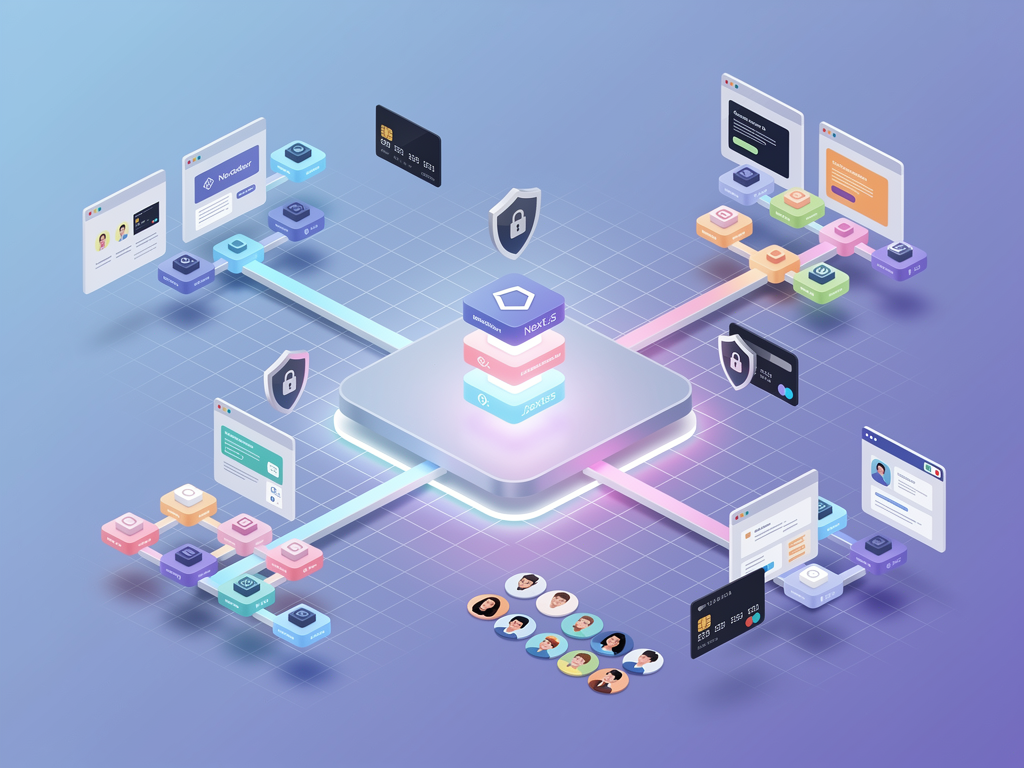
For teams serious about building multi-tenant SaaS platforms, NextBuilder offers a comprehensive foundation specifically designed for this use case. With features including custom subdomain and SSL support, dual authentication systems, team collaboration with permission levels, and integrated payment processing, it provides the infrastructure needed to build sophisticated platforms like no-code builders.
Learning from Migration Patterns and User Feedback
Understanding why users migrate between platforms provides valuable insights for building competitive offerings. Community discussions reveal that users often leave existing no-code platforms due to performance limitations, pricing concerns, lack of code export options, or insufficient customization capabilities. Addressing these pain points in your platform creates differentiation opportunities.
Performance is a frequent complaint about existing no-code platforms. Applications built on some platforms load slowly, especially as complexity increases. Prioritizing performance optimization, implementing efficient rendering strategies, and providing performance monitoring tools addresses this common frustration. Users who have experienced slow platforms will appreciate noticeable speed improvements.
Vendor lock-in concerns drive some users away from closed platforms. Providing code export capabilities, standard data formats, and migration tools reduces lock-in anxiety and can actually increase adoption. Users are more willing to commit to platforms when they know they can leave if necessary, paradoxically increasing retention.
Pricing transparency and predictability matter significantly to users building businesses on your platform. Unexpected charges, confusing pricing tiers, and aggressive upselling create frustration and churn. Clear pricing, generous free tiers for validation, and predictable scaling costs build trust with your user base.
Developer experience for advanced users shouldn't be neglected. While no-code platforms target non-technical users, many customers have developers on their teams who want to extend capabilities. Providing APIs, custom code injection points, and integration options satisfies these advanced users without compromising the core no-code experience.
Roadmap Considerations for Long-Term Success
Building a successful no-code platform is a multi-year journey requiring sustained investment in features, performance, and ecosystem development. Planning your roadmap strategically ensures you build the right capabilities at the right time, balancing immediate user needs with long-term platform vision.
Core builder capabilities should be your initial focus. A solid visual editor, reliable data management, and basic workflow automation provide the foundation users need to build useful applications. Resist the temptation to add advanced features before the basics are polished; users will forgive missing features but not buggy core functionality.
Integration ecosystem development becomes important as your user base grows. Users will request connections to their favorite tools, and each integration you add increases platform value. Prioritize integrations based on user demand, implementation complexity, and strategic importance. Consider building a plugin or extension system that allows third parties to contribute integrations.
Mobile application support extends your platform's reach. Users increasingly expect to build mobile apps alongside web applications. This might involve responsive web app capabilities, progressive web app features, or native app generation. The technical approach depends on your target market and competitive positioning.
AI-assisted building represents the next frontier for no-code platforms. Natural language interfaces for creating components, AI-suggested workflows based on user intent, and automated optimization recommendations all leverage AI to further reduce the expertise required for application development. Planning for AI integration positions your platform for future competition.
Community and marketplace development creates network effects that strengthen your platform. Template marketplaces, plugin ecosystems, and user communities increase the value of your platform beyond its core features. Investing in community building, documentation, and educational content supports long-term growth.

Conclusion
Building a Bubble-like no-code platform with Next.js is an ambitious undertaking that combines sophisticated front-end development, complex backend architecture, and deep understanding of user needs. The technical challenges are significant, spanning visual editor design, multi-tenant data isolation, workflow automation, custom domain management, and scalable infrastructure. However, the market opportunity is equally significant, with the no-code space continuing to grow rapidly as organizations seek ways to build software faster.
Success in this space requires both technical excellence and strategic focus. Starting with a solid foundation, whether a SaaS template or purpose-built multi-tenant framework, accelerates your path to market by handling common infrastructure concerns. This allows you to concentrate your engineering efforts on the unique capabilities that will differentiate your platform from existing solutions.
The journey from initial concept to production platform serving thousands of tenants involves continuous learning and iteration. User feedback will reveal unexpected use cases, performance testing will uncover optimization opportunities, and competitive pressure will drive feature development. Embracing this iterative approach, while maintaining focus on core user value, positions your platform for long-term success in the growing no-code market.
Frequently Asked Questions
How long does it take to build a no-code platform from scratch versus using a boilerplate?
Building a production-ready no-code platform from scratch typically requires 12 to 18 months of full-time development for a small team, covering authentication, multi-tenancy, billing, the visual editor, data management, and deployment infrastructure. Using a comprehensive boilerplate like NextBuilder can reduce this timeline to 3 to 6 months by providing pre-built authentication, payment processing, multi-tenant architecture, and admin dashboards. The time savings come not just from avoiding initial development but also from leveraging tested, production-proven code that handles edge cases you might not anticipate. For example, implementing proper subscription billing with proration, failed payment handling, and plan changes can take 4 to 6 weeks alone, while a boilerplate provides this immediately. The key is choosing a foundation that closely matches your requirements to minimize customization needs.
What are the most critical features for a minimum viable no-code platform?
A minimum viable no-code platform should include five core capabilities: a visual page builder with drag-and-drop components and property editing, data management allowing users to create collections and define fields, user authentication enabling login functionality in built applications, basic workflows for form submissions and simple automation, and one-click publishing to make applications live. Secondary features like custom domains, advanced integrations, and team collaboration can be added after validating core product-market fit. Many successful platforms launched with surprisingly limited feature sets, focusing on doing a few things exceptionally well rather than offering comprehensive but mediocre capabilities. Start by identifying your target user's most critical use case and building the minimum features needed to serve that use case completely.
How do I handle the performance challenges of rendering user-generated applications?
Performance optimization for user-generated applications requires multiple strategies working together. First, implement component-level caching that stores rendered output for static portions of applications, invalidating only when configurations change. Second, use lazy loading to defer off-screen components until users scroll to them, reducing initial page weight. Third, implement query optimization with automatic indexing suggestions and query complexity limits to prevent expensive database operations. Fourth, use CDN distribution with edge caching for static assets and potentially edge rendering for dynamic content. Fifth, establish resource quotas that limit workflow execution time, concurrent requests, and data query complexity per tenant. Monitor performance metrics continuously and implement automated alerts when applications exceed thresholds. Consider offering performance optimization suggestions to users, helping them build faster applications without requiring technical knowledge.
What database architecture works best for multi-tenant no-code platforms?
For most no-code platforms, a shared database with row-level security provides the optimal balance of cost efficiency, operational simplicity, and data isolation. PostgreSQL's row-level security policies enforce tenant isolation at the database level, preventing cross-tenant data access even if application code contains bugs. This approach uses a tenant identifier column on all tables, with policies that automatically filter queries to the current tenant's data. For the user-defined data structures that platform users create, consider a hybrid approach: store the schema definitions in structured tables while using JSONB columns for flexible user data, or dynamically create tables per tenant data type. This provides query performance benefits while accommodating arbitrary user schemas. As you scale, implement read replicas for query distribution and connection pooling to manage concurrent connections efficiently.
How can I differentiate my no-code platform from established competitors like Bubble?
Differentiation strategies fall into several categories. Vertical focus involves targeting a specific industry or use case, like building a no-code platform specifically for real estate applications or healthcare workflows, with pre-built templates and integrations for that domain. Technical differentiation might include superior performance, code export capabilities, or self-hosting options that address common complaints about existing platforms. Pricing innovation could involve more generous free tiers, usage-based pricing that scales with success, or lifetime deals that appeal to bootstrapped founders. Developer experience improvements like better APIs, custom code integration points, or version control integration attract teams with technical members. Geographic focus on underserved markets with localized interfaces, local payment methods, and region-specific integrations can establish strong positions before global competitors arrive. The key is identifying specific user pain points with existing solutions and addressing them definitively.
What ongoing operational costs should I expect for running a no-code platform?
Operational costs scale with your user base and their application usage. Infrastructure costs typically include compute resources ($200 to $2,000+ monthly depending on scale), database hosting ($50 to $500+ monthly), CDN and bandwidth ($100 to $1,000+ monthly), and SSL certificate management (often included with hosting or minimal cost with Let's Encrypt). Third-party services add costs for email delivery ($20 to $200+ monthly), payment processing (2.9% + $0.30 per transaction typical), monitoring and logging ($50 to $300+ monthly), and potentially AI services if you implement intelligent features. Self-hosting options can dramatically reduce costs; platforms like Hetzner with Coolify can host substantial workloads for $15 to $50 monthly, though they require more operational expertise. Plan for costs to grow roughly linearly with active users initially, with efficiency improvements possible as you optimize and benefit from economies of scale.
Ready to Build Your No-Code Platform?
Stop spending months building authentication, billing, and multi-tenant infrastructure from scratch. NextBuilder provides the complete foundation for building sophisticated multi-tenant SaaS platforms, including custom subdomain support with automatic SSL, dual authentication systems, team collaboration with granular permissions, integrated payment processing, and comprehensive admin dashboards. With over 600 hours of development time already invested in production-ready features, you can focus on building your unique visual editor and workflow capabilities while NextBuilder handles the platform infrastructure. Start building your no-code platform today and launch in days instead of months.
Subscribe to our newsletter
Subscribe to our newsletter and stay up-to-date with the latest news and updates.