Accelerate SaaS Development with Starter Templates
Discover how SaaS starter templates can dramatically reduce development time by 80-90%, enabling faster MVP launches. Learn about essential features, multi-tenant architecture, and how to choose the right template for your platform goals.

Zakariae

Building a SaaS platform from scratch is one of the most time-consuming endeavors in modern software development. Between configuring authentication systems, setting up payment processing, designing multi-tenant architectures, and implementing user dashboards, founders often spend months on infrastructure before writing a single line of product-specific code. This reality has given rise to a powerful category of development tools: starter templates that compress months of foundational work into days of customization.
The economics are compelling. Industry reports suggest that the average SaaS product requires between 600 and 1,200 hours of development time just for core infrastructure components. When you factor in debugging, security hardening, and deployment configuration, those numbers climb even higher. For startups racing against runway and established companies competing for market share, this time investment represents a significant competitive disadvantage.
This comprehensive guide explores how modern saas starter templates are transforming the development landscape, what features separate exceptional templates from mediocre ones, and how to select the right foundation for your specific platform goals. Whether you're building a no-code app builder, a client portal system, or a white-label solution for agencies, understanding this ecosystem will fundamentally change how you approach your next project.
Key Takeaways
- Time compression is dramatic: Quality starter templates can reduce initial development time by 80-90%, allowing teams to launch MVPs in days rather than months
- Multi-tenant architecture matters most: The complexity of tenant isolation, custom domains, and data separation makes this the highest-value component of any SaaS template
- Authentication complexity is often underestimated: Dual authentication systems (platform users plus app members) require sophisticated architecture that templates handle elegantly
- Self-hosting options dramatically reduce costs: Templates with deployment guides for platforms like Hetzner and Coolify can reduce hosting costs to $15-30 per month for enterprise-grade infrastructure
- Feature completeness varies significantly: The best templates include affiliate programs, email marketing systems, and analytics dashboards that would otherwise require months of additional development
- Framework choice impacts long-term maintainability: Next.js has emerged as the dominant framework for SaaS templates due to its server-side capabilities and React ecosystem

Understanding the SaaS Template Landscape
The market for SaaS development templates has exploded over the past three years, driven by increasing demand for rapid product launches and the maturation of frameworks like Next.js, React, and TypeScript. However, not all templates are created equal, and understanding the distinctions between categories is essential for making informed decisions.
At the most basic level, you'll find landing page templates that provide marketing sites with pricing pages and contact forms. These serve a purpose but offer minimal development acceleration for actual SaaS functionality. Moving up the complexity ladder, authentication boilerplates add user management, login flows, and session handling. These save meaningful time but still leave substantial infrastructure work on the table.
The most valuable category consists of full-stack SaaS templates that include authentication, database integration, payment processing, and deployment configuration. Within this category, a subset focuses specifically on multi-tenant architectures, which are essential for platforms where customers create their own applications, workspaces, or branded experiences.
When evaluating options, consider the distinction between open-source templates and commercial solutions. Open-source options like those built on the Wasp framework offer flexibility and community support but may lack the polish and comprehensive feature sets of commercial alternatives. Commercial templates typically provide better documentation, ongoing updates, and support channels that prove valuable during implementation.
The technology stack underlying each template significantly impacts your development experience and long-term maintenance burden. Templates built on Next.js with TypeScript, Prisma, and PostgreSQL have emerged as the gold standard due to their type safety, excellent developer experience, and production-ready performance characteristics. This combination provides the flexibility to deploy on serverless platforms like Vercel or traditional infrastructure with equal ease.
Why Multi-Tenant Architecture Demands Specialized Solutions
Multi-tenant architecture represents the most complex challenge in SaaS development, and it's precisely where starter templates provide the greatest value. Understanding why this complexity exists helps explain why attempting to build multi-tenant systems from scratch often leads to architectural dead ends and security vulnerabilities.
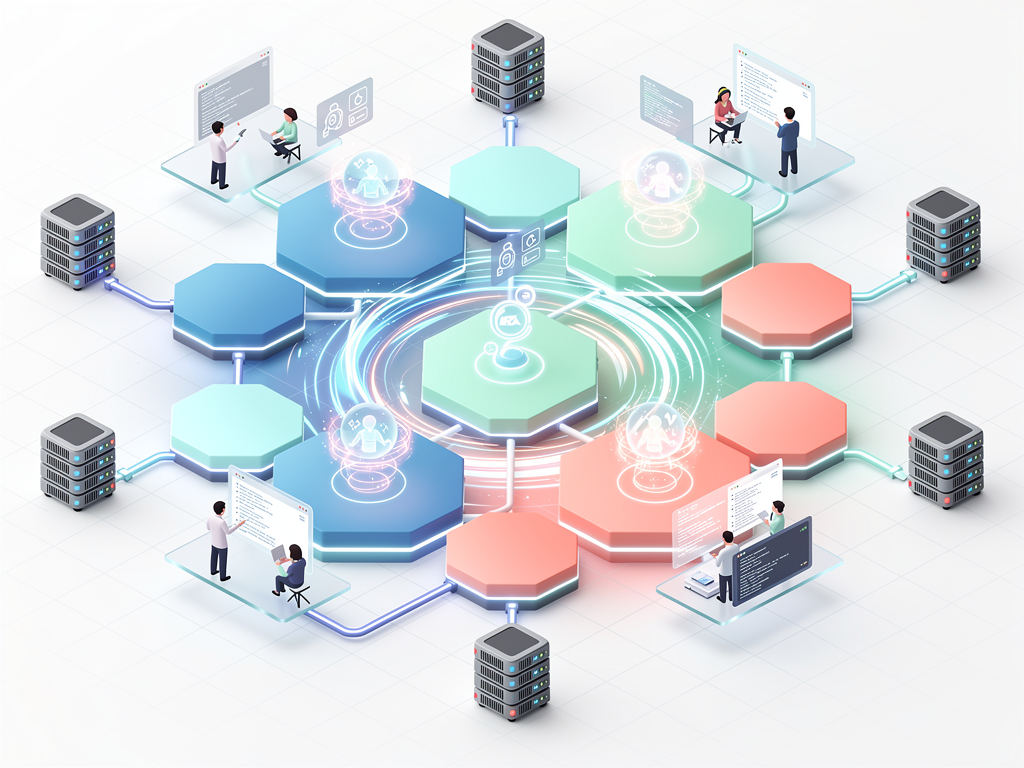
In a multi-tenant system, multiple customers (tenants) share the same application infrastructure while maintaining complete data isolation. This sounds straightforward in theory but becomes extraordinarily complex in practice. Consider the challenges: each tenant may need custom branding, unique subdomain or domain configurations, separate user bases with distinct authentication requirements, and isolated data stores that prevent any cross-tenant data leakage.
The custom domain problem alone illustrates this complexity. When a tenant wants to use their own domain (like app.clientcompany.com) instead of a subdomain (like clientcompany.yourplatform.com), you need to handle SSL certificate provisioning, DNS verification, routing configuration, and ongoing certificate renewal. Implementing this correctly requires integration with certificate authorities, DNS providers, and load balancers in ways that most developers have never encountered.
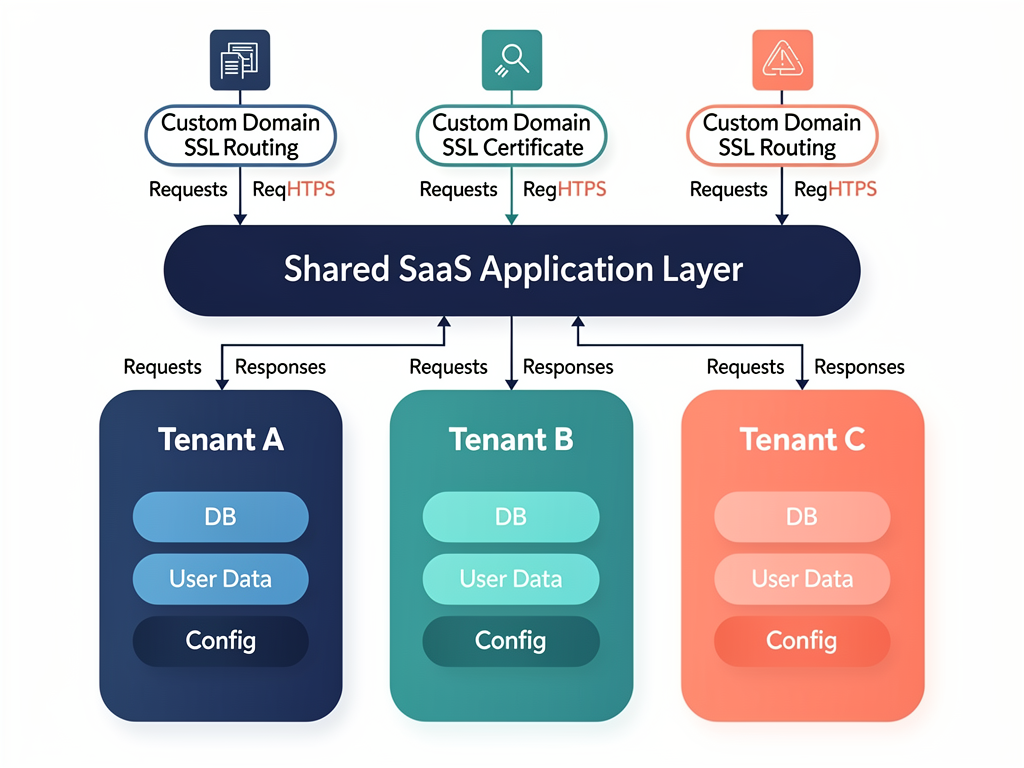
A quality multi-tenant boilerplate handles these challenges through pre-built components that have been tested across numerous production deployments. Rather than spending weeks researching SSL automation or debugging subdomain routing, developers can focus on the unique value proposition of their specific platform.
The authentication layer in multi-tenant systems presents another layer of complexity. Most platforms require dual authentication systems: one for platform administrators and account owners, and another for end users of the applications built on the platform. These systems must remain completely separate to prevent privilege escalation attacks while sharing enough infrastructure to remain maintainable.
Consider a no-code app builder platform as an example. The platform needs to authenticate the entrepreneur who creates apps, the team members they invite to collaborate, and the end users who interact with the published applications. Each group has different permission levels, different session requirements, and different security considerations. Building this from scratch typically requires 200-400 hours of focused development time, while a well-designed template provides it out of the box.
Essential Features Every SaaS Template Must Include
When evaluating SaaS starter kit options, certain features are non-negotiable for production-ready platforms. Understanding these requirements helps you avoid templates that look impressive in demos but fail under real-world conditions.
Authentication and authorization form the foundation of any SaaS platform. Look for templates that support multiple authentication methods (email/password, magic links, OAuth providers), implement proper session management, and include role-based access control. The authorization system should support at least five permission levels to accommodate complex organizational hierarchies: platform admin, account owner, account admin, team member, and read-only viewer.
Payment processing integration must go beyond simple checkout flows. Production SaaS platforms need subscription management with multiple tiers, usage-based billing options, trial period handling, and webhook processing for payment events. The template should handle edge cases like failed payments, subscription upgrades and downgrades, and proration calculations. Integration with Stripe is standard, but support for alternatives like Lemon Squeezy or Paddle provides flexibility for different markets.
| Feature Category | Basic Template | Production-Ready Template |
|---|---|---|
| Authentication | Email/password only | OAuth, magic links, 2FA, session management |
| Multi-tenancy | Single database, tenant ID column | Isolated schemas, custom domains, SSL automation |
| Payments | Basic checkout | Subscriptions, usage billing, webhooks, trials |
| User Management | Basic CRUD | Teams, invitations, role-based permissions |
| Transactional only | Marketing campaigns, templates, analytics | |
| Analytics | Page views | User behavior, revenue metrics, cohort analysis |
Database architecture decisions made in templates have long-lasting implications. The best templates use Prisma as an ORM for its type safety and migration capabilities, with PostgreSQL as the underlying database. This combination provides the reliability needed for production workloads while maintaining developer productivity. Templates should include proper indexing strategies, connection pooling configuration, and backup procedures.
Admin dashboards often receive insufficient attention in basic templates but prove essential for operating a SaaS business. Look for real-time analytics showing user activity, revenue metrics, and system health. The dashboard should provide tools for managing tenants, handling support requests, and monitoring usage patterns that might indicate abuse or scaling needs.
Email infrastructure extends far beyond password reset messages. Production platforms need transactional email templates for onboarding sequences, billing notifications, and system alerts. More sophisticated templates include email marketing capabilities with campaign builders, list management, and engagement analytics. Having these features built-in saves the cost and complexity of integrating third-party email marketing platforms.
The Next.js Advantage for SaaS Development
The dominance of Next.js in the SaaS template ecosystem isn't accidental. This React framework provides specific capabilities that align perfectly with SaaS requirements, making it the foundation of choice for most serious template providers.
Server-side rendering and static generation capabilities address the SEO requirements that many SaaS platforms face. Marketing pages, blog content, and documentation need to be indexable by search engines, while application interfaces benefit from client-side rendering for interactivity. A Next.js boilerplate handles both use cases elegantly through its hybrid rendering approach.
The API routes feature eliminates the need for separate backend services in many cases. SaaS platforms can implement their entire API layer within the Next.js application, simplifying deployment and reducing infrastructure complexity. For platforms that eventually need dedicated backend services, the transition path is straightforward because the API contract remains consistent.

Middleware capabilities in Next.js enable sophisticated request handling that multi-tenant platforms require. Subdomain routing, authentication checks, and tenant identification can all happen at the edge before requests reach application code. This architecture improves performance while centralizing cross-cutting concerns that would otherwise be scattered throughout the codebase.
The React ecosystem integration means access to thousands of high-quality components and libraries. UI component libraries like Shadcn/ui provide beautiful, accessible interfaces without the overhead of traditional component frameworks. State management solutions like Zustand and React Query handle complex application state with minimal boilerplate. This ecosystem maturity accelerates development beyond what the template itself provides.
When combined with TypeScript, Next.js provides end-to-end type safety that catches errors before they reach production. Database schemas defined in Prisma generate TypeScript types that flow through API routes to React components. This type safety proves especially valuable in multi-tenant systems where data isolation bugs could have severe consequences.
The deployment flexibility of Next.js applications deserves mention as well. Templates can target Vercel for zero-configuration deployment, Cloudflare Workers for edge computing, or traditional Node.js servers for maximum control. This flexibility ensures that infrastructure decisions can evolve as platforms scale without requiring fundamental architecture changes.
Evaluating Template Quality: Beyond Feature Lists
Feature lists tell only part of the story when evaluating SaaS templates. The implementation quality, documentation depth, and long-term maintainability matter equally for successful projects. Developing a critical eye for these factors separates successful template adoptions from frustrating experiences.
Code organization and architecture reveal whether a template will scale with your needs. Look for clear separation of concerns, consistent naming conventions, and logical file structures. The best templates follow established patterns that experienced developers recognize immediately. Poor organization becomes increasingly painful as your codebase grows, making early evaluation essential.
Documentation quality directly impacts your implementation speed. Comprehensive documentation includes not just installation instructions but architectural explanations, customization guides, and troubleshooting resources. Look for templates that explain why decisions were made, not just what the code does. This context proves invaluable when you need to modify behavior for your specific requirements.
Update frequency and maintenance indicate whether the template will remain viable long-term. Check the commit history, changelog, and issue response times. Templates that haven't been updated in months may have security vulnerabilities or compatibility issues with current framework versions. Active maintenance also suggests a community of users who identify and report issues.
Pro Tip: Before committing to any template, deploy the demo application and test it thoroughly. Create accounts, process test payments, and explore the admin dashboard. This hands-on evaluation reveals usability issues and missing features that documentation might not mention.
Testing coverage in templates varies dramatically. Production-ready templates include unit tests for critical business logic, integration tests for API endpoints, and end-to-end tests for user flows. Templates without tests transfer the testing burden to you, adding significant time to your development process and increasing the risk of regressions during customization.
Security implementation requires careful evaluation because vulnerabilities in templates become vulnerabilities in every application built on them. Review how the template handles input validation, SQL injection prevention, cross-site scripting protection, and CSRF tokens. Check whether dependencies are kept current and whether security advisories are addressed promptly.
Cost Analysis: Templates Versus Custom Development
The financial case for using SaaS templates becomes compelling when you examine the true costs of custom development. This analysis helps justify template investments to stakeholders and ensures realistic project budgeting.
Developer time costs dominate SaaS development budgets. At average US developer rates of $75-150 per hour, the 600+ hours saved by using a comprehensive template translates to $45,000-90,000 in development costs. Even accounting for the time needed to learn and customize a template, the savings typically exceed 70% compared to building from scratch.
Opportunity costs often exceed direct development costs. Every month spent building infrastructure is a month not spent acquiring customers, refining product-market fit, or generating revenue. For startups with limited runway, this time compression can mean the difference between success and failure. Established companies face similar pressures from competitors who may reach market faster.
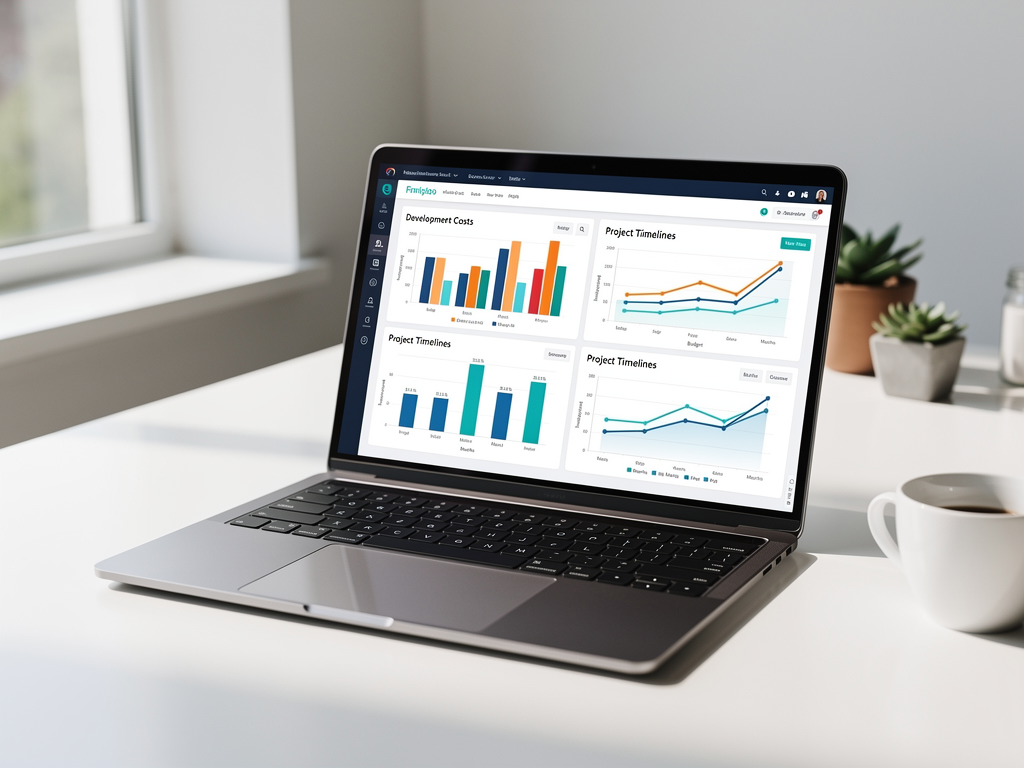
Hosting and infrastructure costs vary based on template architecture and deployment choices. Templates with self-hosting guides can dramatically reduce ongoing costs. For example, deploying on Hetzner with Coolify for container orchestration and Supabase for database services can provide enterprise-grade infrastructure for $15-30 per month. Compare this to managed platforms that might cost $200-500 monthly for equivalent capabilities.
| Cost Category | Custom Development | Template-Based Development |
|---|---|---|
| Initial Development (600 hrs @ $100/hr) | $60,000 | $5,000-15,000 |
| Template License | $0 | $49-499 |
| Time to MVP | 4-6 months | 2-4 weeks |
| Monthly Hosting (Self-hosted) | $50-200 | $15-50 |
| Monthly Hosting (Managed) | $200-500 | $100-300 |
| Ongoing Maintenance | High (all custom) | Lower (community updates) |
Maintenance and update costs continue throughout the platform's lifecycle. Custom-built systems require dedicated maintenance effort for security patches, framework updates, and dependency management. Templates with active maintenance shift much of this burden to the template provider, whose updates benefit all users. This shared maintenance model provides economies of scale that individual projects cannot achieve.
Risk reduction provides value that's difficult to quantify but very real. Templates that have been deployed in production across multiple projects have encountered and solved edge cases that new implementations would discover painfully. This battle-tested quality reduces the risk of critical bugs reaching production and the associated costs of emergency fixes and customer impact.
Implementation Strategies for Maximum Efficiency
Adopting a SaaS template effectively requires deliberate strategy. The following approaches help teams extract maximum value while avoiding common pitfalls that slow implementation.
Start with the demo deployment before any customization. Deploy the template exactly as provided to a staging environment. This baseline deployment serves multiple purposes: it verifies that your development environment is correctly configured, provides a reference implementation for comparison during customization, and gives stakeholders something tangible to evaluate early in the project.
Map your requirements to template features systematically before writing code. Create a document listing every feature your platform needs and how the template addresses it. Identify gaps that require custom development and features that need modification versus complete replacement. This mapping prevents the common mistake of rebuilding functionality that already exists in the template.
Customize incrementally rather than attempting wholesale changes. Modify one component at a time, testing thoroughly after each change. This approach makes debugging easier because you can identify exactly which change introduced any problems. It also helps you understand the template's architecture progressively rather than being overwhelmed by its complexity.
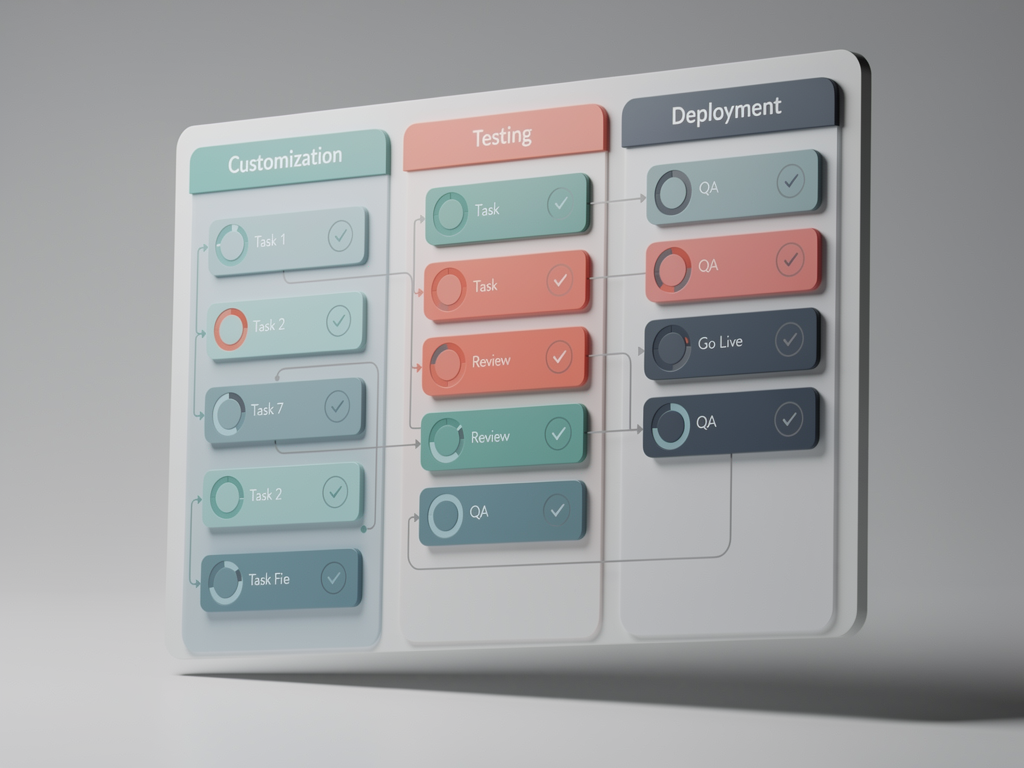
Preserve upgrade paths by isolating customizations when possible. Rather than modifying template files directly, extend them through composition or configuration. When direct modification is necessary, document changes thoroughly so future template updates can be merged without losing your customizations. Some teams maintain a separate branch tracking the upstream template to facilitate this merging process.
Invest in understanding before optimizing. Resist the urge to refactor template code before you fully understand why it's structured as it is. Patterns that seem unusual often exist for good reasons that become apparent only after working with the codebase extensively. Premature optimization based on incomplete understanding frequently introduces bugs or removes important functionality.
Establish testing practices early. Even if the template includes tests, you'll need to add tests for your customizations. Set up continuous integration from the beginning so that tests run automatically on every commit. This investment pays dividends throughout development by catching regressions immediately rather than discovering them during manual testing or, worse, in production.
Building No-Code Platforms with Starter Templates
No-code platform development represents one of the most compelling use cases for SaaS templates. These platforms enable non-technical users to build applications, websites, or workflows without writing code. The complexity of such platforms makes template-based development particularly valuable.
The builder interface challenge distinguishes no-code platforms from simpler SaaS products. Users expect drag-and-drop functionality, real-time previews, and intuitive configuration options. While templates don't typically include complete builder interfaces, they provide the infrastructure that makes building such interfaces feasible: authentication for builders and their end users, data storage for application definitions, and deployment pipelines for publishing created applications.
Multi-tenant requirements intensify for no-code platforms because each tenant's users create additional applications that need isolation. Consider a website builder platform: the platform has tenants (agencies or entrepreneurs), each tenant has clients, and each client has website visitors. This three-tier structure requires sophisticated permission systems and data isolation that basic templates don't address but specialized multi-tenant templates handle elegantly.
Custom domain support becomes essential for no-code platforms because the applications created on the platform typically need their own domains. A website builder where all sites live on subdomains of the platform domain lacks professional appeal. Templates that include automated SSL provisioning and domain verification workflows enable the white-label experiences that no-code platform customers expect.
The monetization layer for no-code platforms often involves letting platform users charge their own customers. This requires payment processing that supports connected accounts or marketplace models. Templates with Stripe Connect integration or similar capabilities enable this revenue sharing without requiring platform operators to handle complex payment flows themselves.
Template and component libraries that no-code platforms offer to their users need storage and versioning systems. While the visual components themselves require custom development, the infrastructure for storing, versioning, and distributing them benefits from template foundations. Database schemas, API endpoints, and caching strategies from templates provide starting points for these systems.
White-Label Solutions and Agency Applications
Web agencies and software consultancies find particular value in SaaS templates for building white-label solutions. These applications are deployed multiple times for different clients, each with custom branding and potentially custom features. The economics of template-based development become even more favorable in this context.
Branding customization requirements drive white-label platform architecture. Each deployment needs different logos, color schemes, and potentially different feature sets. Templates designed for white-label use include theming systems that make these customizations straightforward. CSS variable systems, configuration files, and component prop patterns enable visual customization without code changes.
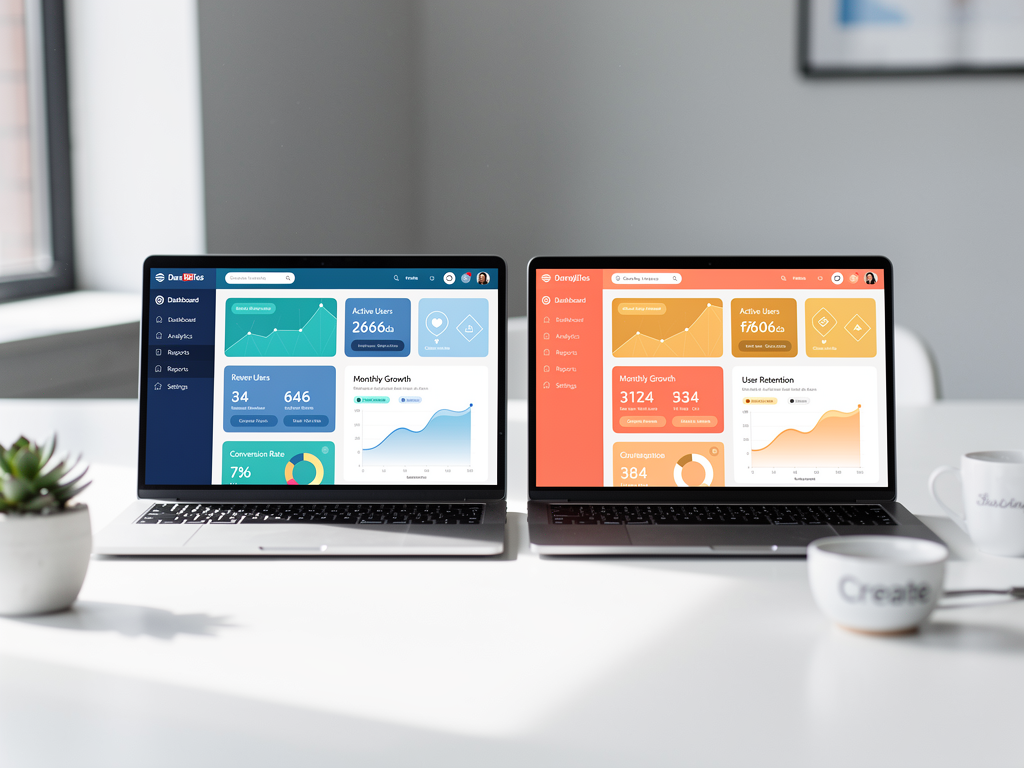
Feature flagging systems in sophisticated templates allow agencies to enable or disable functionality per deployment. One client might need the affiliate program feature while another doesn't. Rather than maintaining separate codebases, feature flags provide this flexibility from a single codebase. This approach dramatically reduces maintenance burden as the agency's client base grows.
Client onboarding workflows benefit from template infrastructure. Automated provisioning of new tenants, initial configuration wizards, and data migration tools help agencies deploy new clients quickly. Templates that include these workflows enable agencies to scale their client base without proportionally scaling their technical team.
The support and maintenance model for white-label solutions differs from typical SaaS. Agencies often provide ongoing support to clients, requiring admin tools that facilitate troubleshooting and configuration changes. Templates with comprehensive admin dashboards reduce the technical expertise needed for routine support tasks, enabling agencies to delegate support to less technical team members.
Revenue models for agencies using white-label templates vary. Some charge one-time setup fees plus monthly maintenance, others use revenue sharing based on client platform usage, and some combine approaches. Templates with built-in analytics and billing infrastructure support all these models, giving agencies flexibility in how they structure client relationships.
Security Considerations in Template Selection
Security vulnerabilities in SaaS templates affect every application built on them, making security evaluation critical during template selection. Understanding common vulnerability patterns helps identify templates that prioritize security appropriately.
Authentication implementation quality varies dramatically across templates. Secure implementations use established libraries like NextAuth.js rather than custom authentication code. They implement proper password hashing (bcrypt or Argon2), secure session management, and protection against common attacks like credential stuffing. Review how the template handles password reset flows, which are frequent targets for account takeover attacks.
Input validation and sanitization must happen at multiple layers. Templates should validate input on the client side for user experience, on the server side for security, and at the database level through constraints. SQL injection and NoSQL injection vulnerabilities often result from inadequate validation. Check whether the template uses parameterized queries or ORM methods that prevent injection attacks.
Cross-site scripting (XSS) prevention requires careful output encoding throughout the application. React's JSX provides some protection by default, but templates that use dangerouslySetInnerHTML or similar patterns need additional scrutiny. User-generated content, markdown rendering, and dynamic HTML construction are common XSS vectors that templates must handle carefully.
Security Checklist: Before adopting any template, verify that it includes CSRF protection on all state-changing operations, implements rate limiting on authentication endpoints, uses secure HTTP headers (Content-Security-Policy, X-Frame-Options, etc.), and keeps dependencies updated to address known vulnerabilities.
Multi-tenant data isolation represents the highest-stakes security consideration for SaaS platforms. Bugs that allow one tenant to access another tenant's data can be catastrophic. Templates should implement isolation at multiple levels: database queries should always include tenant context, API endpoints should verify tenant ownership, and file storage should use tenant-specific paths or buckets.
Dependency security extends beyond the template itself. Review the template's dependency tree for known vulnerabilities using tools like npm audit or Snyk. Check whether the template maintainers respond promptly to security advisories in dependencies. A template with hundreds of dependencies, some unmaintained, presents ongoing security risks regardless of how well the template code itself is written.

Scaling Considerations and Performance Optimization
Templates that work well for initial launches may struggle as platforms scale. Understanding how template architecture affects scalability helps you select templates that won't require complete rewrites as your user base grows.
Database query patterns established in templates significantly impact scalability. Templates that use eager loading appropriately, implement pagination correctly, and avoid N+1 query patterns scale more gracefully. Review how the template handles listing pages with relationships, as these often become performance bottlenecks. Proper indexing strategies should be documented and implemented in migrations.
Caching strategies in templates range from non-existent to sophisticated. At minimum, templates should support static asset caching and API response caching for read-heavy endpoints. More advanced templates implement cache invalidation strategies that maintain data freshness while reducing database load. Redis integration for session storage and application caching indicates serious attention to performance.
Horizontal scaling capability depends on how templates handle state. Templates that store session data in the database or Redis scale horizontally because any server instance can handle any request. Templates that rely on in-memory state or file system storage require sticky sessions or don't scale horizontally at all. Verify the template's approach before committing.
Background job processing becomes essential as platforms grow. Operations like sending bulk emails, generating reports, or processing uploads shouldn't block web requests. Templates that include job queue integration (using tools like Bull, BullMQ, or similar) provide the infrastructure for these asynchronous operations. Without this infrastructure, you'll need to add it later, potentially requiring significant architectural changes.
CDN and edge deployment capabilities affect global performance. Templates designed for deployment on edge platforms like Cloudflare Workers or Vercel Edge Functions can serve users worldwide with low latency. Traditional server-based templates may require additional CDN configuration for comparable performance. Consider your target user geography when evaluating these capabilities.
Customization Patterns and Extension Strategies
Every SaaS platform requires customization beyond what templates provide. Understanding effective customization patterns helps you modify templates without creating maintenance nightmares or breaking upgrade paths.
Configuration-driven customization should be your first approach. Well-designed templates externalize settings into configuration files or environment variables. Before modifying code, check whether the behavior you want to change can be achieved through configuration. This approach preserves upgrade compatibility and makes deployments across environments straightforward.
Component composition extends template functionality without modifying original components. Rather than editing a template's Button component, create a wrapper component that adds your desired behavior and uses the original Button internally. This pattern applies to pages, layouts, and utility functions as well. Your customizations remain isolated and easy to identify.
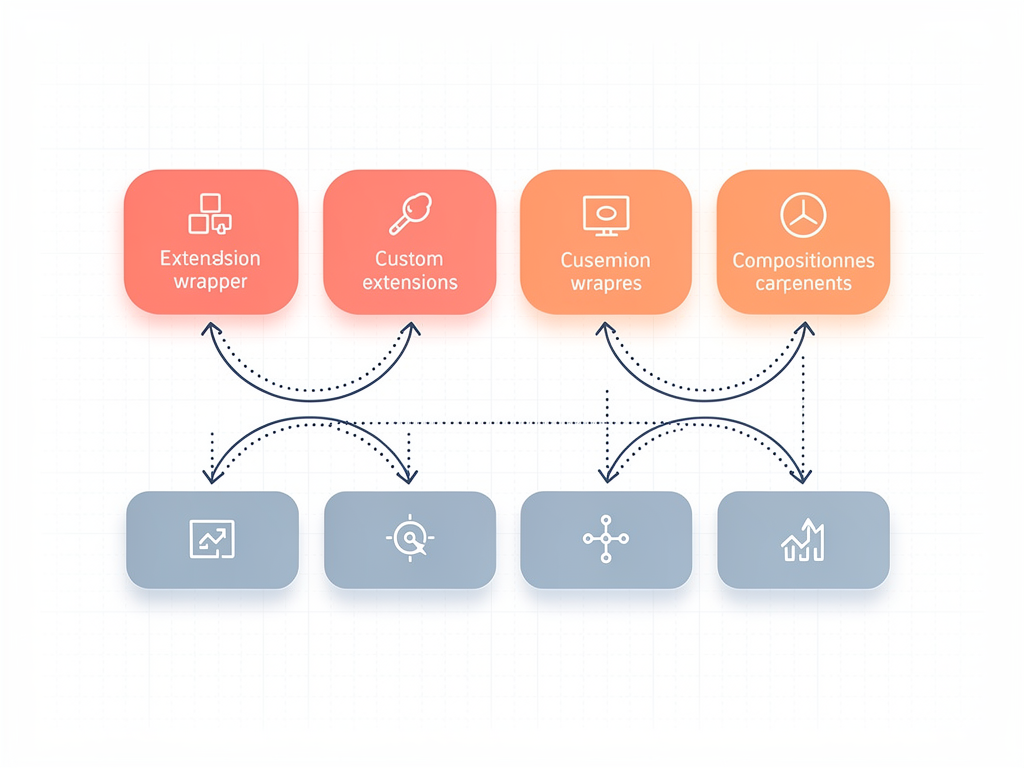
Hook and plugin systems in sophisticated templates provide official extension points. These systems let you add functionality at specific points in the application lifecycle without modifying core code. Look for templates that document their extension points and provide examples of common customizations. This architecture indicates mature template design.
Feature modules organize custom functionality into self-contained units. Rather than scattering customizations throughout the codebase, create dedicated directories for each major feature you add. This organization makes it clear which code is custom versus template-provided and simplifies reasoning about dependencies between features.
Database schema extensions require particular care. Add new tables and columns through migrations that don't modify template-defined schemas. When you need to extend template tables, use separate extension tables with foreign key relationships rather than adding columns directly. This approach allows template schema updates to apply cleanly.
API versioning strategies help when you need to modify template API behavior. Rather than changing existing endpoints, create new versioned endpoints with your desired behavior. This approach maintains backward compatibility with any integrations depending on original endpoint behavior while giving you freedom to implement changes.
Real-World Success Patterns and Case Studies
Examining how successful platforms have leveraged SaaS templates provides practical insights that abstract discussions cannot capture. These patterns emerge consistently across different industries and use cases.
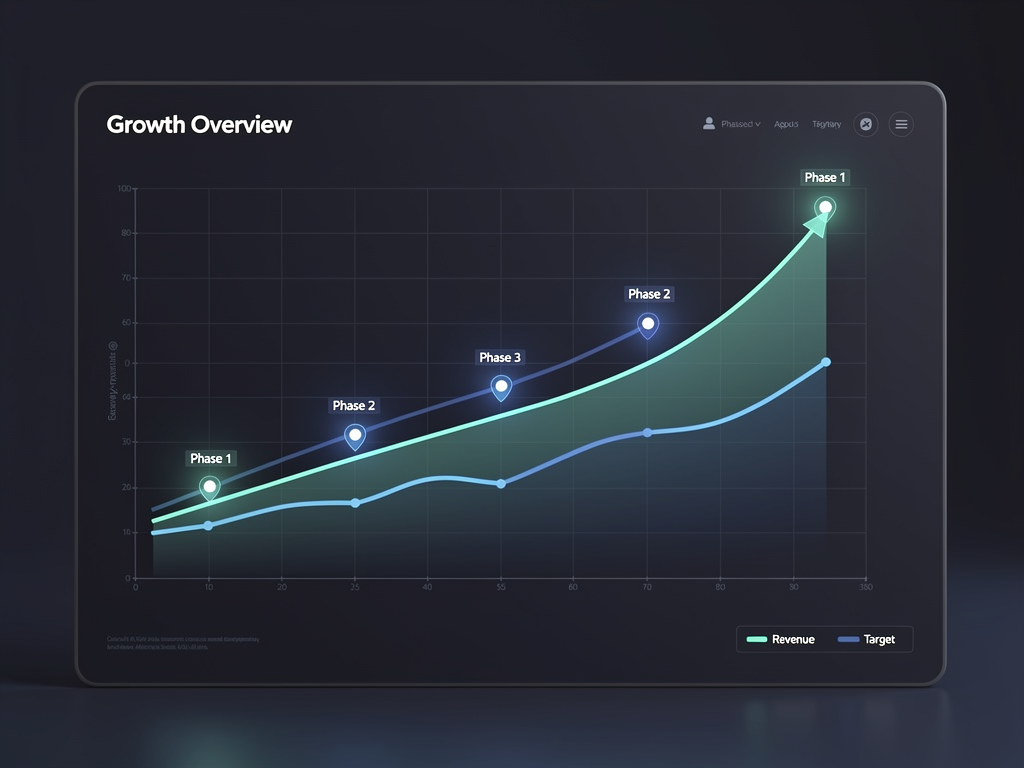
Rapid market validation represents the most common success pattern. Founders use templates to launch MVPs within weeks, gather user feedback, and iterate quickly. This approach lets them validate product-market fit before investing heavily in custom development. Many successful SaaS companies started with template-based MVPs and gradually replaced template components with custom implementations as their specific needs became clear.
Agency productization transforms custom development shops into scalable businesses. Agencies that previously built custom solutions for each client adopt templates to create productized offerings. They customize the template once, then deploy it repeatedly for new clients with minimal additional development. This model dramatically improves agency economics and enables growth without proportional team expansion.
Internal tool platforms built on SaaS templates serve enterprise needs efficiently. Companies use templates to build internal portals, client dashboards, or partner management systems. The authentication, permission, and multi-tenant features that templates provide address common enterprise requirements without custom development. IT departments appreciate the reduced maintenance burden compared to fully custom solutions.
Marketplace and platform businesses leverage multi-tenant templates to connect multiple user types. Templates that support distinct user roles (buyers and sellers, creators and consumers, service providers and clients) provide foundations for two-sided marketplaces. The complexity of managing relationships between user types makes template foundations particularly valuable for these business models.
Vertical SaaS applications targeting specific industries benefit from template starting points. A template provides horizontal functionality (authentication, billing, multi-tenancy) while the development team focuses on industry-specific features. This division of labor lets small teams compete with larger competitors by not reinventing common infrastructure.
Future Trends in SaaS Template Development
The SaaS template ecosystem continues evolving rapidly. Understanding emerging trends helps you select templates that will remain relevant and make architectural decisions that align with where the industry is heading.
AI integration capabilities are becoming standard in modern templates. Templates now include integration points for AI services, whether for content generation, data analysis, or user assistance features. As AI capabilities become expected in SaaS products, templates that facilitate these integrations provide competitive advantages. Look for templates with OpenAI, Anthropic, or similar API integrations already configured.
Edge computing optimization reflects the shift toward globally distributed applications. Templates designed for edge deployment on platforms like Cloudflare Workers or Deno Deploy offer performance benefits that traditional server-based architectures cannot match. This trend will accelerate as edge computing platforms mature and more workloads become suitable for edge execution.
Improved developer experience tooling differentiates modern templates. Integration with AI coding assistants, comprehensive TypeScript types, and automated testing setups reduce friction throughout the development process. Templates that embrace these tools attract developers and enable faster customization cycles.
Composable architecture patterns are replacing monolithic template designs. Rather than single large templates, ecosystems of compatible modules let developers assemble exactly the functionality they need. This approach reduces bloat while maintaining the benefits of pre-built, tested components. The SaaSCore boilerplate exemplifies this trend with its modular feature system that lets developers include only what they need.
Self-hosting renaissance driven by cost concerns and data sovereignty requirements is influencing template design. Templates that include deployment guides for self-hosted infrastructure (using tools like Coolify, Dokku, or Kubernetes) address growing demand for alternatives to expensive managed platforms. This trend particularly benefits startups and companies in regulated industries.
Conclusion
The decision to use a SaaS template versus building from scratch has become increasingly clear for most projects. The time savings, cost reductions, and risk mitigation that quality templates provide make them the rational choice for new SaaS development. The key lies in selecting templates that match your specific requirements and implementing them with strategies that preserve long-term flexibility.
For teams building multi-tenant platforms, no-code builders, or white-label solutions, the value proposition is even stronger. The architectural complexity of these systems makes template foundations not just convenient but practically essential for teams without unlimited resources. A well-chosen Next.js SaaS template can compress months of infrastructure work into days of customization, letting you focus on the unique value your platform provides.
As you evaluate options, prioritize templates with active maintenance, comprehensive documentation, and architecture that aligns with your scaling expectations. Consider the total cost of ownership, including ongoing maintenance and potential migration costs, not just the initial license fee. And remember that the best template is one you understand well enough to customize confidently.
The SaaS template ecosystem will continue maturing, with AI integration, edge computing, and composable architectures shaping its evolution. By choosing templates that embrace these trends while maintaining solid fundamentals, you position your platform for long-term success in an increasingly competitive landscape.
Frequently Asked Questions
How Long Does It Actually Take to Launch a SaaS Platform Using a Starter Template?
The timeline varies based on your customization requirements and team experience, but most teams can launch a functional MVP within two to four weeks using a comprehensive template. This assumes you're adding moderate customization to the template's existing features rather than building entirely new functionality. For comparison, building equivalent infrastructure from scratch typically requires four to six months of full-time development. The time savings come primarily from not needing to implement authentication, payment processing, multi-tenant architecture, and admin dashboards from scratch. Teams that have previously worked with the template's technology stack (typically Next.js, React, and PostgreSQL) can move even faster, sometimes launching within one to two weeks for straightforward applications.
Can I Use a SaaS Template for a Production Application with Thousands of Users?
Yes, quality SaaS templates are designed for production use and can scale to support thousands or even hundreds of thousands of users. The key factors determining scalability are the template's database query patterns, caching strategies, and horizontal scaling capabilities. Templates built on Next.js with PostgreSQL and proper indexing handle substantial traffic without modification. However, you should evaluate the specific template's architecture before committing. Look for templates that use connection pooling, implement efficient pagination, and support stateless session management. As you approach higher scale (tens of thousands of concurrent users), you may need to optimize specific queries or add caching layers, but the template foundation remains solid. Many successful SaaS companies with millions of users started with template-based MVPs.
What Happens If the Template Provider Stops Maintaining the Template?
This concern is valid and worth addressing during template selection. If a template provider stops maintenance, you retain full ownership of your codebase and can continue developing independently. The risk is that you become responsible for security updates, framework compatibility, and bug fixes that the provider would have handled. To mitigate this risk, choose templates with active communities, multiple contributors, or backing from established companies. Open-source templates provide additional protection because the community can continue maintenance even if original creators move on. When evaluating templates, check the commit history, issue response times, and community activity. Templates with years of consistent updates and responsive maintainers present lower abandonment risk. Even if maintenance stops, a well-architected template built on standard technologies remains usable and maintainable by competent developers.
How Do SaaS Templates Handle Different Pricing Models and Subscription Tiers?
Comprehensive SaaS templates include flexible billing infrastructure that supports multiple pricing models. Most templates integrate with Stripe and include support for monthly and annual subscriptions, multiple pricing tiers with different feature access, usage-based billing components, free trials with automatic conversion, and one-time purchase options. The implementation typically involves a subscription management system that tracks each tenant's current plan, a feature flagging system that enables or disables functionality based on plan level, and webhook handlers that process payment events and update tenant status accordingly. More sophisticated templates also handle proration for mid-cycle plan changes, grace periods for failed payments, and subscription pause functionality. You can customize pricing tiers, trial lengths, and feature restrictions through configuration rather than code changes in well-designed templates.
Is It Better to Choose a Framework-Specific Template or a More Generic Solution?
Framework-specific templates (like those built specifically for Next.js) generally provide better developer experience and tighter integration than generic solutions. They leverage framework-specific features like Next.js middleware, server components, and API routes that generic templates cannot utilize. This tight integration results in better performance, cleaner code organization, and easier debugging. Generic solutions that target multiple frameworks often make compromises that reduce the benefits of each individual framework. The tradeoff is that framework-specific templates lock you into that framework, though this is rarely problematic in practice because framework migrations are rare and expensive regardless of starting point. For most teams, the benefits of framework-specific templates outweigh the theoretical flexibility of generic solutions. Choose a template built specifically for your preferred framework and invest in learning that framework deeply.
How Do I Evaluate Whether a Template's Multi-Tenant Architecture Is Secure?
Evaluating multi-tenant security requires examining several architectural layers. First, review how the template implements tenant isolation at the database level. Secure implementations either use separate schemas per tenant or include tenant ID in every query with proper indexing and constraints. Second, examine the API layer to verify that every endpoint validates tenant ownership before returning or modifying data. Third, check file storage patterns to ensure tenant files are stored in isolated paths or buckets. Fourth, review the authentication system to confirm that sessions are properly scoped to tenants and that privilege escalation between tenants is impossible. Look for templates that have undergone security audits or have documented security architectures. Test the template yourself by creating multiple tenant accounts and attempting to access data across tenant boundaries. Any template that allows cross-tenant data access through URL manipulation, API calls, or session tampering has fundamental security flaws that disqualify it from production use.
Ready to Launch Your SaaS Platform 10x Faster?
Stop spending months building authentication, payment processing, and multi-tenant infrastructure from scratch. NextBuilder provides the complete Next.js foundation for building multi-tenant SaaS platforms where your clients can create unlimited apps with custom subdomains and SSL. With 12+ production-ready features including dual authentication, team collaboration, affiliate programs, and email marketing built in, you can focus on what makes your platform unique. The included self-hosting guide lets you run enterprise-grade infrastructure for as little as $15 per month. View the demo and start building your no-code SaaS platform today.
Subscribe to our newsletter
Subscribe to our newsletter and stay up-to-date with the latest news and updates.